Handle the media messages - How to handle the [Media message]
in the tray-to-tray mode
Introduction
The media catalog
• contains a list of predefined media and their attributes
• is an essential part of the system behavior of the Océ VarioPrint® 6000 line
• helps you to print your jobs more easily while using the correct media
For transaction printing, the content of the paper trays (in terms of media from the media catalog)
is translated into a format that the controller understands. However, the controller receives only a
limited amount of information (name or size of the media). This can lead to miscommunication
where the controller misses a media requirement. Then the controller will ask for the required
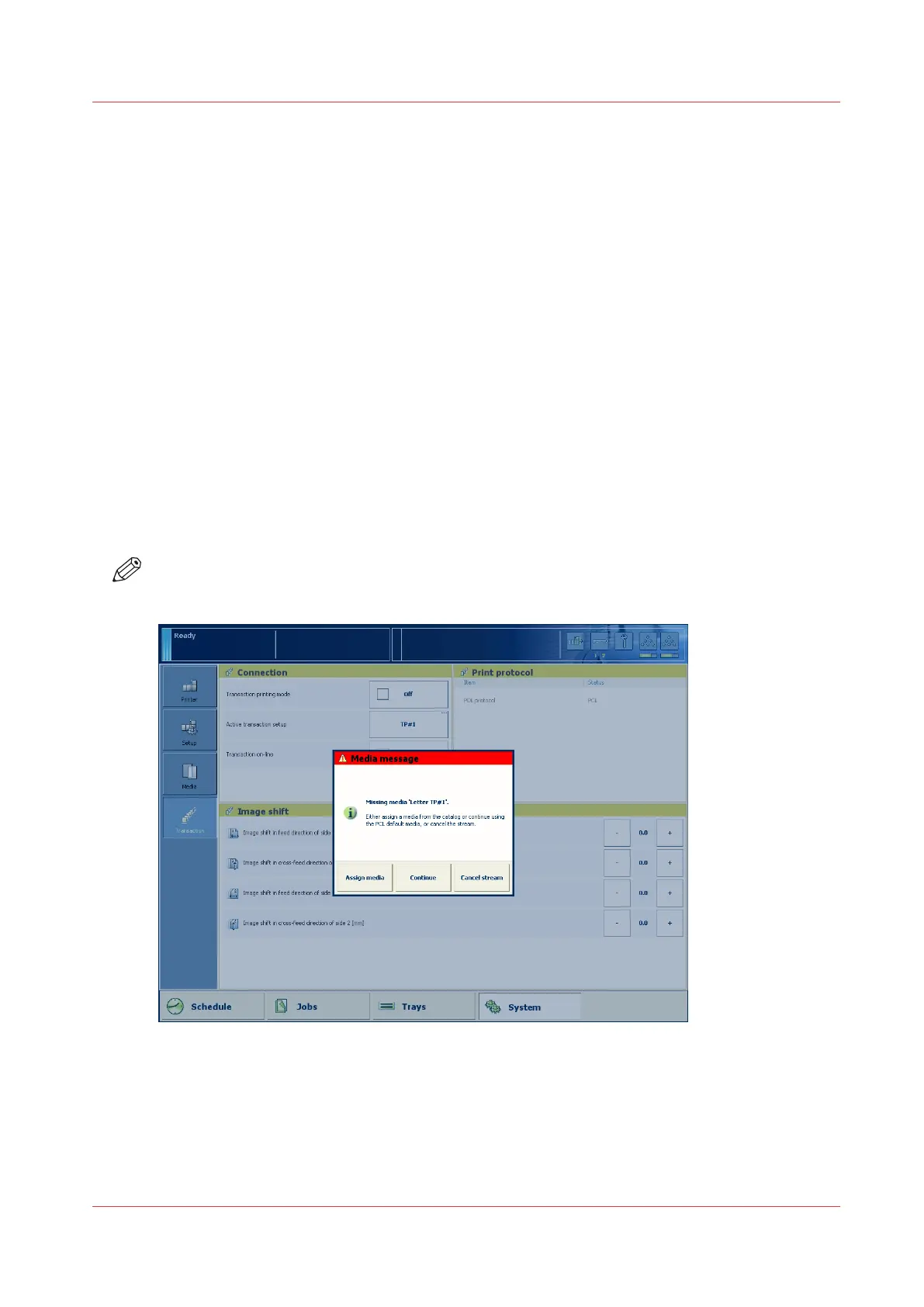
media via a message on the control panel. This [Media message] indicates the name or size of the
missing media.
Your response to the [Media message] depends on the mode in which the printer works, either:
• The tray-to-tray mode, or
• The tray-to-media mode.
This section describes how to respond to the [Media message] for both modes.
NOTE
A [Media message] will only occur when the printer description language is PCL.
[40] Example of a [Media message]
Procedure
1.
A message on the control panel indicates that a media is missing. Select one of the following
actions as a response to the message.
• Press [Assign media].
Handle the media messages - How to handle the [Media message] in the tray-to-tray mode
Chapter 9 - Carry out print jobs
185
Océ VarioPrint 6000 line












 To Next Page