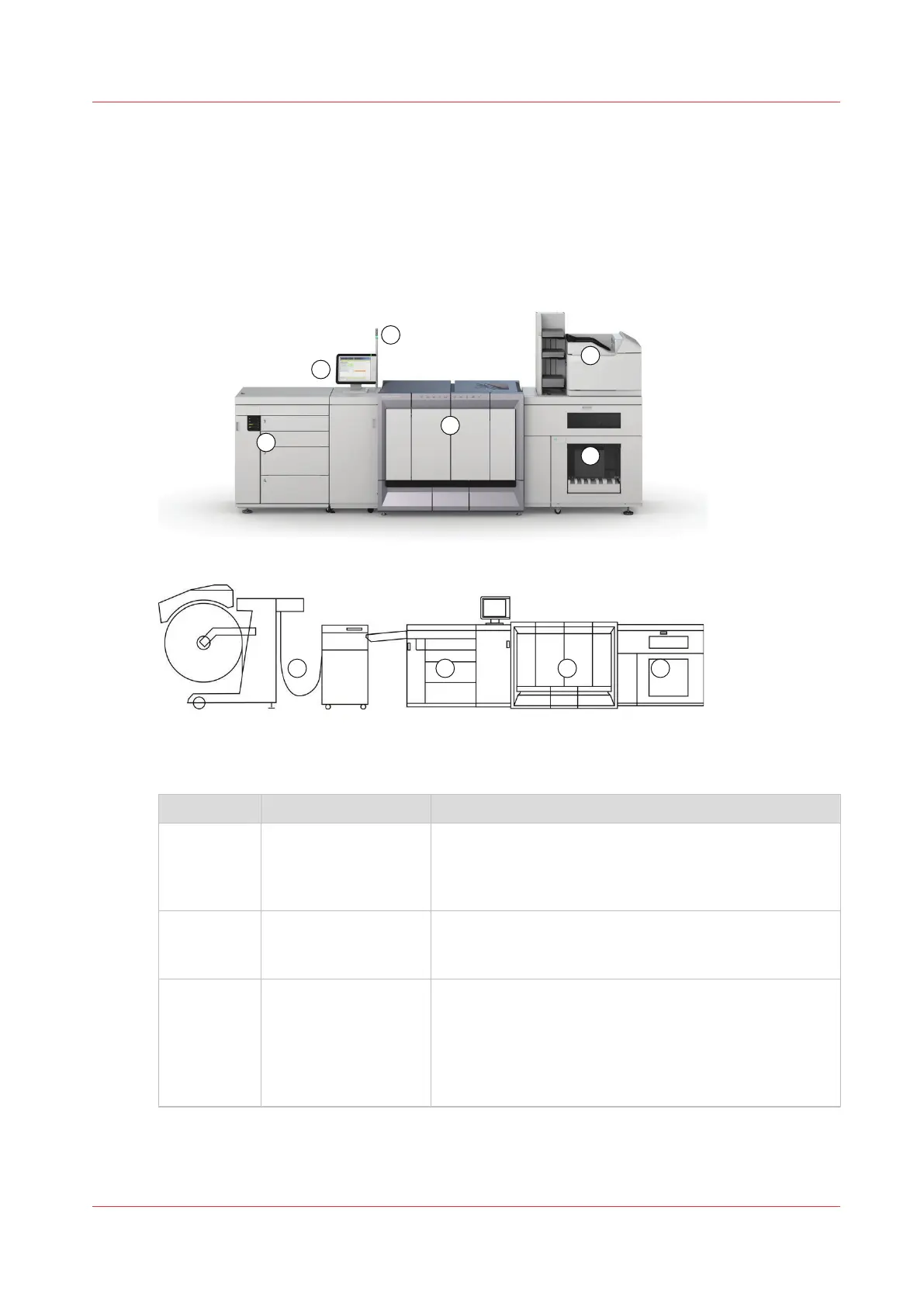
Introduction to the main system components
Introduction
The following illustrations show the main system components. The table describes the main
components. Please follow the links in the table for comprehensive information.
The main system components
Component Function
1 Control panel The control panel helps you with your daily work, for ex-
ample the scheduling of the jobs. Furthermore, the con-
trol panel helps you to solve errors or perform mainte-
nance tasks (see
Control panel
on page 33).
2 Operator attention
light
The operator attention light enables you to check the
status of the system from a distance (see
The operator
attention light
on page 201).
3 Paper module The paper module contains 4 paper trays. The paper
trays contain the media that will be printed. The default
configuration of the system contains 1 paper module.
You can add 1 or 2 more paper modules to the default
configuration to increase the media input capacity (see
The paper modules
on page 19).
4
Introduction to the main system components
Chapter 2 - Explore the print system
17
Océ VarioPrint 6000 line













 To Next Page