Introduction to the [Media] section
Introduction
The [System] view gives access to system settings, system information, media information and
maintenance tasks.
This section gives an overview of the [Media] section in the [System] view.
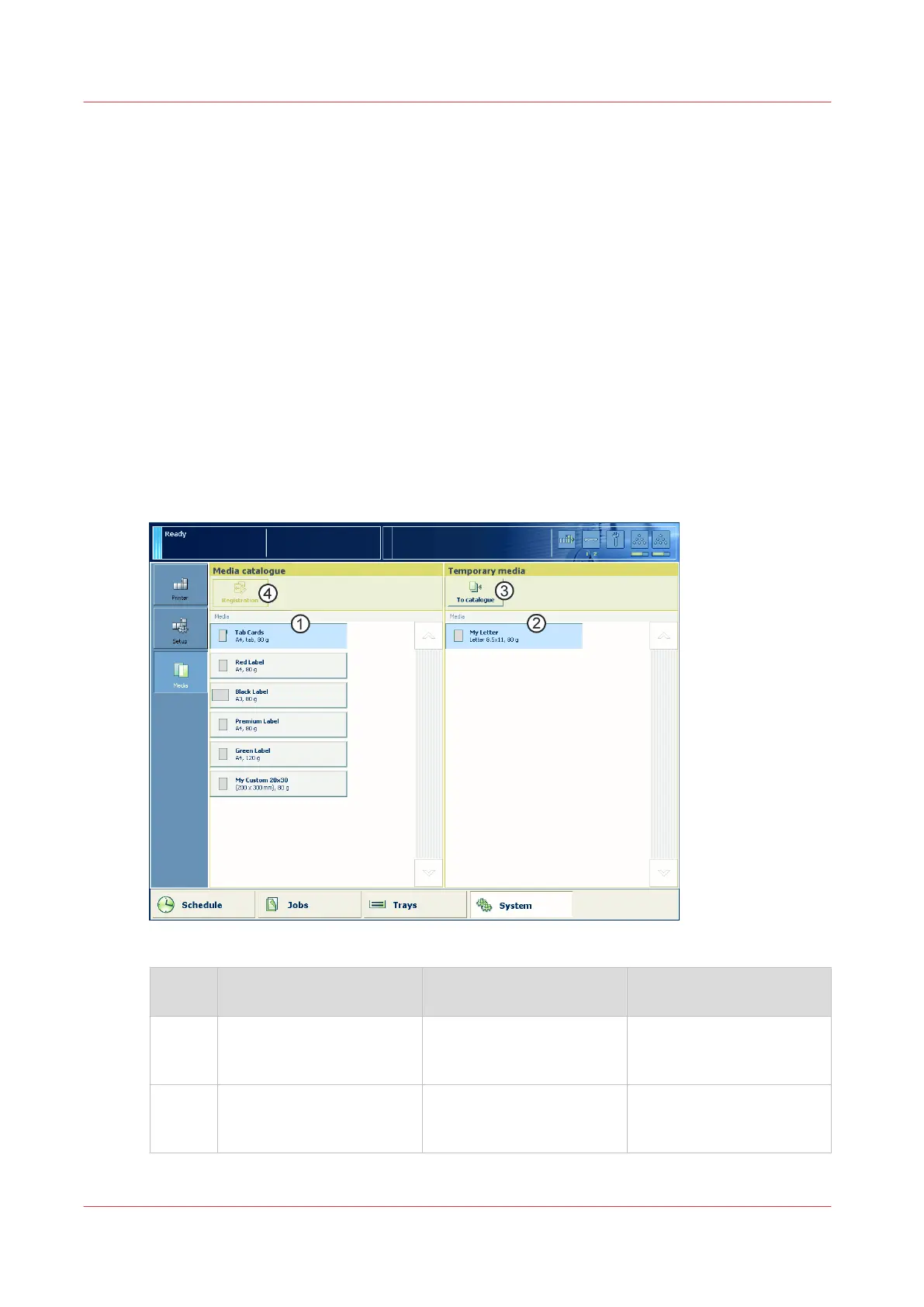
Overview of the [Media] section
The print system uses a central media catalog from which you can select media for jobs.
Correctly defined media attributes are important in order to ensure high print quality.
When enabled in the Settings Editor, you can add, delete and change media in the media catalog
via the control panel.
The items of the [Media] section; [Media management via control panel] disabled
When [Media management via control panel] is disabled you can only view the media catalog.
[48] Overview of the [Media] section; [Media management via control panel] disabled
Num‐
ber
Item Function More information
1 List of all the media that
are available in the [Media
catalog].
Display the current content
of the [Media catalog].
2 List of temporary media Display the temporary me-
dia that are currently avail-
able on the system .
What are temporary media
on page 204
4
Introduction to the [Media] section
208
Chapter 11 - Media handling
Océ VarioPrint 6000 line













 To Next Page