Num‐
ber
Item Function More information
3 Add temporary media to
the media catalogue .
Add temporary media to
the Media catalog
on
page 214
4 [Registration] button Print test sheets and per-
form the registration for in-
dividual media. You can do
a media registration for
standard-size media and
large media .
Perform a media registra-
tion for standard-size me-
dia
on page 222
Perform a media registra-
tion for large media
on
page 229
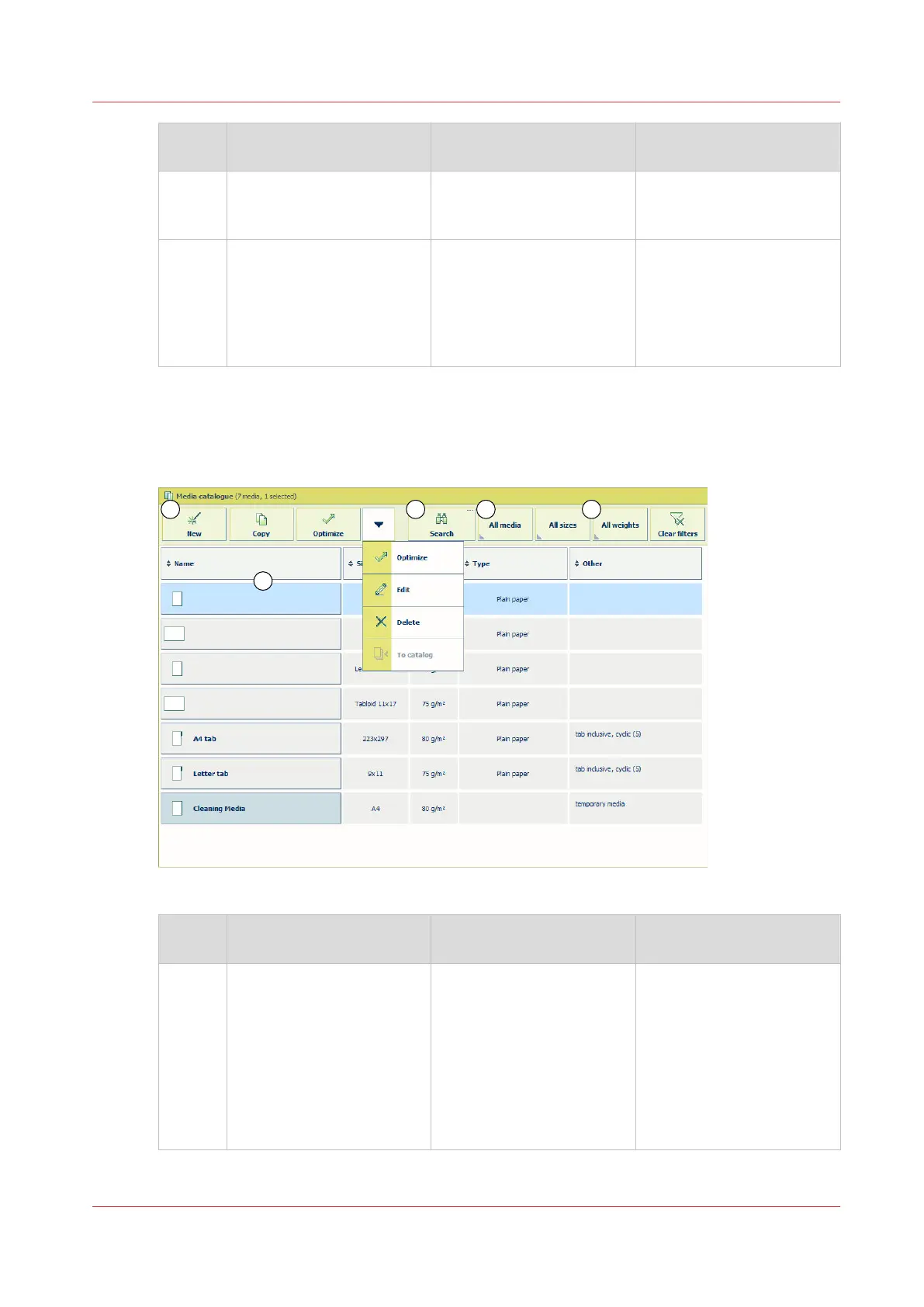
The items of the [Media] section; [Media management via control panel] enabled
When [Media management via control panel] is enabled you can add, delete and change media in
the media catalogue via the control panel.
[49] Overview of the [Media] section; [Media management via control panel] enabled
Num‐
ber
Item Function More information
1 • List of all the media that
are available in the [Me-
dia catalog].
• List of temporary media
• List of all media
• Display the current con-
tent of the [Media cata-
log].
• Display the temporary
media that are currently
available on the system .
• Display the [Media cata-
log] and the temporary
media.
What are temporary media
on page 204
4
Introduction to the [Media] section
Chapter 11 - Media handling
209
Océ VarioPrint 6000 line













 To Next Page