Setting Description
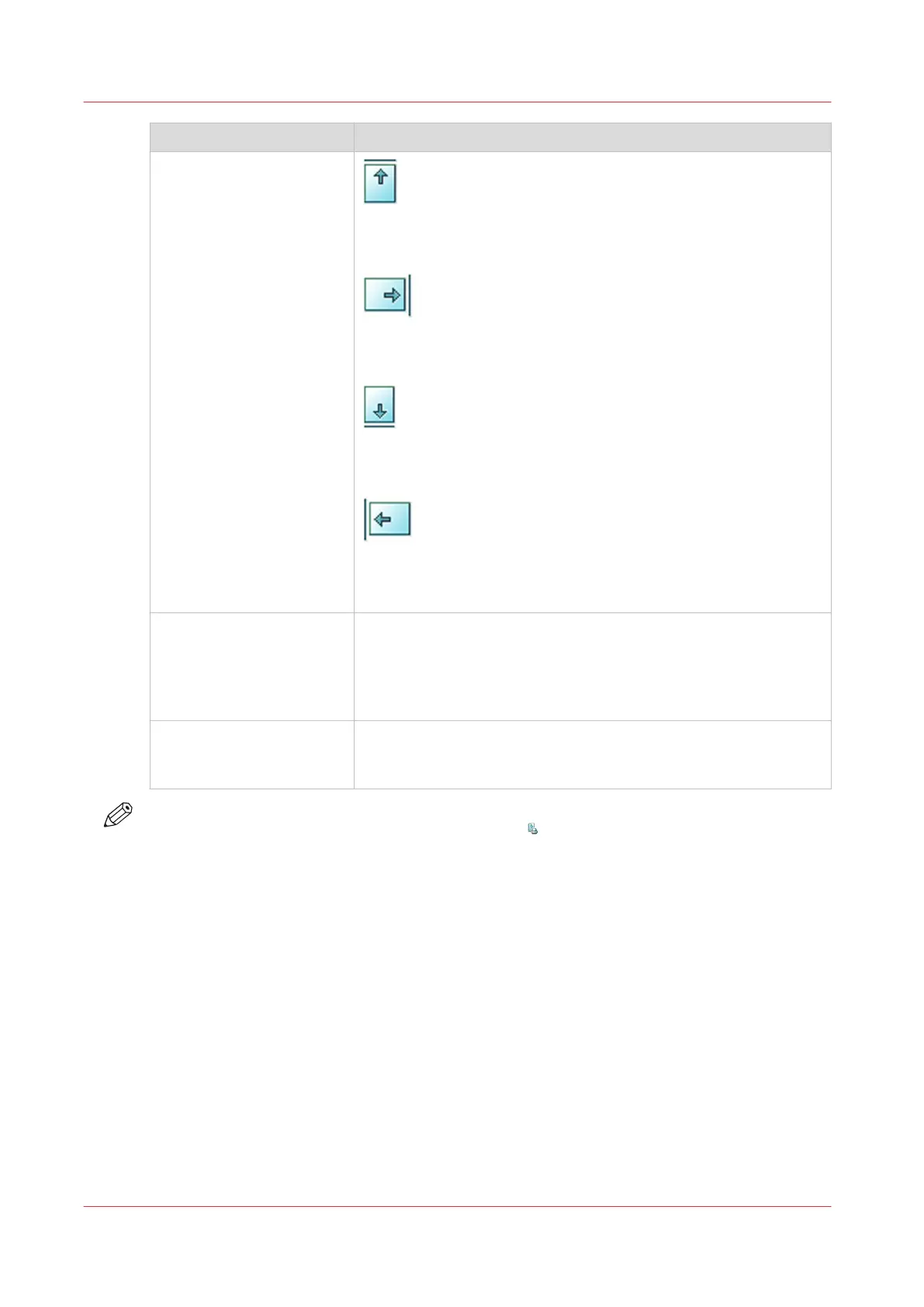
[Sheet orientation]
[Header up LEF]
Deliver the prints with the header on top side and in portrait posi-
tion (vertical).
[Header up SEF]
Deliver the prints with the header on top side and in landscape po-
sition (horizontal).
[Header down LEF]
Deliver the prints with the header at the bottom side and in por-
trait position (vertical).
[Header down SEF]
Deliver the prints with the header at the bottom side and in land-
scape position (horizontal).
[Print order]
• [Front/back]
Default value. The front page on the front, the back page on the
back.
• [Back/front]
Puts the front page on the back and the back page on the front.
[Rotation] • [0 degrees]
• [180 degrees]
Rotates the prints 180 degrees.
NOTE
You cannot change this setting for the active print job
.
Procedure
1.
Touch [Jobs] -> [Queues] -> [Scheduled jobs] or [Waiting jobs].
2.
Touch the job you want to change.
3.
Touch [Properties].
4.
Touch the [Print delivery] button.
5.
Make the required changes.
6.
Touch [OK].
Related information
Change the stacking method per job
on page 151
Work with the Workflow Profiles
on page 54
Change the print delivery settings
150
Chapter 9 - Carry out print jobs
Océ VarioPrint 6000 line













 To Next Page