EasyManua.ls Logo

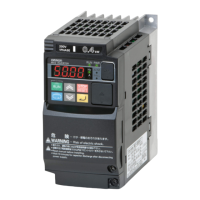
Omron MX2 Series - User Manual

Omron MX2 Series
612 pages
Print Icon
To Next Page IconTo Next Page
Loading...
I666-E1-E01
Inverter
Multi-function Compact Inverter
MX2 Series Type EV2
User’s Manual
3G3MX2-A-EV2

Table of Contents

Questions and Answers

  • P
    Phyllis GreenAug 6, 2025
    What to do if Omron Inverter displays E44 Nesting count error?
    • A
      April EvansAug 6, 2025
      A nesting count error on your Omron Inverter (E44) indicates that subroutines, For-Next loop statements, or If statements are nested in more than eight layers. Correct the program to ensure the number of layers is eight or less.
  • C
    cwilliamsAug 11, 2025
    How to resolve Omron MX2 Inverter error E43 Invalid instruction?
    • J
      Jaclyn PerryAug 12, 2025
      The E43 error on your Omron Inverter means the PRG terminal was activated without a program downloaded. Recreate the program and download it to the inverter.
  • N
    Nancy SuarezAug 18, 2025
    What to do if Omron MX2 Inverter shows exception code 32 hex?
    • A
      Amber DavisAug 18, 2025
      If the external address overlaps with double-word data in the Modbus register inside the Omron Inverter, and the inverter received a command to a non-overlapping address that has double-word data, the Modbus registers inside the inverter that overlap with the external address specified by the Modbus mapping function are disabled. For double-word data, both registers are disabled. Review the external communications, or set the Modbus mapping function for that address.
  • C
    Cynthia WilliamsAug 25, 2025
    Why does my Omron MX2 show exception code 31 hex?
    • Z
      zavalakimberlyAug 25, 2025
      Exception code 31 hex on an Omron Inverter can occur due to several reasons: the external address is set to other than 0000 and the internal address is not changed from 0000; the internal address has a double-word register address; the set internal address does not exist; or the external address overlaps. To resolve this, set the internal address other than 0000, use a compressed single-word register, set the internal address correctly, or set the external address so that it does not overlap.
  • J
    Jeffrey WarrenOct 30, 2025
    What to do if Omron MX2 shows Instruction error 1?
    • C
      Carol StoneOct 30, 2025
      Instruction error 1 on your Omron Inverter can occur due to several reasons: * A GoTo instruction's jump destination is a next instruction to end a loop: Correct the jump destinations, avoiding jumps out of the current level. * A variable 'U(ii)' referenced via another variable is not found: Correct the value or limit the range of the variable 'U(ii)'. * An arithmetic instruction caused overflow, underflow, or division by zero: Correct the program to prevent these arithmetic errors. * A ChgParam instruction caused a reference to a non-existing parameter, writing a value out of range, changing a parameter during operation that cannot be updated, or restriction by software lock: Correct the parameters or values to be within range. Disable software lock or, if updating a parameter th...

Omron MX2 Series Specifications

General IconGeneral
Cooling MethodFan cooling
Output Frequency Range0.1 to 400 Hz
Control MethodV/f control, Sensorless vector control
Protection FunctionsOvercurrent, overvoltage, undervoltage, overload, overheating, short circuit
Communication OptionsModbus RTU
Overload Capacity150% for 60 seconds
Braking UnitBuilt-in
Ambient Operating Temperature-10°C to +50°C
EnclosureIP20
Storage Temperature-20°C to +65°C
Humidity5 to 95% RH (non-condensing)
AltitudeUp to 1000m
Power Supply Voltage200-240V AC
Input Voltage3-phase 200-240V AC

Related product manuals