Itala | INSTRUCTION MANUAL
7.5 Sequencer Control configuration example
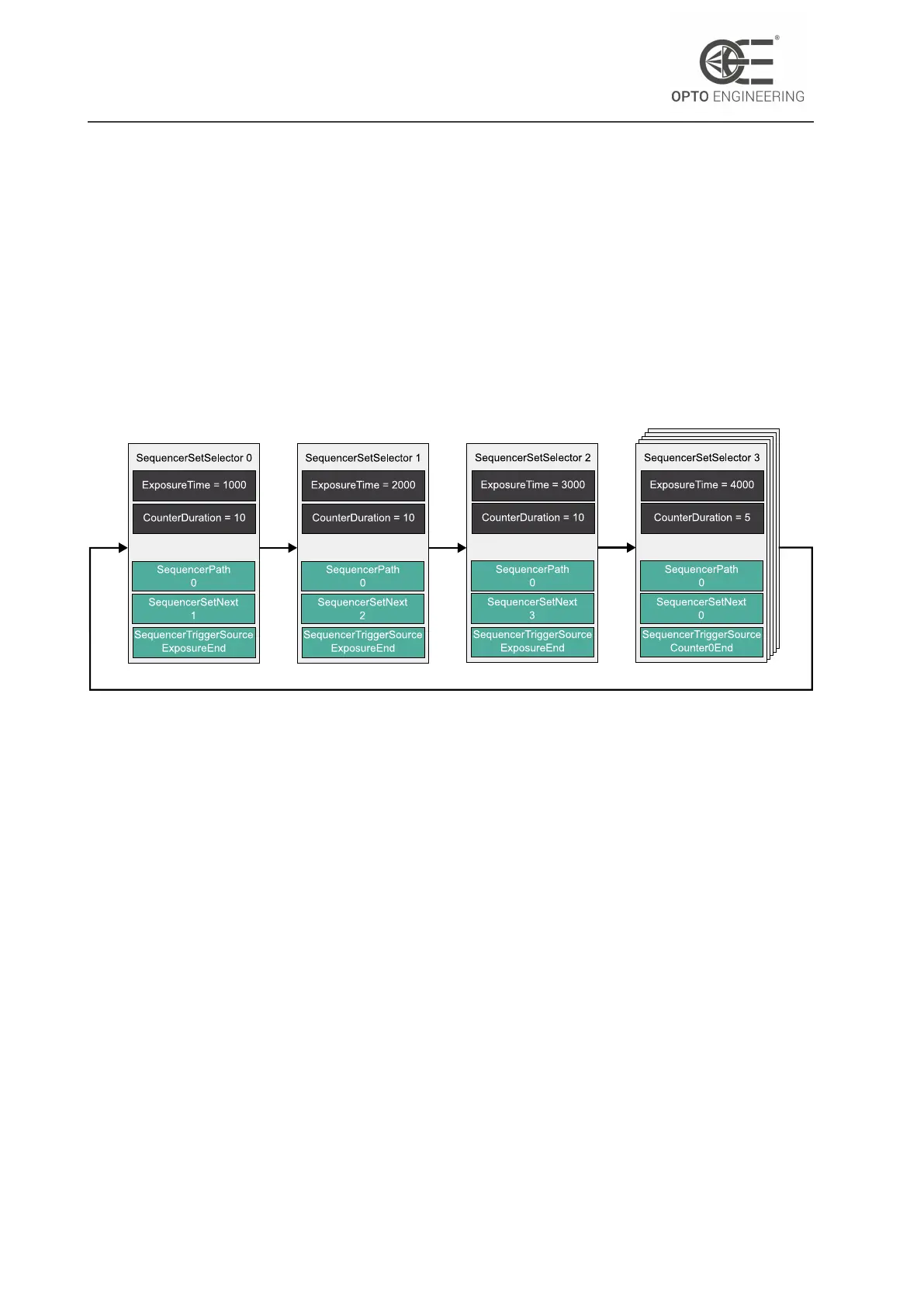
In this example, we define an acquisition sequence with four different exposure times on the de-
vice, in which the last step is repeated five times.
All configuration is done on the device itself, so after configuration is complete and acquisition is
started, the device itself will apply the parameter changes if necessary. The host application then
only needs to acquire the images. This results in a much faster overall frame rate than if these
changes were applied frame by frame by the host application.
This will result in the following flow diagram:
Figure 90: Sequencer Control example flow diagram.
There are some specifications concerning the sequencer path feature:
• A path is inactive as soon as the SequencerTriggerSource is Off.
• If both paths are inactive or none of the SequencerTriggerSource is triggered, the sequencer
will remain in the current set.
• If the SequencerTriggerSource of both paths is triggered, the path with the trigger that oc-
curred first will be followed.
7.5.1 Working with Sequencer Paths
It is possible to define sets with a maximum of two active paths. The following diagram shows an
example using the ExposureTime and oeLiquidLensPower features, where two paths are defined
in "Set 0" and "Set 1":
• "Set 0" and "Set 1" loops at each "ExposureEnd" following Path 0. When Timer0 ends, the
next set is "Set 2", following Path 1.
• "Set 2" returns to "Set 0" after "ExposureEnd"
v1.12 - eng 129


 To Next Page