Itala | INSTRUCTION MANUAL
4.3.4 Bandwidth management
To achieve the best streaming performances, connection reliability and to reduce CPU consump-
tion, it’s recommended to configure the NIC (network interface card) to use Jumbo frames. Jumbo
frames are Ethernet frames which are larger than 1500 bytes and allow to increase the connection
efficiency, reducing the amount of protocol overhead. Opto Engineering® recommends to use a
NIC which supports Jumbo frames of at least 9000 bytes.
Jumbo frames are usually turned off by default. To enable them, go to Control Panel > Network and
Sharing Center > Change adapter settings, right-click on your Ethernet connection and select Proper-
ties.
In the Networking tab click on Configure. The NIC settings window will appear.
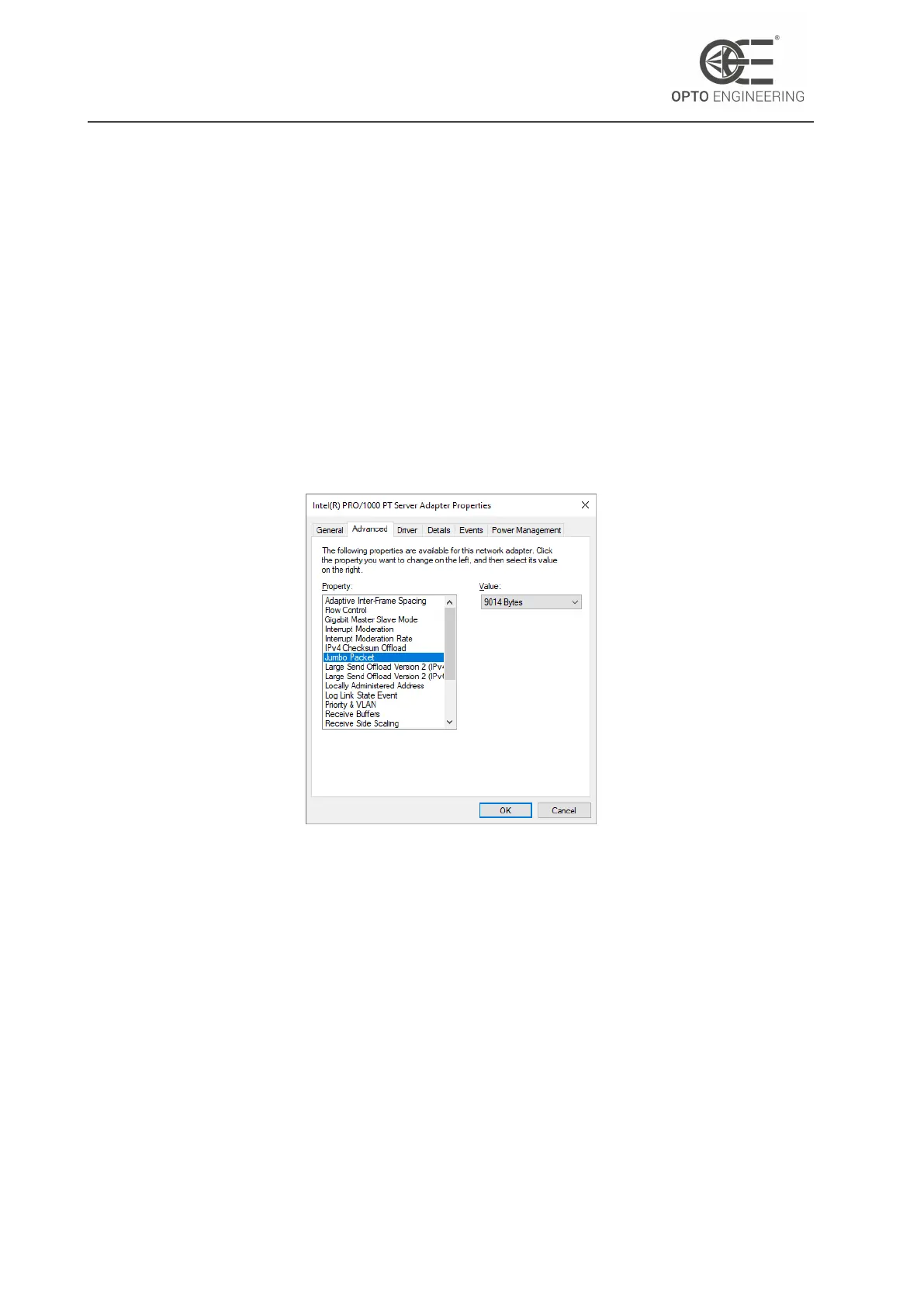
In the Advanced tab locate the Jumbo frame or similar entry and enable it (Fig.5). The value to set
may differ depending on the specific NIC model and manufcturer.
Figure 5: NIC advanced settings with Jumbo frames enabled.
If you still experience issues with the camera connection you can try:
• Installing the latest NIC drivers.
• Increase the receive buffer size of your NIC.
When connecting multiple cameras to a single computer, it is recommended to connect all devices
directly using multiple gigabit NICs. If you’re connecting the camera through an Ethernet switch,
make sure it also supports jumbo frames. Keep in mind that if multiple devices are connected to
the same Ethernet switch, they will share the available bandwidth.
For more information about bandwidth management and multi-camera system configuration, re-
fer to section 6.1.1.
v1.12 - eng 22



 To Next Page