Itala | INSTRUCTION MANUAL
LUTIndex Control the index (offset) of the
coefficient to access in the
selected LUT
IInteger RW
LUTValue Returns the Value at entry
LUTIndex of the LUT selected by
LUTSelector
IInteger RW
Table 19: LUT Control Features
6.6.1 LUT
The LUT (Look-up-table) feature allows the user to set a transformation at pixel level: a specific
grey level at the input of the LUT can be replaced by a new grey level value. All the pixels with the
same grey level value are processed in the same way.
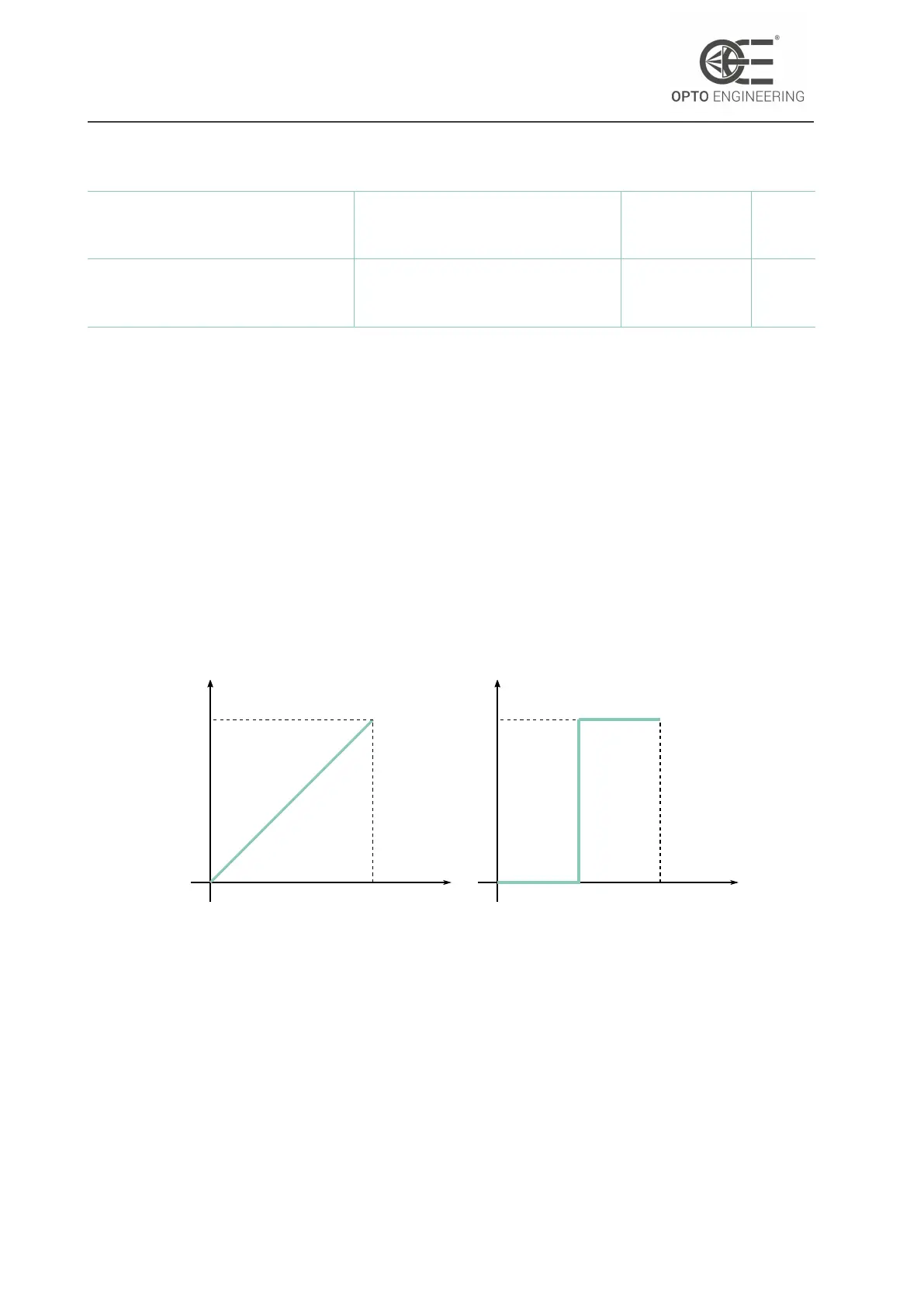
Consider the graphs shown in Fig.59: in the first graph no LUT is applied, so the output grey level
is equal to the input one (e.g. grey level 127 remains 127 at the output of the LUT); in the second
graph, a binary thresholding is applied: all pixels with grey level values below 127 (in case of 8-bit
image) are set equal to 0 (black), the others are set to 255 (white).
In Fig.60 are shown the results of the two previous transformations.
input
output
255
255
input
output
255
255
Figure 59: Two typical in-to-out transfer function: on the left no LUT is applied,
on the right a binary thresholding is adopted.
Please note that the LUT can’t be used if the Gamma feature is enabled (see section 6.4.3).
For more information about the LUT wizard of Itala View refer to section 4.7.4.
v1.12 - eng 78



 To Next Page