Itala | INSTRUCTION MANUAL
4.7.1 Tabs and panels
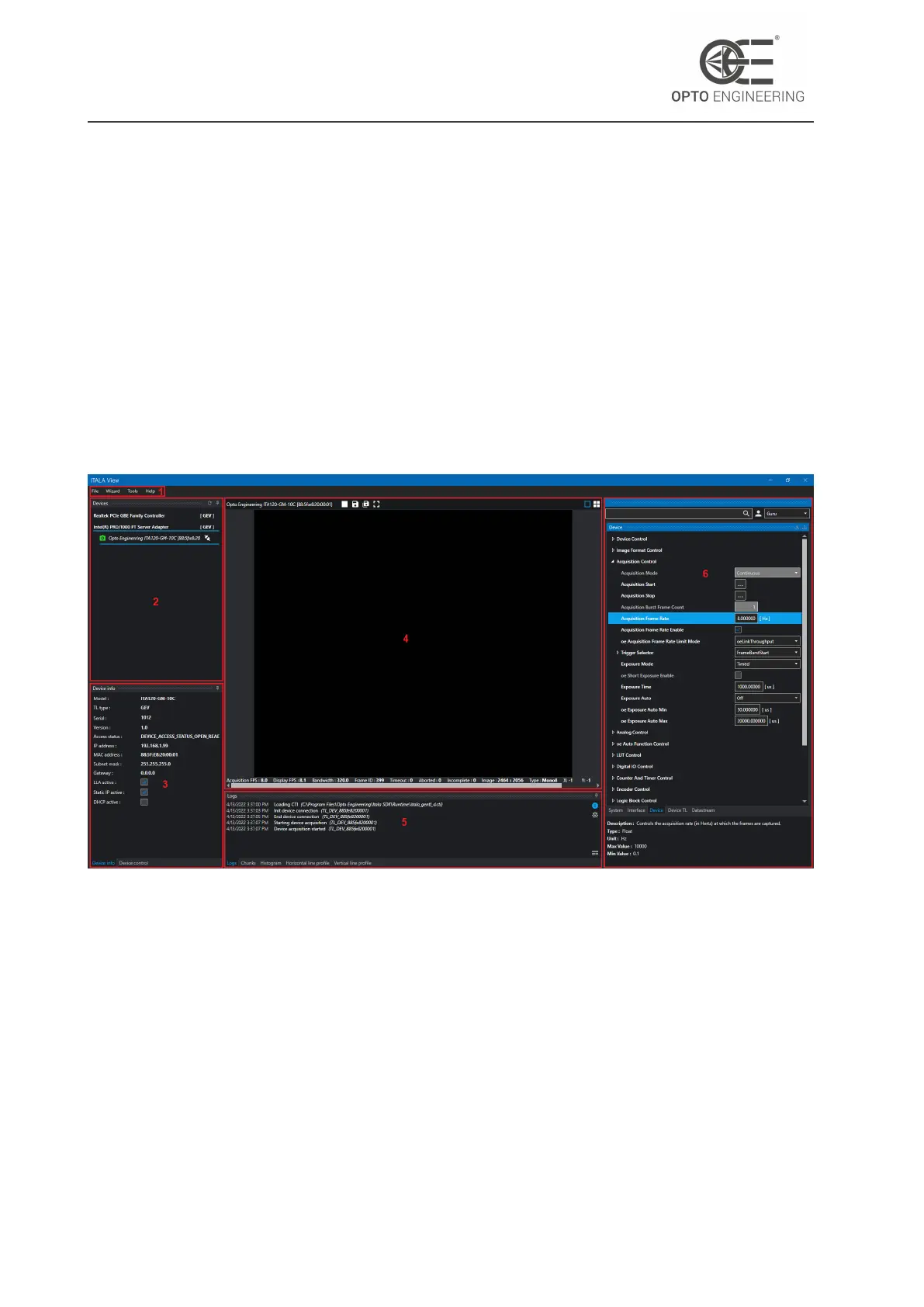
With reference to Fig.14, the main window of Itala View can be divided in different functional areas:
1. Menu bar
2. Device discovery
3. Device information and control
4. Video streaming
5. Image data analysis and logging
6. GenICam feature tree
Figure 14: Viewer main window.
The menu bar gives you access to the settings, tools and wizards of the application.
The device discovery panel lists the NICs of your computer and the cameras connected to them.
A refresh button on the top allows you to perform a discovery and enumeration of the GigEVision
devices connected to your network.
Each device has a status icon which signals if it’s reachable or not. An unreachable device can be
symptom of a wrong IP configuration or that the same device is currently in use by another client
application.
Next to each device there’s a connect/disconnect button used to gain access to it.
v1.12 - eng 28


 To Next Page