Itala | INSTRUCTION MANUAL
4.4 Itala SDK
Itala cameras comes with a complete Software Development Kit, Itala SDK, which takes full advan-
tage of the latest standards and technologies in machine vision industry.
The SDK includes:
• Itala API
• Itala View
• GenTL producer (.cti)
• Filter driver
• Documentation with code examples
In order to install the Itala SDK correctly, do the following steps:
1. Download the Itala SDK from Opto Engineering website and run the installer.
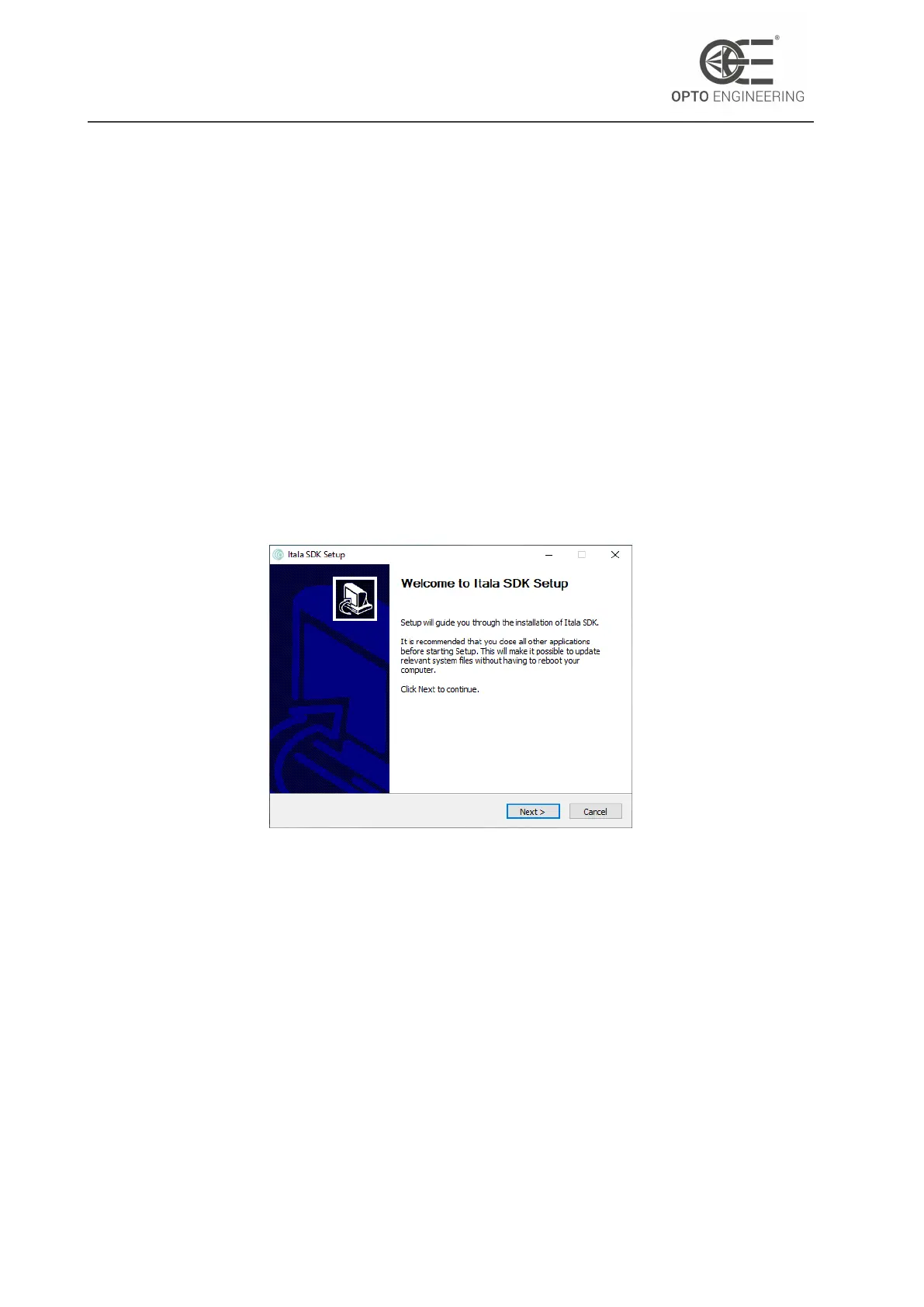
2. The Itala SDK setup window is displayed: make sure to follow the instructions listed (Fig.6).
Figure 6: Itala SDK setup window.
3. Check the licence terms before installing Itala SDK (Fig.7).
4. Choose the destination folder (Fig.8).
5. Select the components which need to be installed (Fig.9). In case of installation of the filter
driver only, step 6 can be skipped.
6. (Optional) In case the .NET runtime needs to be installed, click Install in the .NET runtime
installation window (Fig.10). In case of successful installation, the window shown in Fig.11
will appear.
7. The Itala SDK installation will be performed automatically. The progress bar can be monitored
to check the installation status. At the end of the installation, a confirmation window will be
displayed (Fig.12).
v1.12 - eng 23



 To Next Page