Itala | INSTRUCTION MANUAL
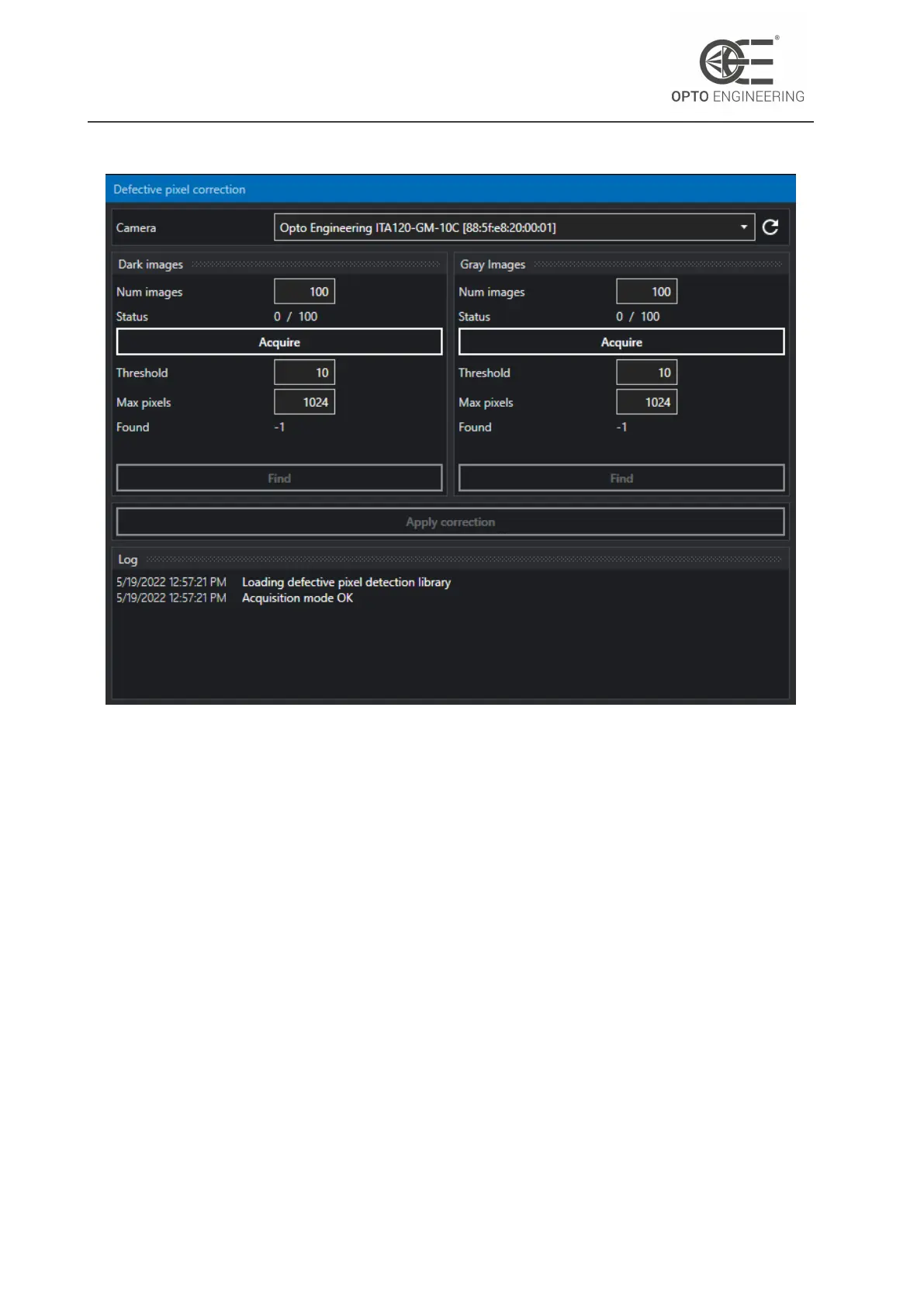
Figure 20: Defective pixels correction wizard.
5. Click on the Acquire button in the Dark images panel to acquire a first batch of dark images.
6. Click on the Find button on the same panel to detect the leaky pixels.
7. Expose the sensor to a uniform light source (suggested uniformity: >97%) in order to obtain
an image with an average brightness of 50% of the maximum saturation level. You can adjust
the exposure time to reach the desired level. Keep in mind that the same exposure time
should be used to acquire the dark images.
8. Click on the Acquire button in the Gray images panel to acquire a second batch of gray images.
9. Click on the Find button on the same panel to detect the hot and cold pixels.
10. Click on Apply correction to upload the data to the camera.
In order to make this change permanent, you should save the current user set. Loading the default
user set will restore the factory defective pixel correction.
v1.12 - eng 35



 To Next Page