March 2006 910-257C
MG2 Series Page 4-39
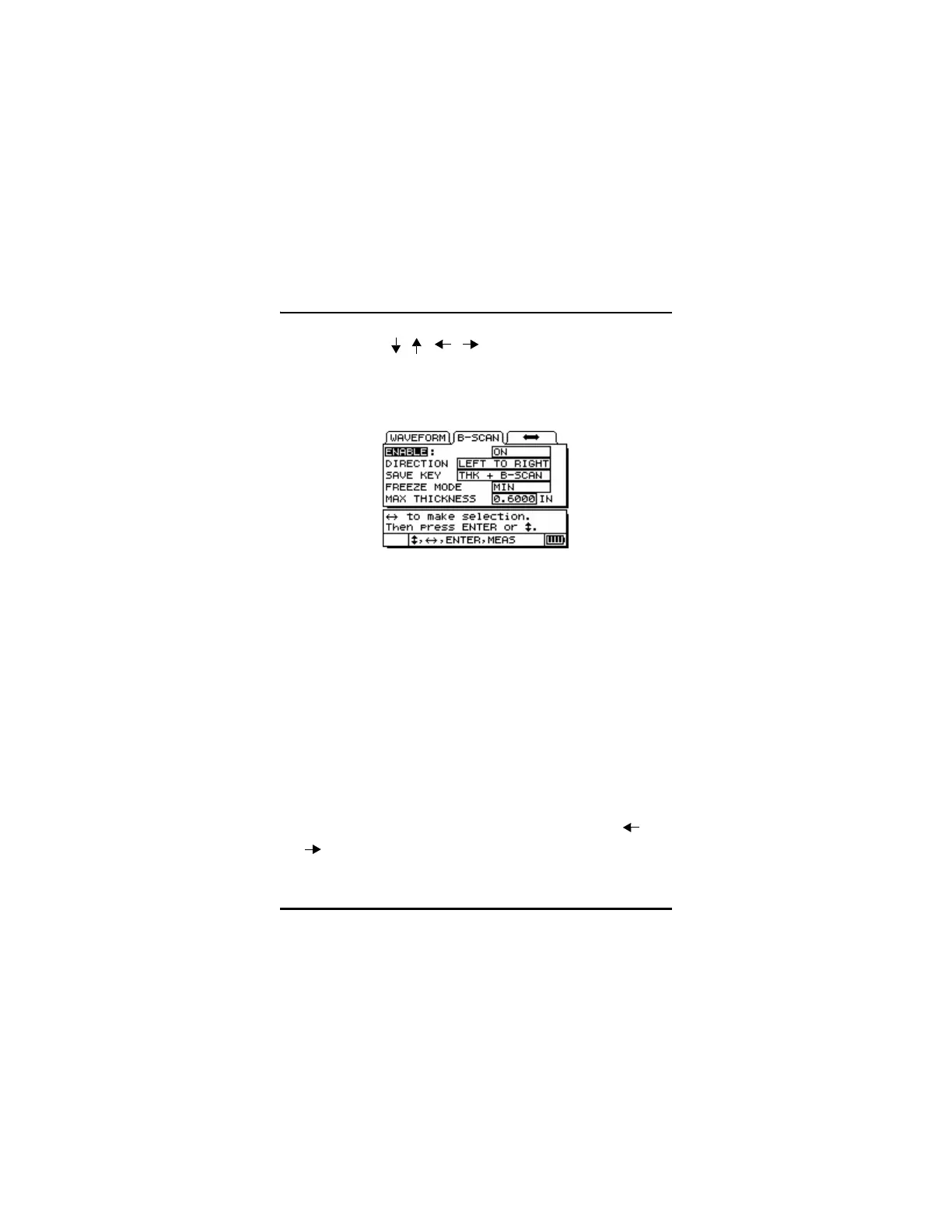
with the [ ,
, , ] keys and then press [ENTER].
Step 6: Press the [MEAS] key to return to the Measure mode and
save the adjusted settings.
Once the B-scan function has been enabled, the B-scan starts drawing
the cross-sectional thickness when the transducer make contact with
the material and the first thickness reading is displayed. The B-scan
will continue to draw while displaying the live thickness at the
transducer location until one of the following events occurs:
• The gage encounters a LOS condition (Loss of Signal), no
thickness value. When an LOS occurs, the B-scan stops updating
and will start up again if a new thickness reading is acquired. A
vertical blank line will be inserted into the B-scan image to
indicate that a LOS condition has occurred.
• The user presses the Freeze key and stops the B-scan update. The
gage will either recall the minimum thickness (Freeze Min) or
freeze at the current location (Freeze Current). This will also
display the B-scan Review screen. The user can use the [ and
] keys to review the thickness readings on the frozen B-scan.
A triangle marks the location of the minimum thickness in the B-
scan.










 To Next Page