March 2006 910-257C
MG2 Series Page 4-47
4.15.5 Inserted ID# Location in Grid Files
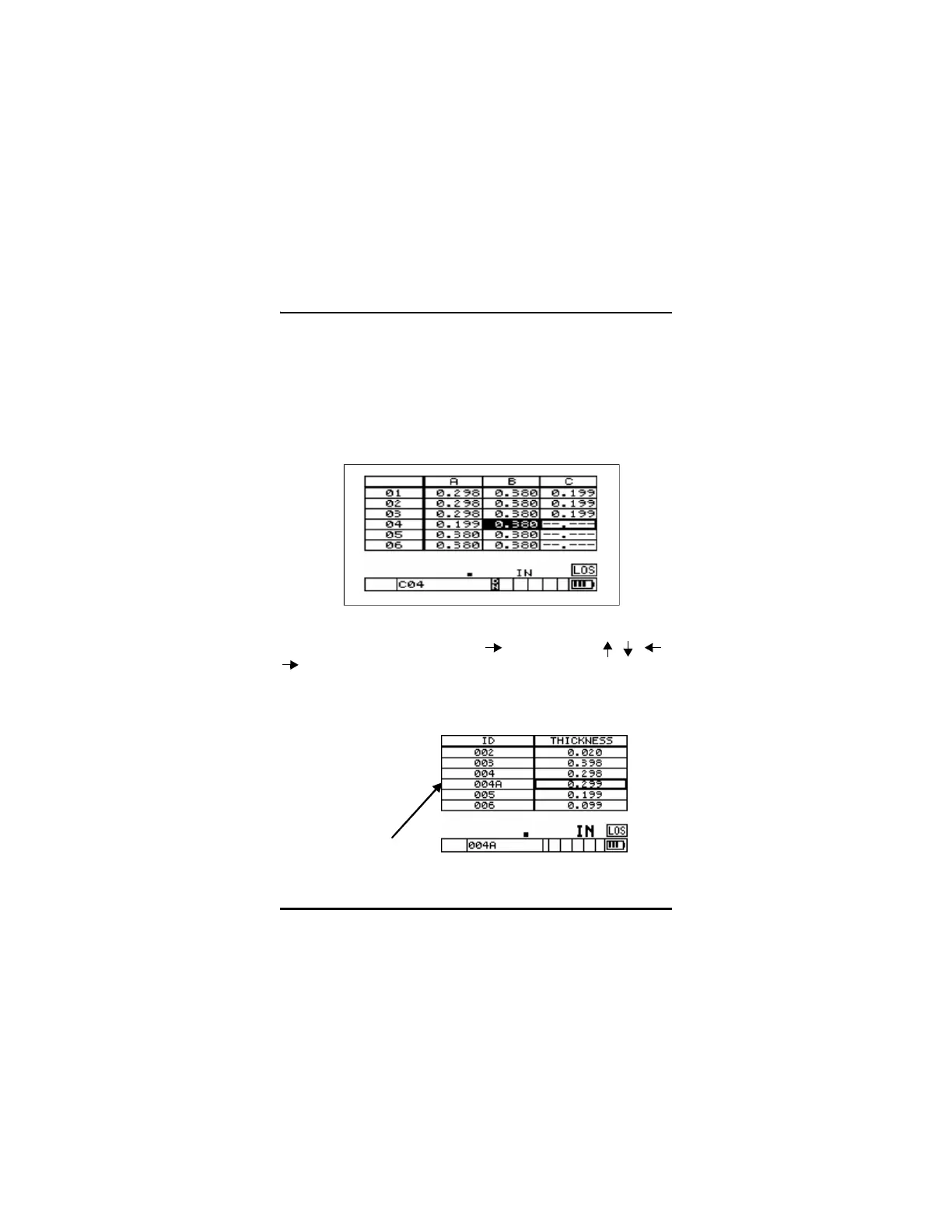
ID# locations can be inserted into or appended to 2D Grid files. If the
user adds an additional ID# location in a grid file, the Row and
Column cell is displayed in reverse video indicating that there are
additional ID#s stored at the current Row and Column locations.
Inserted points in incremental or sequential files are shown as added
ID#s in the current file list.
To view the inserted or appended ID# location in a file, enter the ID#
Review screen by pressing [2
nd
F], [ ] (ID#). Use the [ , , ,
] keys to highlight the reverse video cell. Press [ENTER]. The grid
will be displayed in an Expanded Linear format, and the inserted ID#
can be viewed. Press [Enter] again to switch back to the normal DB
Gird view.
Inserted
ID#










 To Next Page