910-257C March 2006
Page 4-40 MG2 Series
• The user presses the [MEAS] key. The B-scan is reset and blanked
out allowing the user to start another scan.
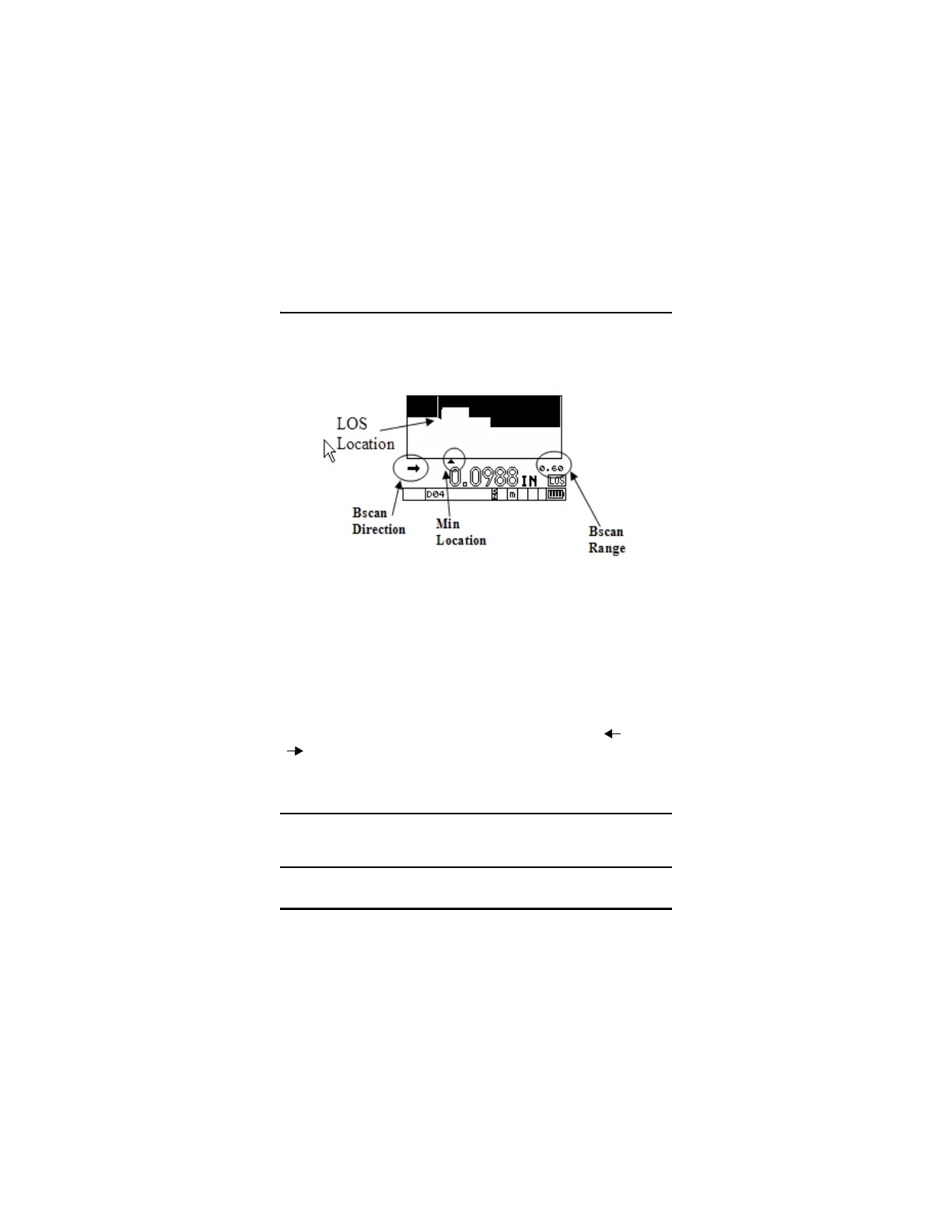
Live B-scan Screen
4.14.2 B-scan Freeze
Freezing the B-scan allows the user to review all the thickness values
of the current B-scan. When the [FREEZE] key is pressed, a vertical
line (Review Marker) appears to indicate the location of the displayed
thickness. This is either the Minimum or Current thickness location of
the B-scan, depending on the Freeze option selected. The unit displays
the thickness and the location of the minimum. Pressing [ ] and
[ ] moves the Review Marker to the left or the right of the scan.
During review, the gage always displays the thickness at the Review
Marker location.
Tip: Set the B-scan to Freeze Min if you wishes to recall the
Minimum thickness to the center of the B-scan screen
even if the minimum value moved off the B-scan screen.










 To Next Page