271
Setting Inspection Conditions
3.
Set “Output Signal Guarantee Time”.
Settable range is 1 - 1000 ms. (Default: 10 ms)
After outputting OUT signal and TACT signal, PV500 holds to output for the time specified in the item.
TACT signal turns off after the specified time passes. (Whether OUT signal is held or reset depends on
the setting in “System Settings” > “Operation” > “Parallel I/O Output Reset Condition”.)
For more details, refer to Chapter 8.3 Timing Chart, page 378.
Now you completed the setting.
Outputting All Judgement (JDC) That Have Been Set
Results of setting judgement expressions can be output (up to 1000 data).
Using “OUT0-15” of data of the I/O connector, the results are output divided in 16-point unit. (The data can be
output by 8 points using “OUT0-7”.) As a timing signal of data communication, STROBE signal of I/O connector,
or STROBE signal and ACKNOWLEDGE signal are used.
About output timing of signals, refer to Chapter 8.3.2 Outputting All Results (Output = All), page 384.
1.
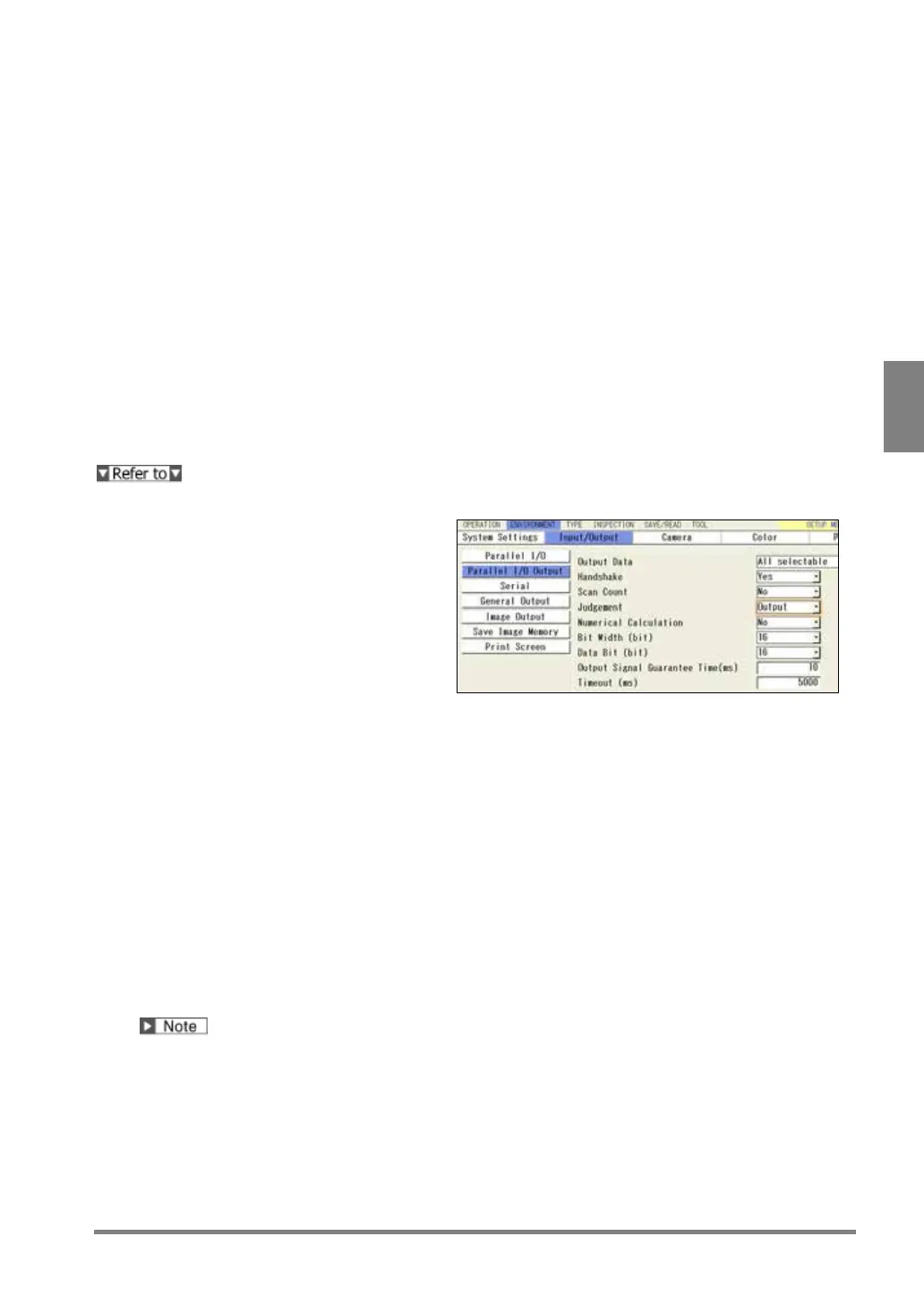
Select “Parallel I/O Output” in
“Input/Output” setting window.
2.
Select “All Selectable” for “Output Data”.
3.
Set “Judgement” to “Output”.
4.
Set "Bit Width".
[8-bit]: Outputs by 8 data using 8 points of “OUT0-7”
[16-bit]: Outputs by 16 data using 16 points of “OUT0-15”
Refer to the next section for output example.
5.
Set “Handshake”.
Handshake is to output data while communicating completion signals of sending and receiving with
external devices.
As a data output completion signal, STROBE signal is used and as a signal to receive a data
receive completion signal of external devices, ACKNOWLEDGE signal is used.
As a data output completion signal, STROBE signal is used. Not using ACKNOWLEDGE
signal, the next data will be output after a certain period of time. In this method, PV500 does
not confirm whether the external device has received data or not.
"Data Bit” is a parameter for outputting Numerical Calculation and Scan Count. If you output only
Judgement, it is not necessary to set. (The setting value of Data Bit does not influence the output result of
Judgement.)


 To Next Page
 Loading...

