278
Setting Inspection Conditions
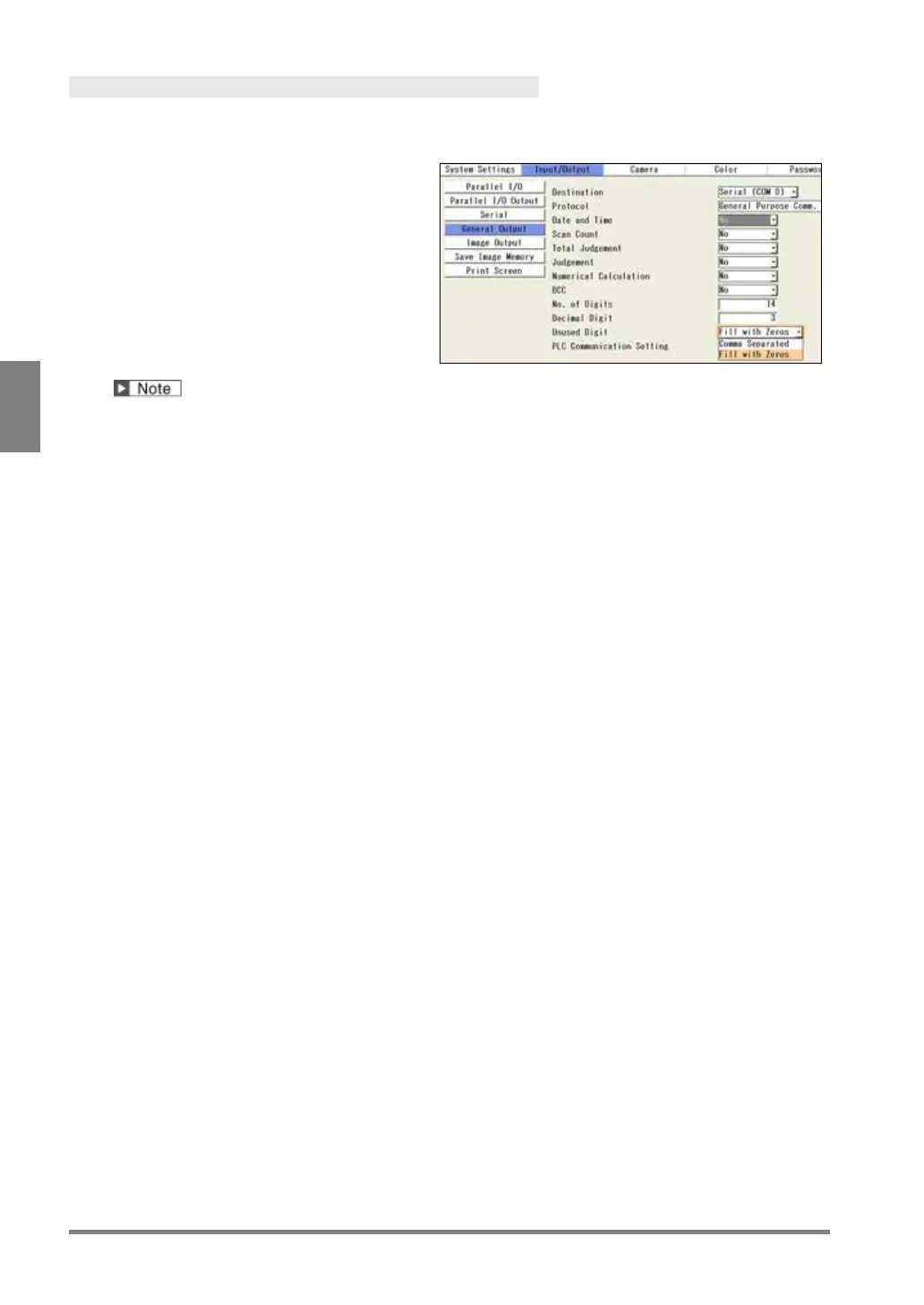
Specifying Digit Number of Output Data
In general purpose communication, real numbers (values including after decimal point) can be output. Set the
digit number of integer and after decimal point.
1.
Specify total digits of integer part and
after decimal point in “No. of Digits”.
2.
In “Decimal Digit”, specify digits for after
decimal point used from the digits set in
step 1.
If you set “No. of Digits” = 14 (default) and
“Decimal Digit” =3 (default), the value
consisting of 11-digit integer and 3-digit
decimal number is output. If you set “Decimal
Digit” = 2 or 1, the value is rounded.
When the value exceeding the specified digits is processed, the value is output as “0” and an
error signal is output.
3.
Set "Unused Digit".
If the digit number of the data is less than the output digit number you have set, select a handling of
unused digit.
Unused digits are deleted. Multiple data are output in different number of digits.
Data are separated with a comma (",") before being output.
Filled with '0' (default):
Unused digits are filled with “0”. Although the data become longer, multiple data
are output in the same number of digits.



 To Next Page