38
3
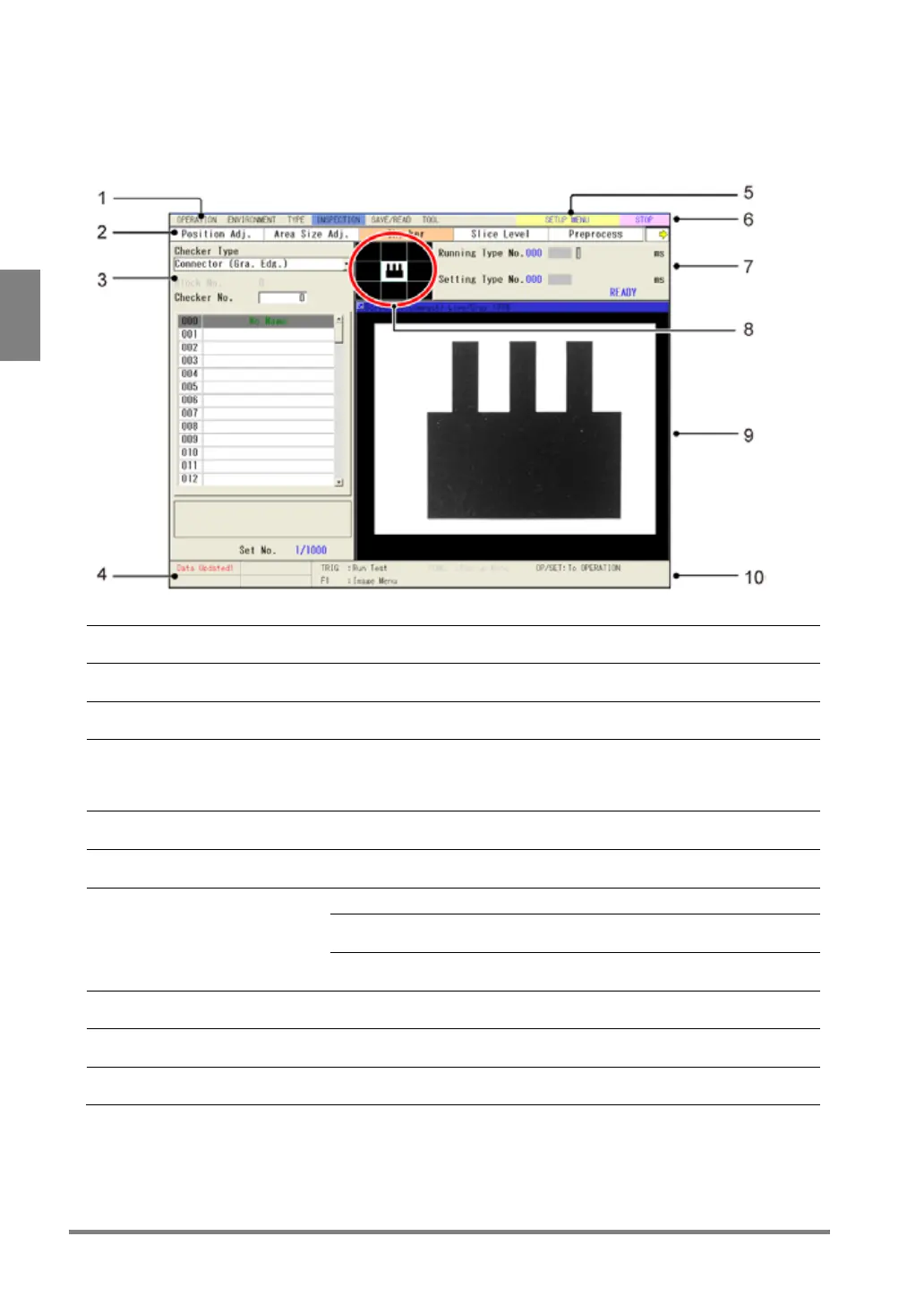
SETUP menu
In SETUP menu, the display changes depending on operation. You can choose the colors of each area of
display.
Displays the menu to set in SETUP menu.
Displays a submenu of the menu selected in the main menu.
Setting windows displayed in the upper left of the screen. The above
image is an example of screen displaying the checker setting window
Displays the message to inform.
Example)
The setting was updated.
The voltage of the attached battery became lower.
Displays "SETUP MENU".
(Indicates the current window is SETUP menu".)
Displays the status operating (RUN) or pausing (STOP).
Operating type number and setting type number
The status of READ END0 - READ END3 signal when continuing
running.
Inspection time and cycle (unit: ms)
(For details of each time, see page 315.)
Displays the range currently shown on the screen window in light blue.



 To Next Page