39
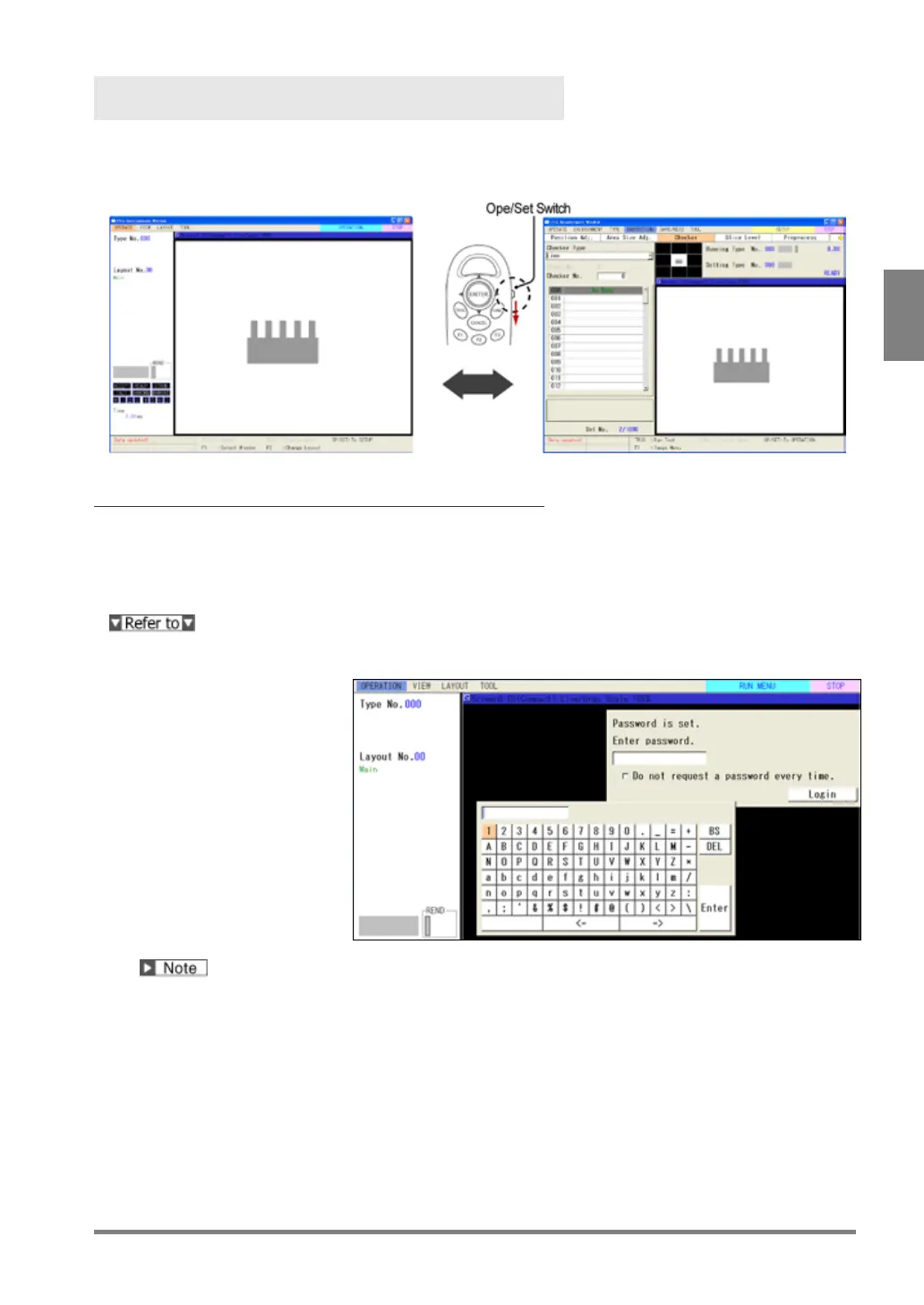
Switch between RUN Menu and SETUP Menu
(OPE/SET Switch)
To switch the window from RUN menu (default window) to SETUP menu, operate the OPE/SET switch on the
keypad. Operate in the same way to return to RUN menu.
Entering a Password
When you switch the window from RUN menu to SETUP menu, a password may be requested to enter.
This is the function that prevents undesired setting changes by mistake. A password can be set from
ENVIRONMENT menu in SETUP menu.
For the information of setting a password to switch to SETUP menu, refer to page 332.
1.
Snap the OPE/SET switch
in RUN menu.
Password window is
displayed.
2.
Enter a password.
Use the software keyboard.
3.
Select "Login".
Entering the correct
password will switch the
window to SETUP menu.
“Do not request a password every time.”
Check this item to switch to SETUP menu without entering a password. However, after you reboot PV500, it
requests a password again.
Set the switch in "LOCK" side to change to request a password after that. (As the keys on the keypad are
disabled when the switch is set to "Lock" side, set it back.)
After you reboot PV500, it requests a password again.



 To Next Page