399
Control with Communication Port
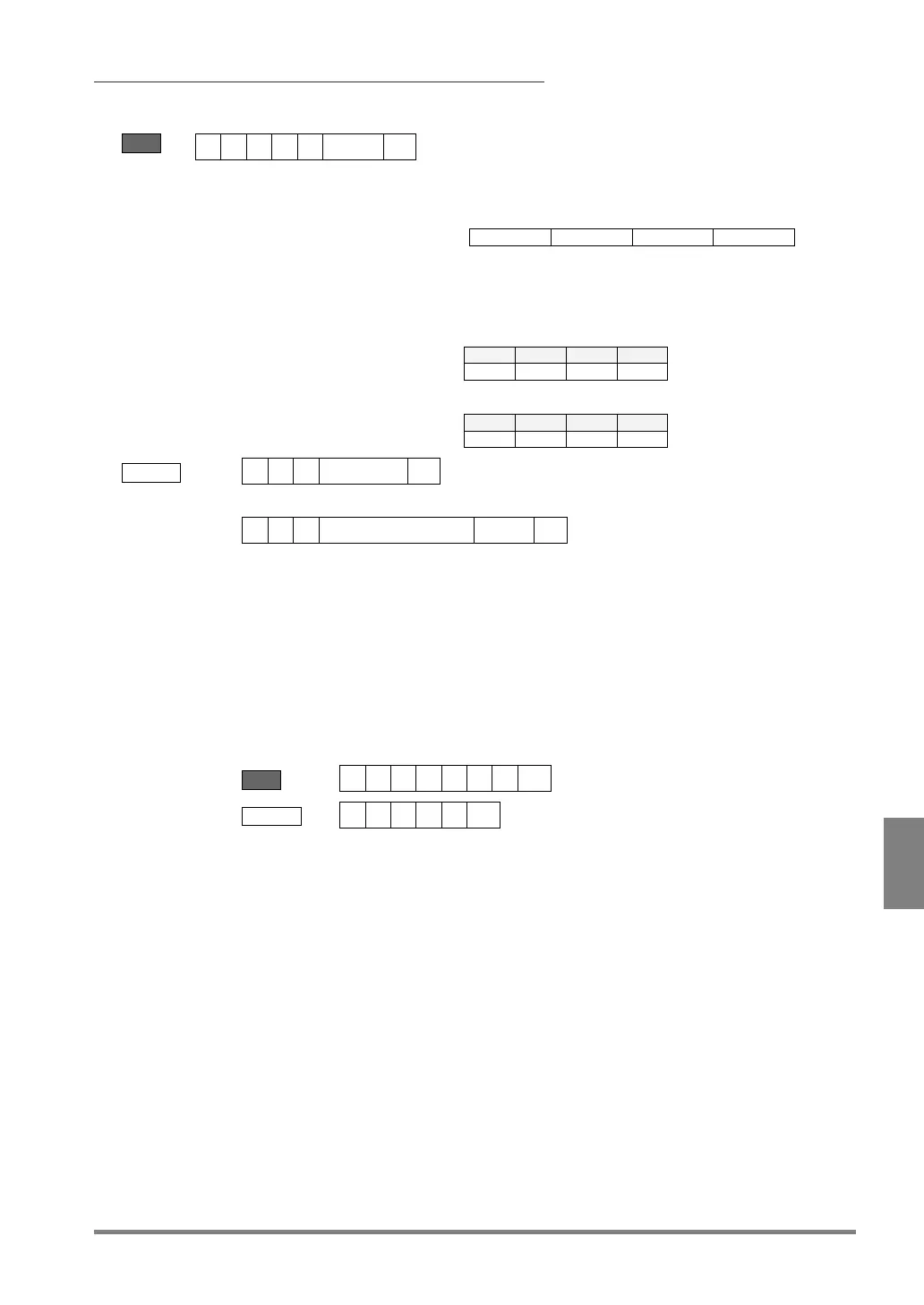
When using Individual trigger in “Execute All” or “Automatic
Switch” execution mode
Send
Specifying a camera to capture an image
Specifies a value in decimal notation of 4-bit data which
specifying cameras; Bit 0 = camera 0, Bit 1 = camera 1, Bit 2
= camera 2, Bit 3 = camera 3.
Example)
Specify Camera 0::
→ aa = 01
Specify Cameras 0 and 1:
→ aa = 03
Receive
Error (ERROR 0 signal = ON)
Error code
“Camera Trigger” in “Camera” is set to “Individual”.
• Execution mode is “User-Defined”.
• The specified camera number is invalid.
- No camera is connected.
- The specified camera number is set to "Unused" in PV500.
- Other number than 01 and 15 is specified.
• A command specifying the camera which has already captured an
Example: Starts an inspection specifying camera 0 and camera 2.


 To Next Page