411
Control with Communication Port
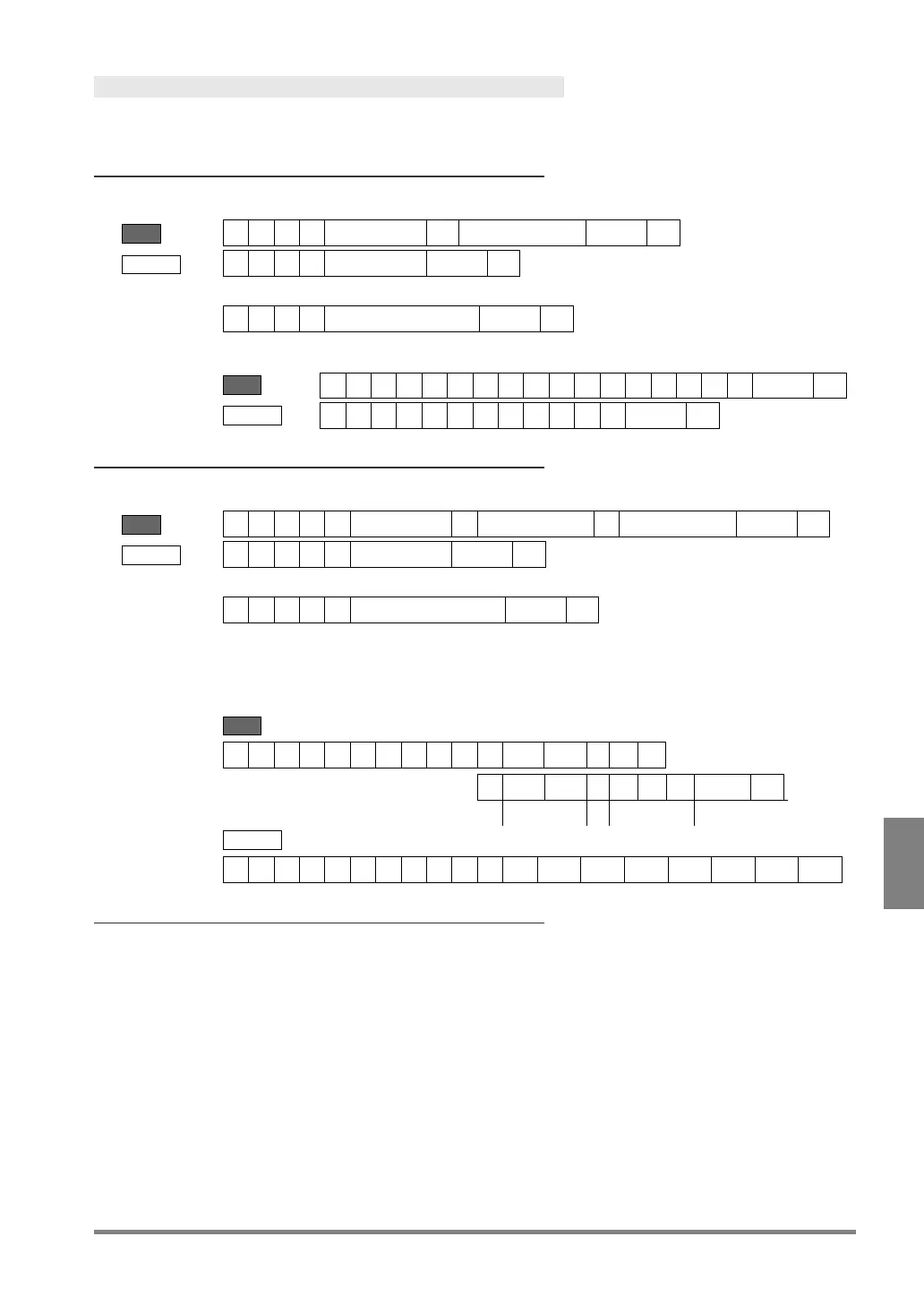
Write Command
This is a command that changes the setting value of PV500. Writing is available only when being in RUN mode
and displaying RUN menu. For the information of writable data, refer to the next page.
When writing one of data (such as System Register, maximum
value, or minimum value)
Send
Receive
Error (ERROR 1 signal = ON)
Example: Writes the value “3.14” in System Register 0.
Send
Receive
When writing two of data (such as maximum value and
minimum value)
Send
Receive
Error (ERROR 1 signal = ON)
Example: Writes a maximum value of “100” and a minimum value of “50” in Numerical Calculation
No.10. CACnnn:LPAIR
Parameter for changing the maximum and minimum values in Numerical Calculation
Send
Receive
Error codes for Write command
Although PV500 is operating (RUN), displaying SETUP menu cannot write.
Specification of the parameter is wrong. (Undefined parameter is specified.)
• The specified parameter does not exist. (e.g. The number of uncreated checker is specified as a
parameter.)
• The specified parameter value is out of the settable range. (e.g. Maximum value of slice level is
being set to over 256.)
• The specified values led to the status of “Maximum value < Minimum value” when entering them.
• (When specifying the moving distance of marker)
A part of the circumscribing rectangle of the marker (the intersection point when Shape is
Cross line) after move was out of the nine screens where checker area is settable.
The number of write commands received by PV500 exceeds the receivable number when executing
one inspection.



 To Next Page