Previous Page Table of Contents Section Contents
Back
Index Next Page
LIFEPAK 500 automated external defibrillator Replacement Procedures
11-25
Replacing Readiness Display—Biphasic AED
Preparation Before replacing the Readiness Display, you must first follow these procedures:
■ Removing Top Cover
WARNING!
Shock hazard. The Energy Storage Capacitor carries high voltage.
Remove the battery and discharge the capacitor before handling.
■ Discharging Energy Storage Capacitor
Refer to the exploded view at the left. To replace the Readiness Display:
1. Place the AED on the work surface with the handle facing toward you.
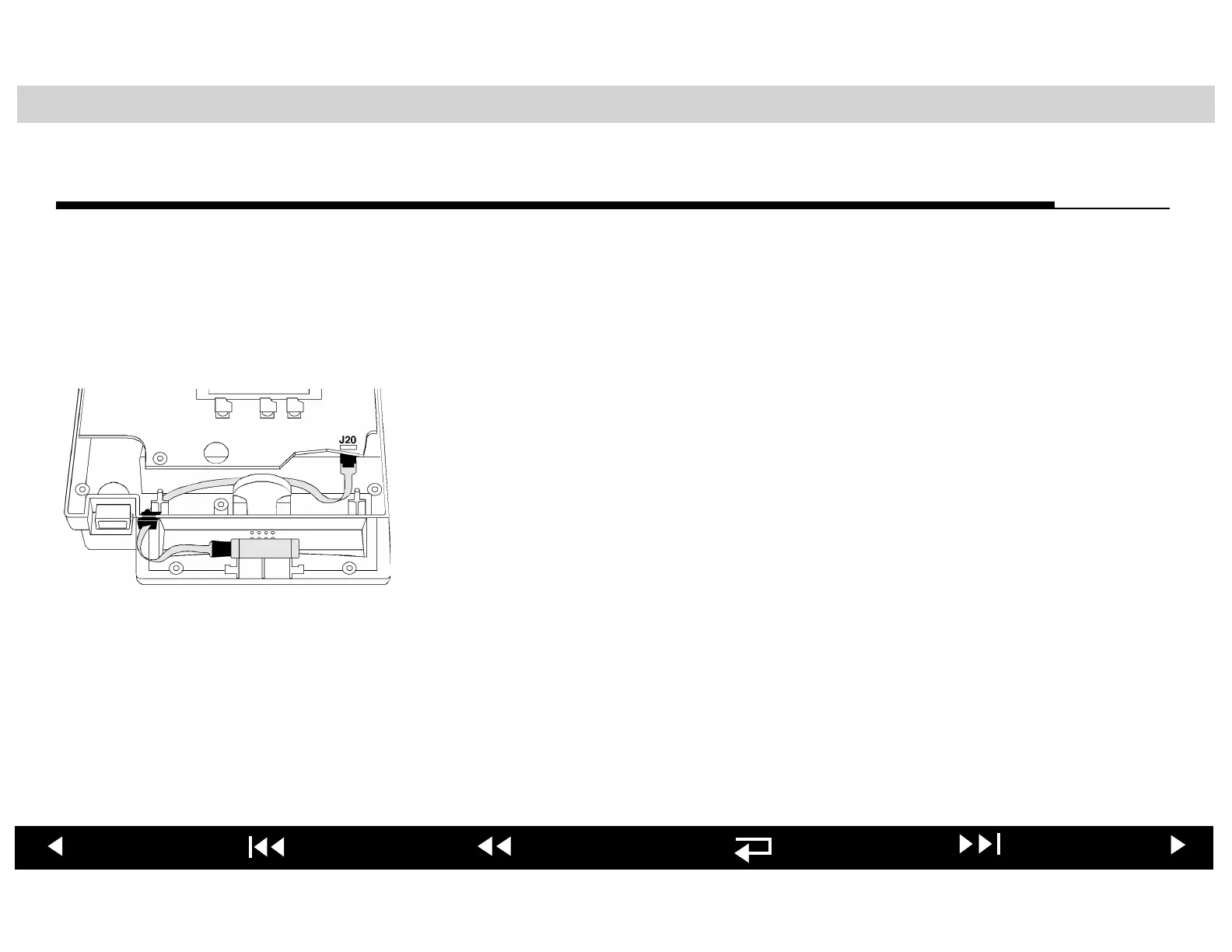
2. Observe how the Readiness Display cable is routed in the handle and across
the front of the Main PCB. Disconnect P20 of the Readiness Display cable
from J20 on the topside of the Main PCB in the right front corner and remove
it from the case.
3. Install the replacement Readiness Display, seating it in the indexing recess
in the handle, routing the new cable in the handle and across the Main PCB,
and connecting P20 to J20 on the Main PCB.
When you have completed the Replacing Readiness Display procedure, jump to
the Reassembling Case procedure.












 To Next Page