Command Guide
-247-
Default:
Enabled
Usage Guide:
To configure Time Sync of MEP.
Example:
To configure Time Sync of MEP 1
Switch# configure terminal
Switch (config)# mep 1 dm synchronized
4.2.133 mep <Instance> down
Command:
mep <Instance> [ mip ] down
domain { port | evc | vlan } [ vid <vid> ] flow <flow>
level <level> interface <port_type> <port>
mep Maintenance Entity Point
mip This MEP instance is a half-MIP
<Instance> The MEP instance number.
down This MEP is a Down-MEP
domain The domain of the MEP
evc This MEP is a EVC domain MEP.
port This MEP is a Port domain MEP.
vlan This MEP is a VLAN domain MEP.
flow The flow instance that the MEP is related to.
<flow > The flow instance number when not in the port domain.
vid In case the MEP is a port Up-MEP or a EVC customer MIP the VID must be given.
<Vid : vlan_id> The port Domain MEP VID. This is required for a Port Up-MEP.
Default:
None
Usage Guide:
To configure Down-MEP of MEP.
Example:
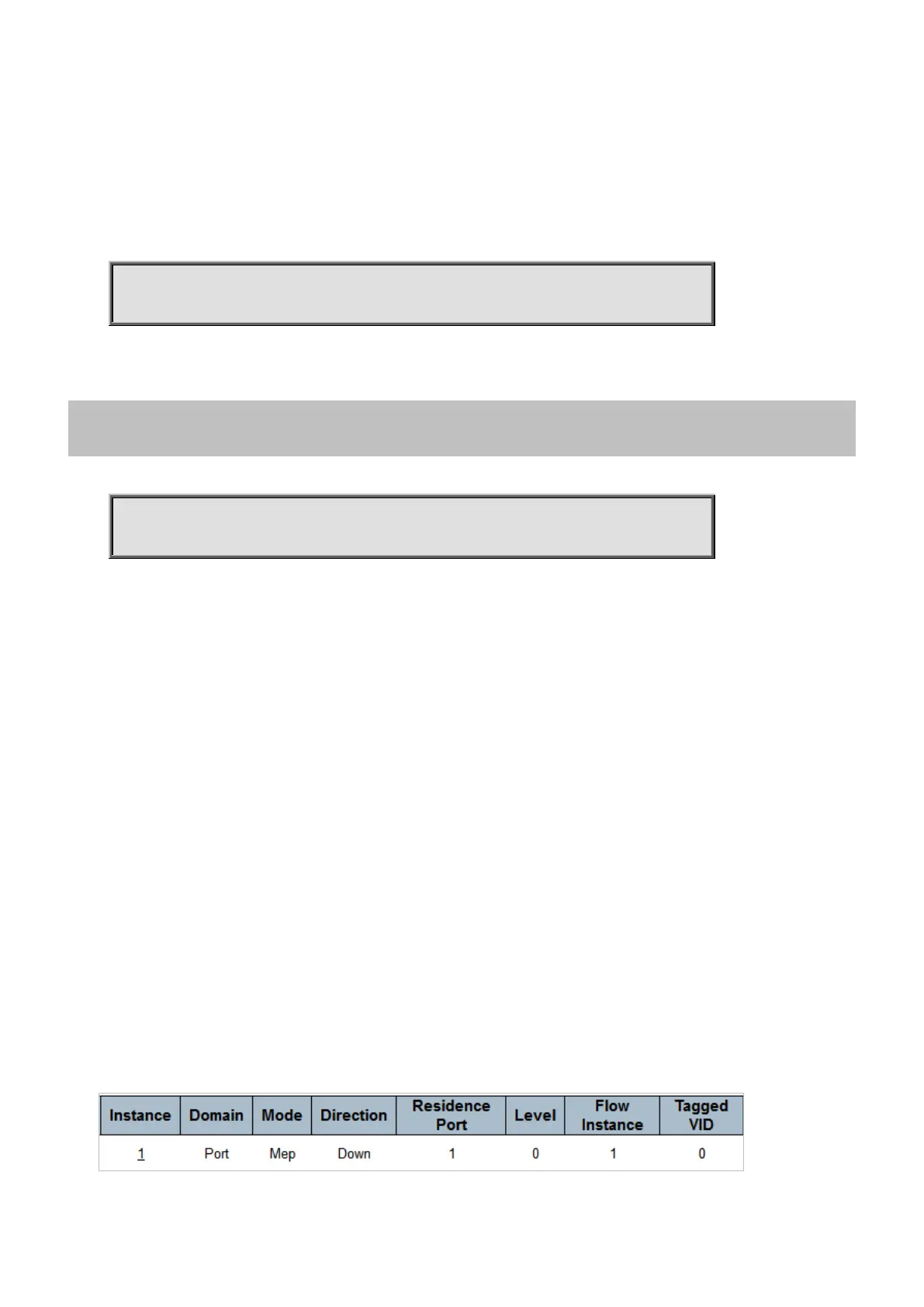
To configure Down-MEP of MEP 1 as below table



 To Next Page
 Loading...










