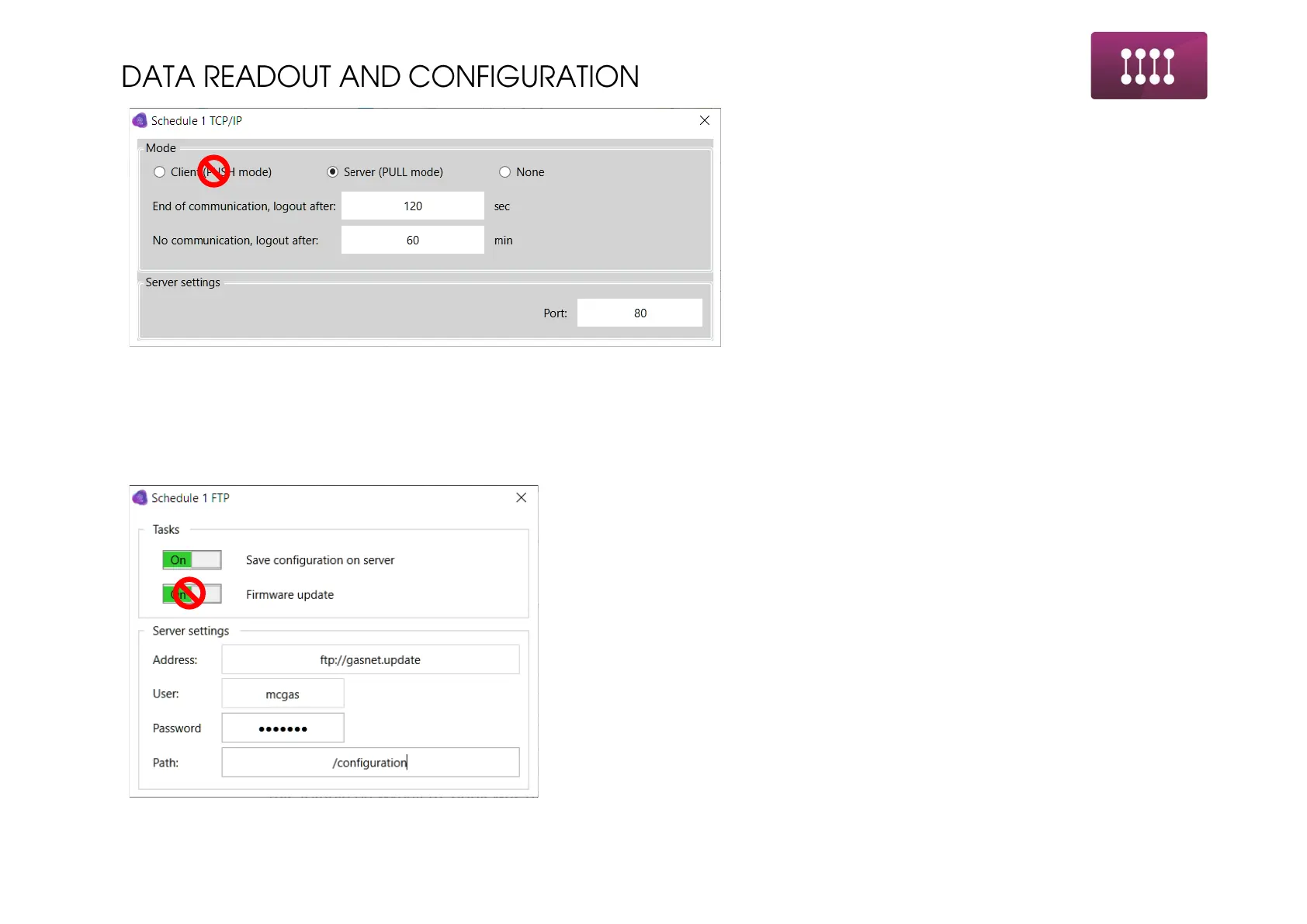
PULL mode configuration. Similar configuration to
the general one. In schedules mode it is required
to set the conditions for ending the connection,
such as “End of communication” and “Logout after”
End of communication – after finishing the
communication device will wait programmed time
for next queries. In case of no queries – schedule
ends.
No communication – when device will connect to
online mode and will not receive any request will
disconnect from the network after time of silence
programmed in this field.
Port for communication – remote port for device
listening.
1. Through FTP settings there is possibility to send the
report to the FTP server. Distinguishing the address
for the server, username and password is possible
in marked fields.
Report will be generated in form of .txt file with
listed all parameters with current values.



 To Next Page