3-48 Commissioning – Servo Setup
FlexFit – Linkageless Control – Revision 1.0
PREFERRED
UTILITIES MFG CORPORATION
CC
OO
MM
MM
II
SS
SS
II
OO
NN
II
NN
GG
WARNING
Misalignment of the servo shaft relative to the valve (or damper) shaft can result
in equipment damage, system malfunction, injury, or death. To avoid damaging
the servo, valve, or damper, jog the servo buttons slowly and frequently check for
binding. Do not drive the servo at full speed into a valve or damper mechanical stop.
Use the CW and CCW buttons to jog the servo to the full open/full closed positions of the valve or damper. Verify the servo has
sufcient torque and that mechanical binding does not occur at any point in the stroke. When testing fan dampers, the fan should be
running to test the servo under full torque conditions. To set each servo's mechanical range of travel, follow these steps:
• If necessary, refer to "Figure 2 – 9 Servo Control Board" on page 2-22. Remove jumper J11 located on the servo circuit
board to obtain local control of the servo.
• Jog the servo fully clockwise using the CW button.
• If necessary, refer to "Figure 2 – 10 Servo Travel Limit Switches" on page 2-23. Turn the white gear, on the CW travel
switch (farthest from circuit board), clockwise until the switch makes. If the servo stops before the valve or damper is fully
open or closed, turn the CW gear counter-clockwise to give the servo more travel. Conrm that the servo is not binding
and that there is not an E6 or E7 "Forbidden Zone" error displayed.
• Jog the servo fully counter-clockwise using the CCW button.
• Turn the white gear, on the CCW travel switch (closest to the circuit board), counter-clockwise until the switch makes. If
the servo stops before the valve or damper is fully open or closed, turn the CCW gear clockwise to give the servo more
travel. Conrm that the servo is not binding and that there is not an E6 or E7 "Forbidden Zone" error displayed.
• Jog the servo back and forth through its range of motion, ensuring that the servo does not bind in either direction. To
prevent binding, the travel switches should stop the motor before the servo reaches a mechanical stop.
• Re-install jumper J11.
• Repeat the above steps for each servo.
Perform the following to congure the address for each servo.
• Remove jumper J11 located on the servo circuit board.
• Press and hold the ZERO button until all push button LEDs blink, then release.
• Press CW or CCW to set the servo address. These must be in numerical order without skipping addresses. The rst servo
in the daisy chain (the servo wired directly to the FlexFit) is address 0 (A0); the second is address 1 (A1), etc.
• Press ZERO again to enter the address into memory.
• Reinstall jumper J11.
• Repeat the above steps for each servo.
WARNING
Servo address is determined by the order in which it is wired in the servo
daisy chain. The rst servo (electrically closest to the FlexFit) is address
0. The next closest (electrically) is address 1. Etc. Incorrect servo func-
tion assignment can result in equipment damage, injury, or death.
With each servo having been assigned an address, the next step is to assign a function (i.e. fuel valve, air damper, etc.) and to
set the feedback pot characteristics (type) for each servo address through the LCD touchpad.
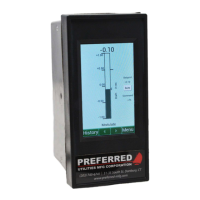
• Navigate to Main Menu > Setup > Servo Setup > Congure Servos.
• For each servo address in the daisy chain, select the correct "Func" (Fuel Valve, FD Fan Damper, etc.) and "Type" (SM
or UM) from the options that are displayed.
Note
The BMU-SM servo
can be stroked out
to 180 degrees; the
BMU-UM servo is
limited to a maximum
stroke of 90 degrees.
Note
The switch contact moves
slower than the adjusting
knob. A reducing gear
is between the adjusting
knob and the switch
contact that allows for
more precise adjustment
(but slower movement).



 To Next Page