MAX™ Operator Manual
©
Original Printed In English
SECTION 3 - CONTROLS
TOUCHSCREEN
3-2
FAULT MESSAGES
Faults are defined as an error condition that will stop
the bagger and prevent subsequent cycles from oc-
curring as long as the fault persists. Faults must be
corrected and then reset from the HMI using the Re-
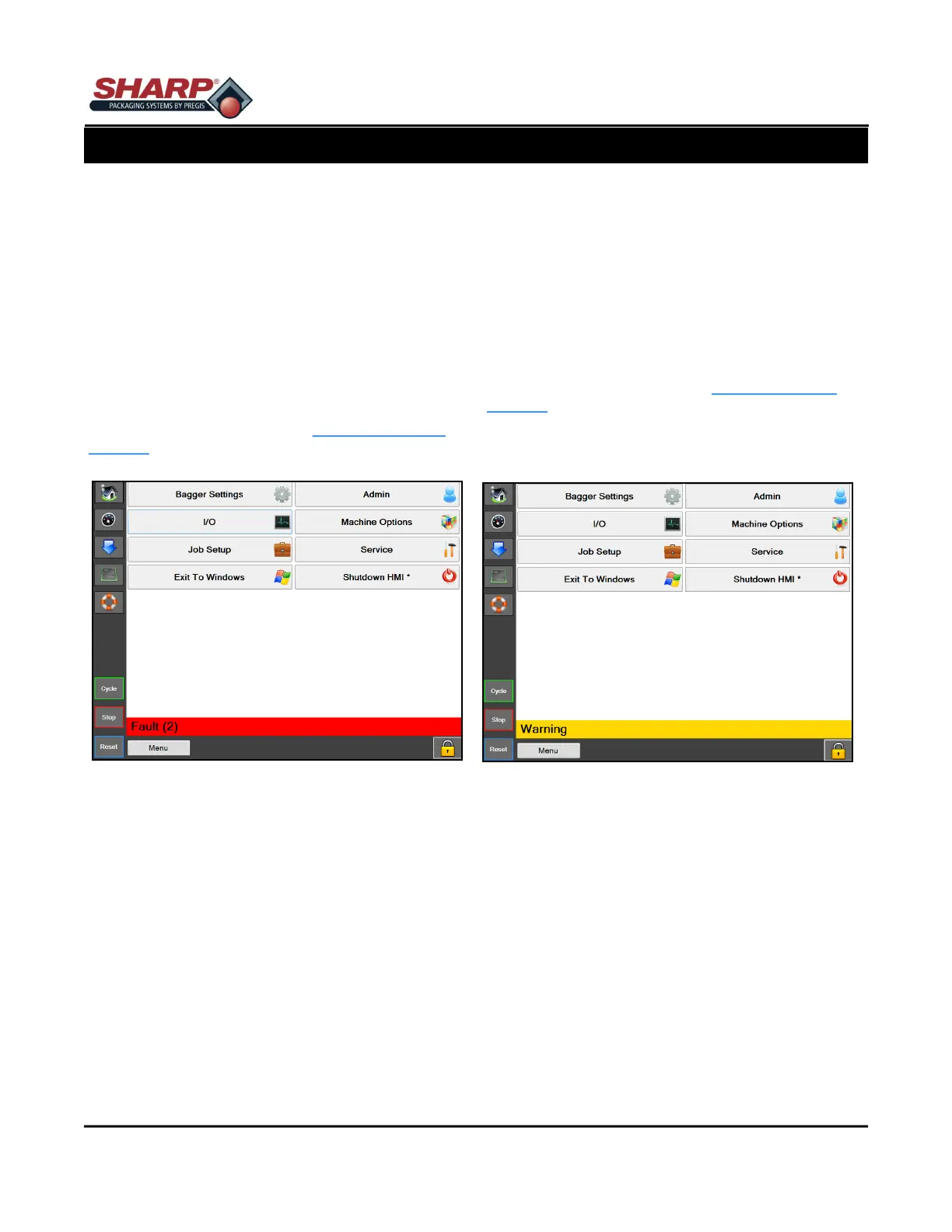
set Button. Faults are first indicated by a red banner at
the bottom of all screens. The number in parenthesis
indicates the number of active faults.
Touching the banner will load the fault screen. Touch
the individual fault to get a more detailed description
of fault.
For a complete list of faults, see Faults & Alert Man-
agement, page 6-1.
ALERT MESSAGES
Alert messages are displayed in yellow and will not
generally stop a bagger cycle. Alerts are intended to
inform the operator of an event or status of the ma-
chine. Alerts can be considered minor faults in some
cases and my require the operator to intervene.
Touching the banner will load the fault screen. Touch
the individual event to get a more detailed description
of event.
For a complete list of alerts, see Fault & Alert Man-
agement, page 6-6.
Figure 3-2A. Fault Banner
Figure 3-2B. Warning Banner



 To Next Page