MAX™ Operator Manual
©
Original Printed In English
SECTION 8 - APPENDIX B
POWER UP PROCEDURE - CE MODELS
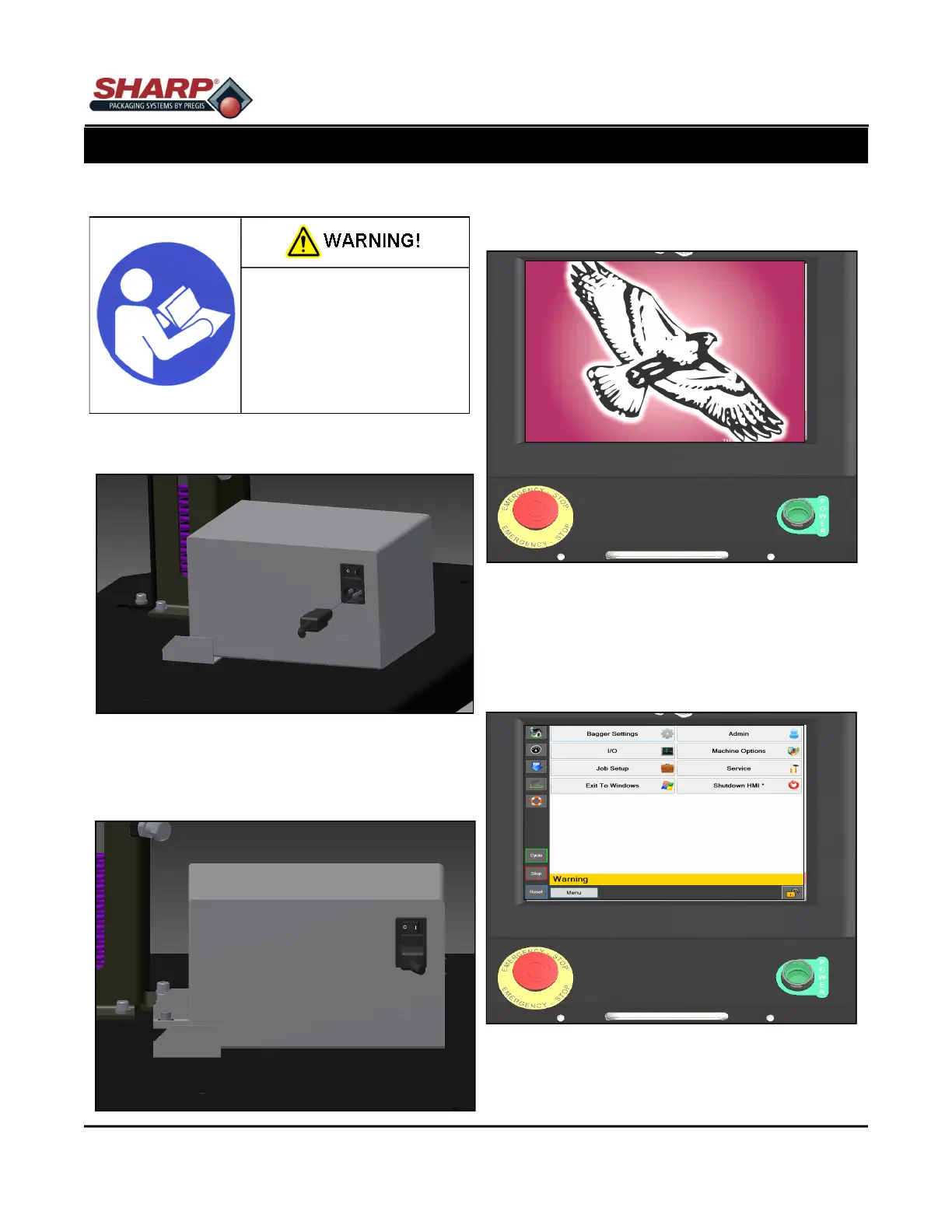
COMPLETE POWER-UP PROCEDURE
1. Connect Power Cord to the 230V Power Entry
Module.
2. Turn switch to the ON position. The HMI will au-
tomatically start up when Power Entry Module
Switch is turned ON.
3. Release the E-Stop Button and press the Green
Power Button. The green light should illuminate
and energize the MCR.
Note: If the bagger has the Stack Light option,
the horn will sound until the HMI program has
finished loading. To prevent horn blowing, do
not press the Green Power Button until HMI pro-
gram is loaded. The horn then can be silenced
by pressing the Reset Button.
Read and understand the en-
tire Operator Manual before
attempting any procedures on
this machine. Failure to follow
these instruction can result in
serious injury.
8-1



 To Next Page