MAX™ Operator Manual
©
Original Printed In English
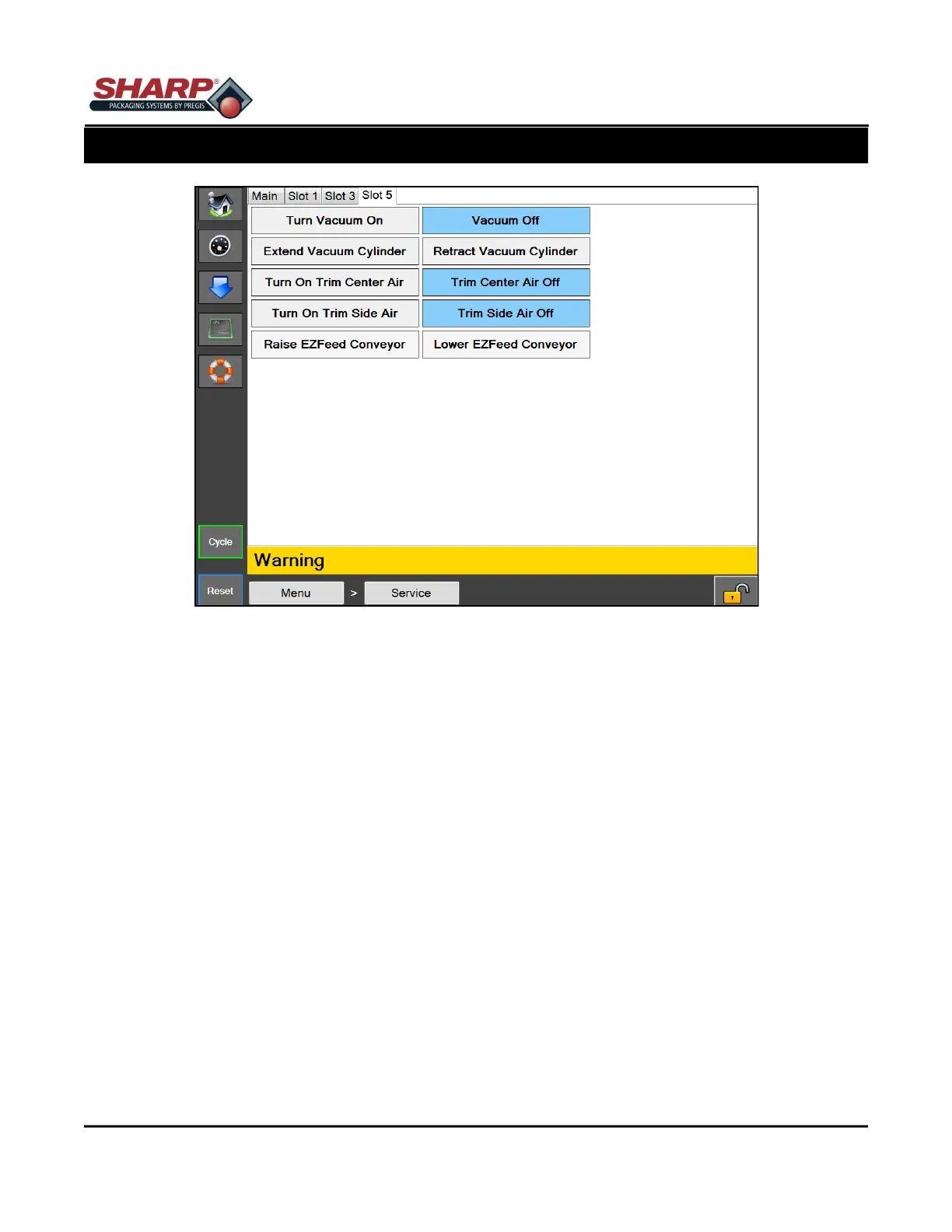
SLOT 5
Turn Vacuum On - This will turn the vacuum on. The button will display Vacuum On when the vacuum is ON.
Turn Vacuum Off - This will turn off the vacuum. The button will display Vacuum Off when the vacuum is OFF.
Extend Vacuum - This will extend the Vacuum Cylinder on a cylinder-mounted vacuum. The button will display
Vacuum Extended when the Vacuum Cylinder Extended Sensor is made.
Retract Vacuum - This will retract the vacuum cylinder on a cylinder-mounted vacuum. The button will display
Vacuum Retracted when the Vacuum Cylinder Retracted Sensor is made.
Turn On Trim Center Air - This will turn the Trim Seal Center Air ON. The button will display Trim Center Air On
when the Trim Seal Center Air is ON.
Turn Off Trim Center Air - This will turn OFF the Trim Seal Center Air. The button will display Trim Center Air Off
when the Trim Seal Center Air is OFF.
Turn On Trim Side Air - This will turn the trim seal side air on. The button will display Trim Side Air On when the
trim seal side air is on.
Turn Off Trim Side Air - This will turn OFF the Trim Seal Side Air. The button will display Trim Side Air Off when
the Trim Seal Side Air is OFF.
Raise EZ Feed Conveyor - This will raise an attached EZ Feed Conveyor with lift column.
Lower EZ Feed Conveyor - This will lower an attached EZ Feed Conveyor with lift column.
Figure 4-29A. Service Screen - Slot 5.
4-29
SECTION 4 - HMI SCREENS
SERVICE SCREEN



 To Next Page