MAX™ Operator Manual
©
Original Printed In English
SECTION 4 - HMI SCREENS
MACHINE OPTIONS SCREEN - CONTINUED
4-20
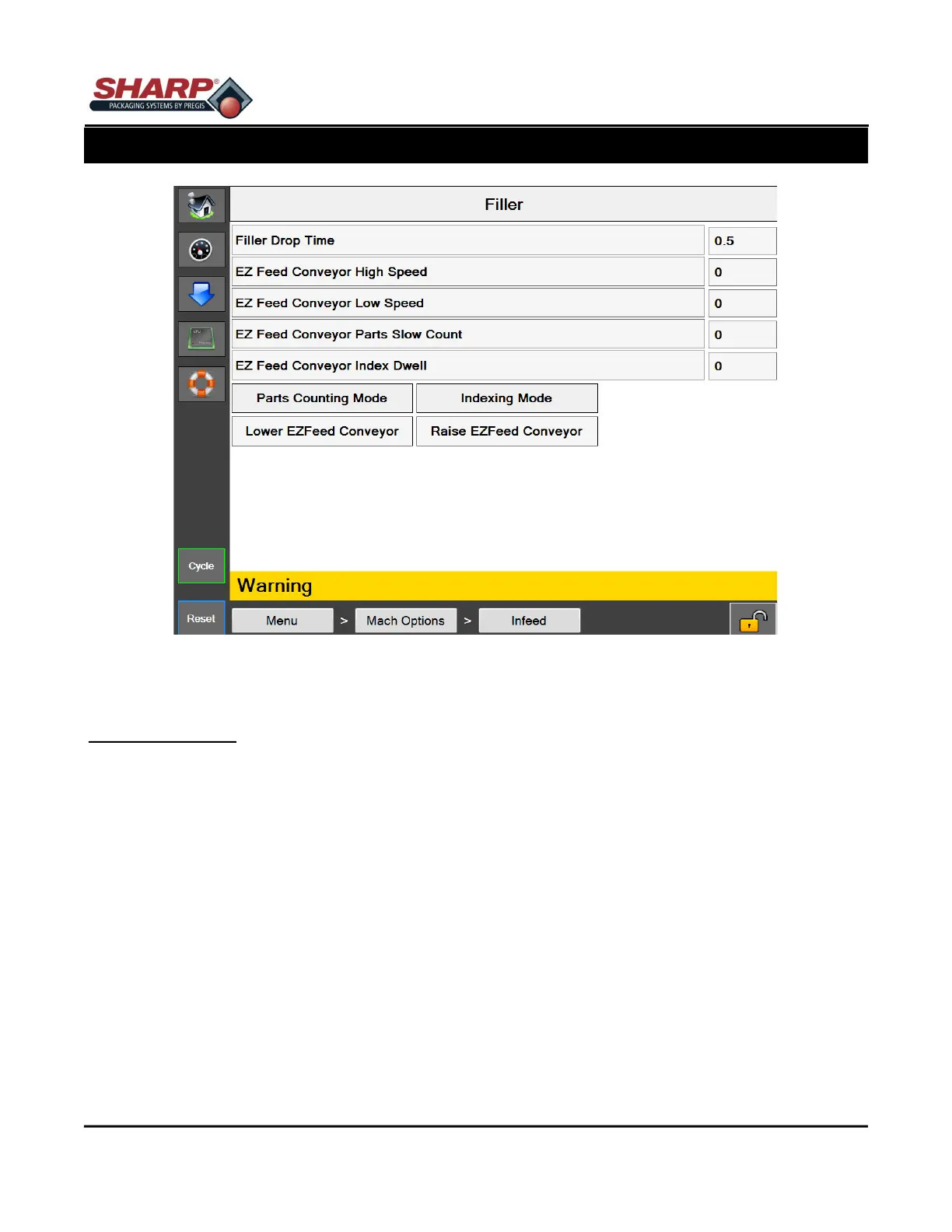
Figure 4-20A. Filler Screen.
FILLER SCREEN
General Description
The Filler Option screen displays available Filler settings.
Minimum Security Access: Medium
Button/Label Descriptions:
Filler - This will toggle on/off the Filler option.
Filler Drop Time - This setting determines the amount of time from when the Filler Trigger is a applied until the
bagger cycles. This should be set long enough to allow the product to drop below the pressure before the seal-
ing cycle begins.
EZ Feed Conveyor Index Dwell - The time that the EZ Feed is stopped between Indexing Cycles.
Parts Counting - Used when counting parts in Filler Mode.
EZ Feed Indexing Mode - Conveyor runs starts/stops in a cyclical fashion.
EZ Feed Continuous Mode - Conveyor runs in continuous fashion.



 To Next Page