MAX™ Operator Manual
©
Original Printed In English
SECTION 4 - HMI SCREENS
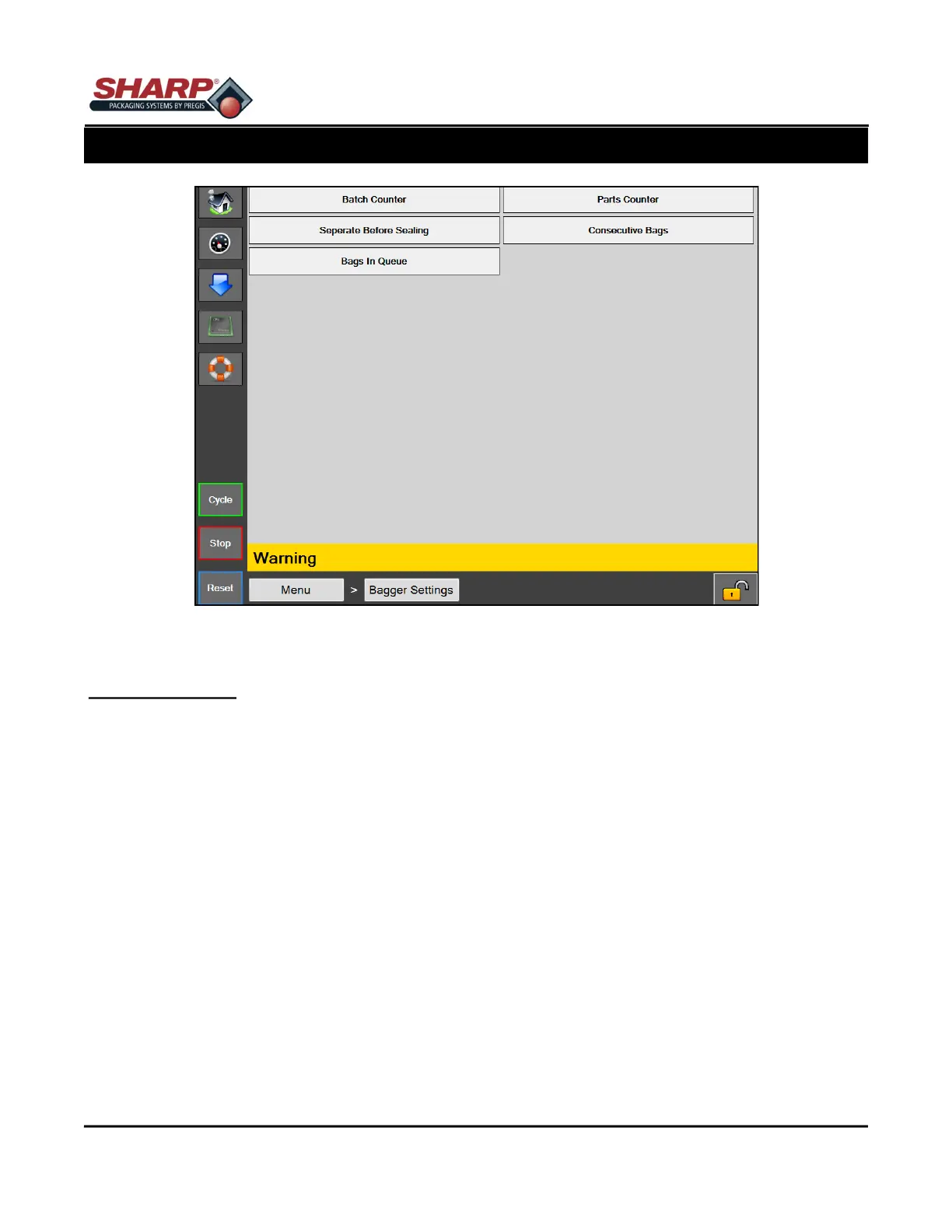
BAGGER SETTINGS SCREEN
BAGGER SETTINGS
General Description
The Bagger Settings screen manages all of the global bagger settings/functions.
Button/Label Descriptions:
Batch Counter - This will turn on/off the Batch Counter on the Dashboard. When this is enabled, the batch coun-
ter will increment with every good bag. The reset button will reset the count to zero. A target can be set by the
operator from Dashboard Screen.
Parts Counter - This will turn on/off the Parts Counter on the Dashboard. When this is enabled, the parts counter
will count the number of parts that enter the open bag until it reaches its target count. Parts Counter is a sub
function of Filler Mode.
Separate Before Sealing - This button turns on a feature that, prior to sealing the bag, will reverse the web when
the pressure bar is closed in order to disconnect the bag from the next bag.
Consecutive Bags - This button turns on a feature that causes the bagger to produce a strip of sealed bags. The
Operator sets the length of the strip to a number between 2 and 10. The total length of the strip must not exceed
50.0 inches.
Bags in Queue - This button turns on a feature that allows the user to establish a Queue of Printed Bags from
the Dashboard. This allows the user to clear out a previously printed label before starting a new print label. The
user must set-up the Queue length in the job. The Start Job feature will feed out the correct number of bags be-
fore opening the first printed bag. The End Job button will clear out the printed bags, so that there are no printed
bags in the bagger.
4-2
Figure 4-2A. Bagger Settings Screen.



 To Next Page