MAX™ Operator Manual
©
Original Printed In English
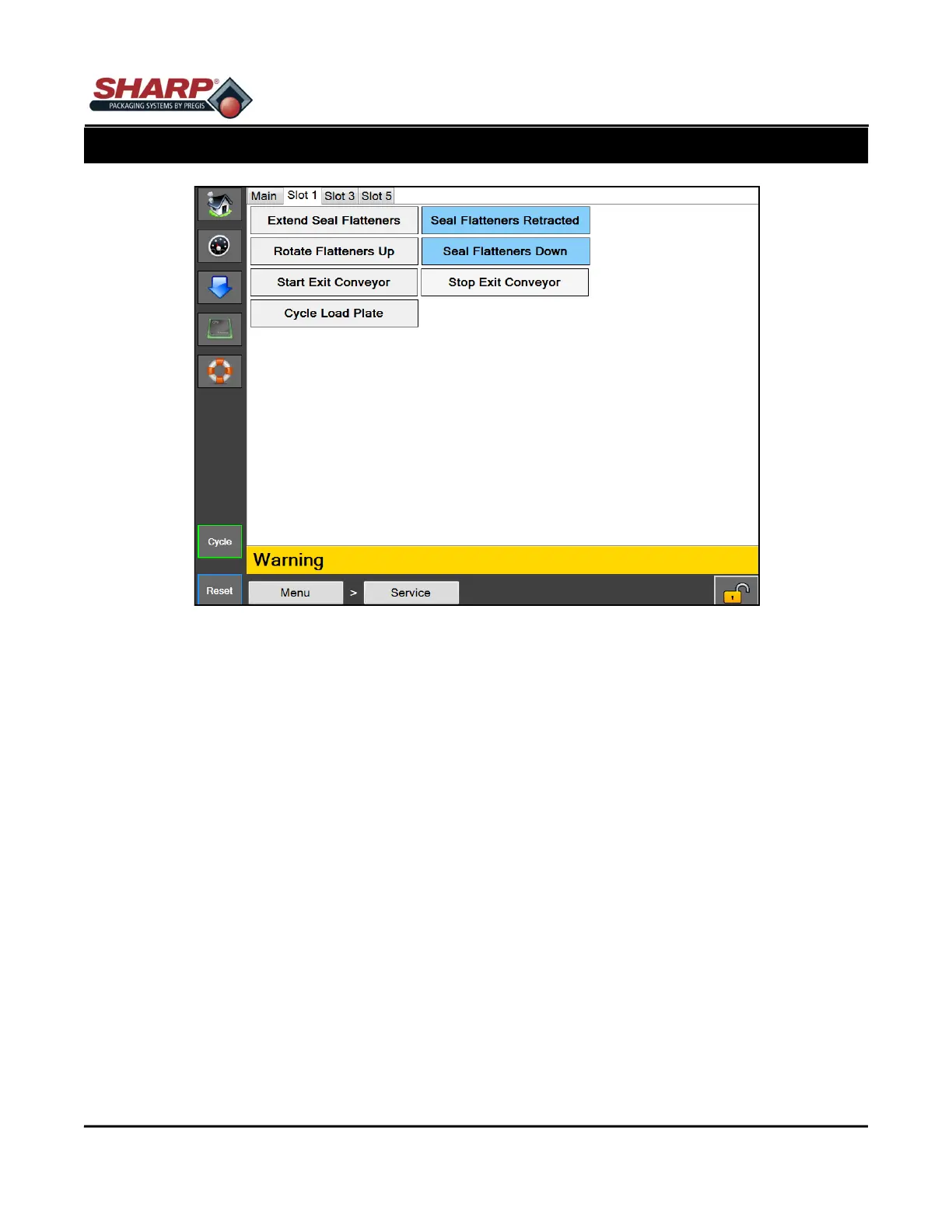
SLOT 1
Extend Flatteners - This will extend the seal flatteners. The button will display Flatteners Extended when the
Seal Flatteners Extended Sensor is made.
Retract Flatteners - This will retract the seal flatteners. The button will display Flatteners Retracted when the
Seal Flatteners Retracted Sensor is made.
Rotate Flatteners Up - This will rotate the seal flatteners up. The button will display Seal Flatteners Up when the
Seal Flatteners Up Sensor is made.
Rotate Flatteners Down - This will rotate the seal flatteners down. The button will display Seal Flatteners Down
when the Seal Flatteners Down Sensor is made.
Start Exit Conveyor - This will start indexing the Exit Conveyor.
Stop Exit Conveyor - This will stop indexing the Exit Conveyor.
Cycle Load Plate - This will retract and then extend the Load Plate.
Figure 4-27A. Service Screen - Slot 1.
4-27
SECTION 4 - HMI SCREENS
SERVICE SCREEN



 To Next Page