MAX™ Operator Manual
©
Original Printed In English
SECTION 3 - CONTROLS
TOUCHSCREEN
3-3
HELP SCREENS
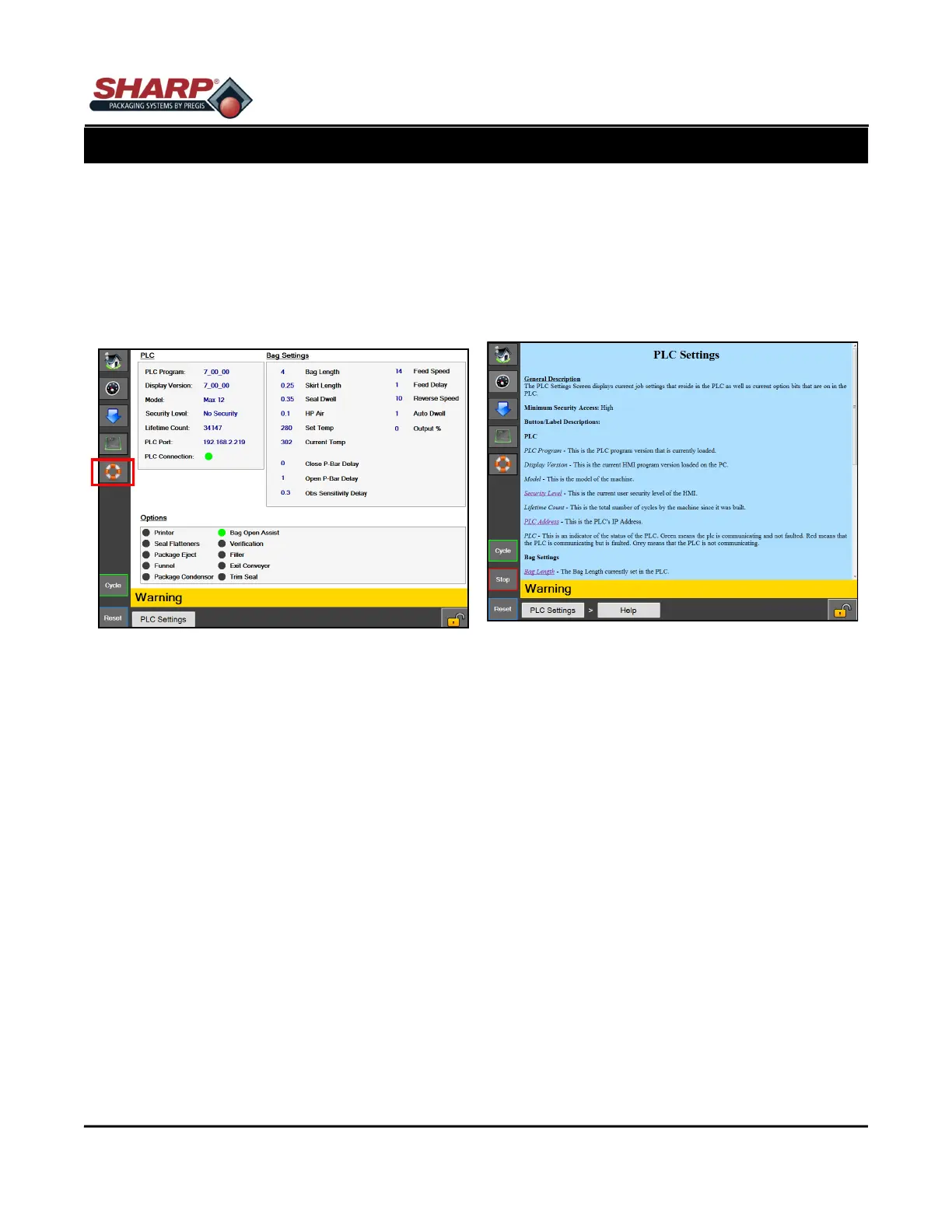
A Help Screen provides detailed information of the
screen that is displayed on the HMI.
From any screen, press the Life Preserver button on
the Left Menu Bar (Figure 3-3A) and the Help Screen
for that screen will appear. Figure 3-3B.
The PLC Settings Help Screen is a sub-screen of the
PLC Setting Screen. The user can navigate back to
the higher level screen by touching the “PLC Settings”
button.
Figure 3-3B. PLC Settings Help Screen
Figure 3-3A. PLC Settings Screen



 To Next Page