MAX™ Operator Manual
©
Original Printed In English
SECTION 5 - MACHINE OPERA-
OPERATION
Before attempting to operate the machine, read all
information under Important Safety Information, page
1-2 and Controls, page 3-1.
1. Make sure machine is plugged into the properly
grounded outlet and connected to clean dry air
regulated to 80 psi. See Air Pressure Regulator
Adjustment, page 2-1.
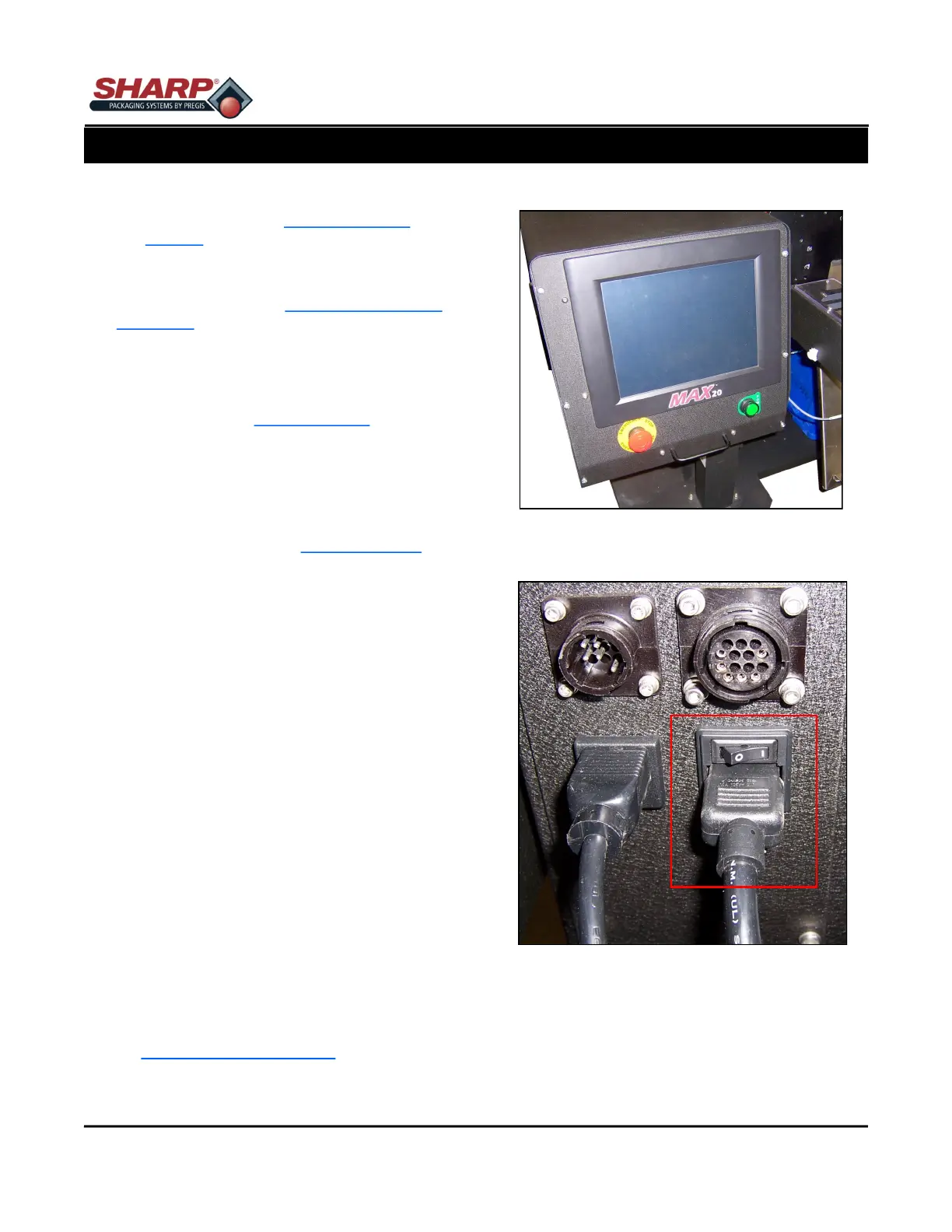
2. Release the E-Stop Button. Figure 5-1A.
3. Turn on power switch at Power Entry Module. Fig-
ure 5-1B. On CE Models, the PEM is on the Step-
Down Transformer, See Appendix B.
4. Push the green Power Pushbutton. Figure 5-1A.
NOTE: The machine will be in fault status until set
temperature is achieved.
1. Load film material as illustrated in Web Threading
Diagram on machine. See Loading Bag Film,
page 2-2.
NOTE: If an optional Box Power Unwind or Roll
Power Unwind is installed, the Web Threading Dia-
gram will be on the side of power unwind.
2. Load product into bag.
3. Press Foot Control or optional Dual Palm Buttons
to initiate sealing cycle.
NOTE: To stop the machine for any reason, press
the Emergency Stop Button. To completely re-
move all power from the machine turn off the Pow-
er Switch at Power Entry Module or remove Power
Cord.
TECHNICAL ASSISTANCE
Assistance with your Sharp MAX™ can be obtained
by contacting Sharp Packaging Systems Technical
Service Hotline by phone or e-mail. To help serve you
better, Sharp Packaging requests that you provide the
serial number of bagger and a brief description of the
problem.
Phone: +1 (262) 246-8815 (ext. 1572)
E-mail: sharpservice@pregis.com
5-1
Figure 5-1B. Power Entry Module Switch.
Figure 5-1A. E-Stop & Power Pushbutton.



 To Next Page