MAX™ Operator Manual
©
Original Printed In English
SECTION 4 - HMI SCREENS
DASHBOARD SCREEN
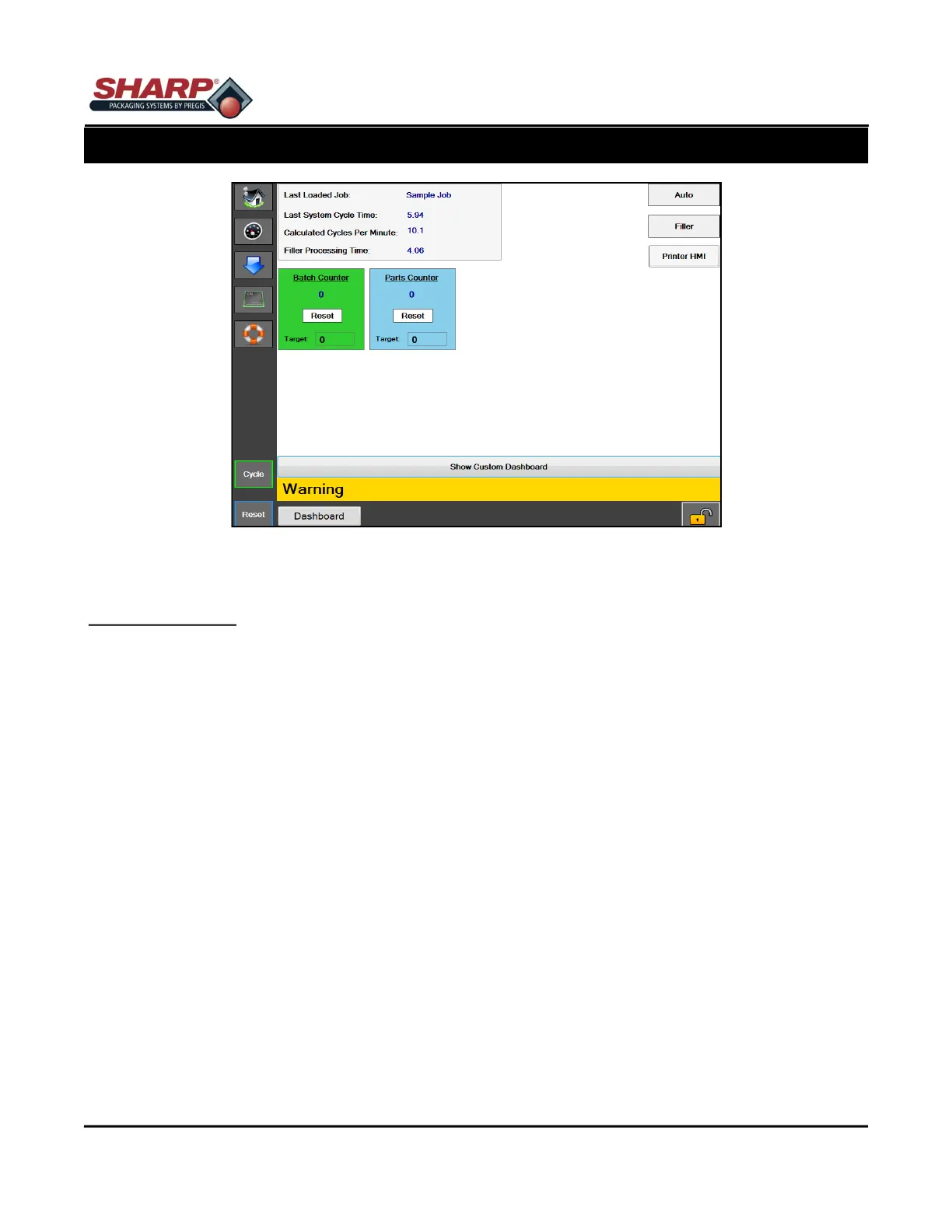
Figure 4-11A. Dashboard Setup Screen.
4-11
DASHBOARD SCREEN
General Description
The dashboard is a customizable screen that can be setup to display the most common operator interfaces. Op-
tions can be switched on or off from this screen, and many of the individual machine motions can be setup on
this screen for operator ease of use. There is also a built in batch counter that is accessible on the bottom of the
screen. This dashboard was designed to be the main screen that the operator uses during machine operation.
Minimum Security Access: High
Button/Label Descriptions:
Auto Mode - This will put the bagger in an auto cycle mode
Filler Mode - This will put the bagger in Filler Mode.
Printer HMI - This button will allow the operator to view the printer's HMI (Human Machine Interface)
Parts Counter - The Parts Counter can be enabled from the Bagger Settings screen.
Batch Counter - The Batch Counter can be enabled from the Bagger Settings screen.
Last Loaded Job - The name of the last job that was successfully loaded
Last System Cycle Time - The amount of time, in seconds, the previous successful machine cycle took to com-
plete. Note: This includes filler drop time
Calculated Cycles Per Minute - This is the number of cycles per minute calculated using 60 divided by the last
system cycle time.
Filler Processing Time - This displays the measured amount of time from when the bagger turns on the "Ready
For Filler" output until it receives the "Filler Trigger" input signal from the Automatic Filler machine.



 To Next Page