MAX™ Operator Manual
©
Original Printed In English
SECTION 4 - HMI SCREENS
MACHINE OPTIONS SCREEN
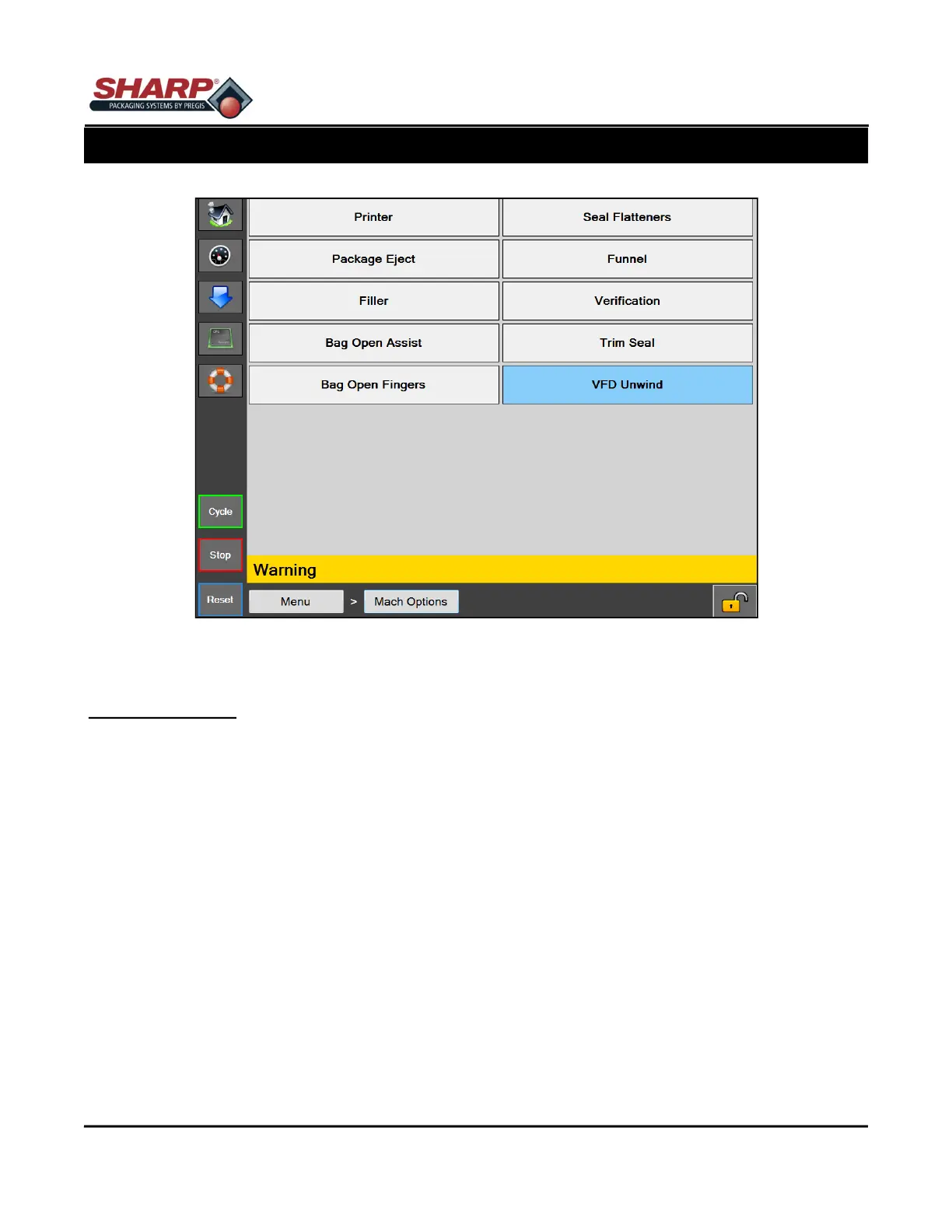
Figure 4-14A. Machine Options Screen.
4-14
MACHINE OPTIONS
General Description
The Machine Options screen displays the many options that can be installed and selected on the bagger. (Not
all of these options will be available on every machine. It depends on what has been purchased.) The buttons of
the options that are currently selected will be highlighted.
Minimum Security Access: Medium
Button/Label Descriptions:
Printer - This will open the Printer configuration screen.
Seal Flatteners - This will open the Seal Flatteners configuration screen. Seal Flatteners are used to create an
aesthetic seal.
Package Eject - This will open the Package Eject configuration screen. This option is used to support the bag
during loading and then drop the finished package from the bagger.
Funnel - This will open the Funnel configuration screen. This option is used on baggers that have a funnel for
loading product.
Filler - This will open the Filler configuration screen.
Verification - This will open the Verification configuration screen. This option will automatically verify a taught
barcode that is printed on a bag.



 To Next Page