MAX™ Operator Manual
©
Original Printed In English
LOAD PLATE ADJUSTMENT
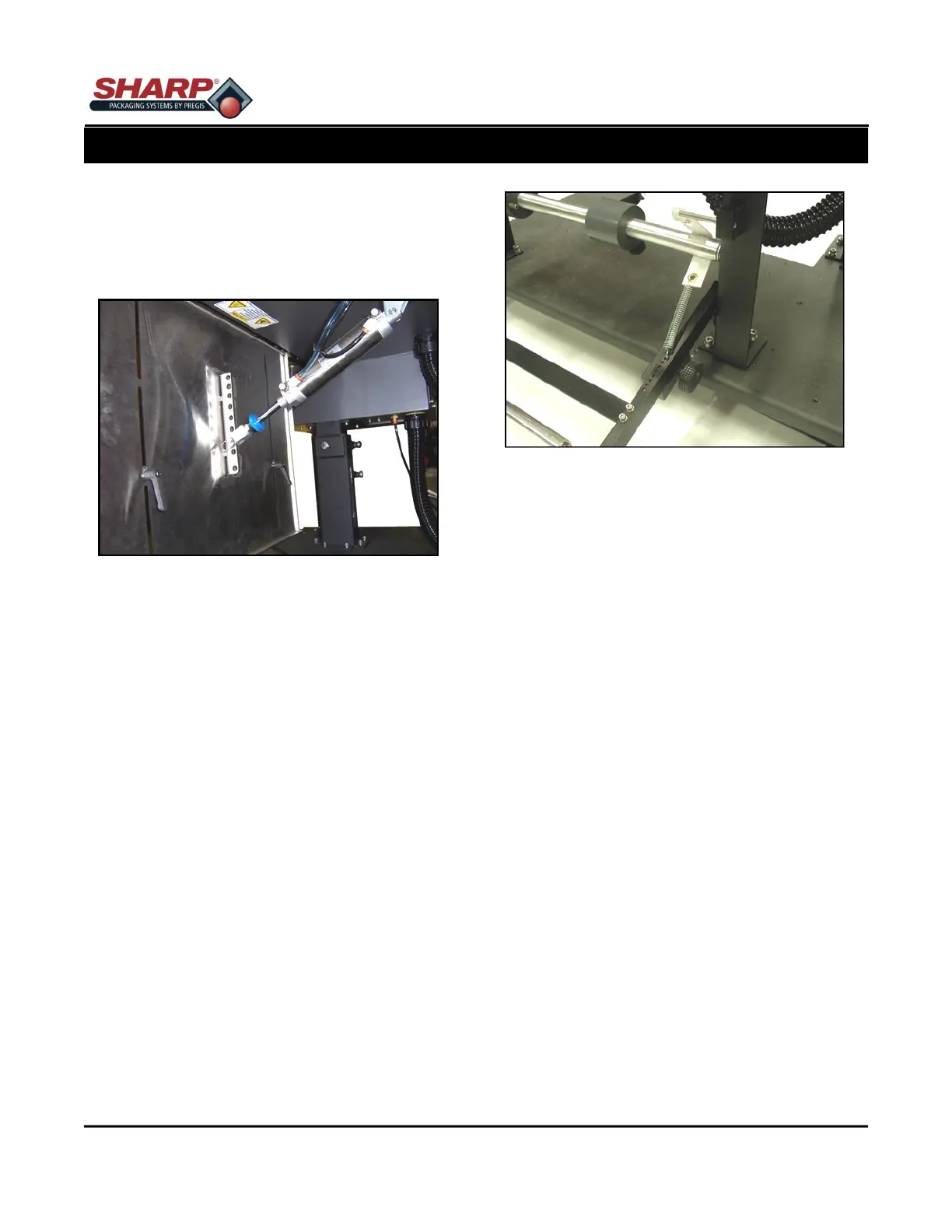
The Load Plate can be adjusted for different angles.
1. Remove pin securing air cylinder to load plate.
Figure 2-9A.
2. Move load plate to desired position and re-insert
pin.
LOAD SHELF ADJUSTMENT
The Load shelf can be moved up and down to accom-
modate different sized bags.
1. Loosen the two Load Shelf Lever Locks on the
back of the Load Plate. Figure 2-9A.
2. Move the Load Shelf to the new location, keeping
the Load Shelf level.
3. Tighten the Load Shelf Level Locks.
BRAKE STRAP ADJUSTMENT - Standard Unwind
If the dancer arm is reaching the top of its travel, move
the spring to a hole closer to the pivot point. If the roll
of bags continues to spin after cycling, move the
spring to a hole further from the pivot point.
1. Lift Dancer Arm to remove tension from spring.
Figure 2-9B.
2. Pull spring out of Dancer Arm.
3. Move spring to new location.
4. Release Dancer Arm.
DANCER WEIGHT ADJUSTMENT - Standard Un-
wind
The Dancer Weight is a fine tune adjustment for the
brake strap. The further out on the dancer arm the
weight is located, the more back tension will be put on
the web.
1. Rotate Dancer Weight locking knob counter-
clockwise to release Weight. Figure 2-9B.
2. Move weight to new location.
3. Rotate Dancer Weight locking knob clockwise to
lock weight.
AIR PRESSURE REGULATOR ADJUSTMENT
Adjust the Pressure Regulator so the pressure indicat-
ed on the gauge is 80 PSI.
1. Connect Air supply to Pressure Regulator.
2. Lift cap on Pressure Regulator.
3. Rotate cap clockwise to increase pressure and
counter clockwise to reduce pressure.
4. Push cap down to lock into place.
SECTION 2 - SETUP & ADJUSTMENTS
ADJUSTMENTS
2-9
Figure 2-9A. Load Plate & Shelf Adjustment.
Figure 2-9B. Unwind Adjustments.



 To Next Page