MAX™ Operator Manual
©
Original Printed In English
HEAD ROTATION
Some heavier parts (approximately 5 lbs.) may require
loading from an angle to prevent bag breakage. To
compensate for this, the unit can be infinitely adjusted
in a 90°arc from perpendicular to the floor, to com-
pletely horizontal.
Note: Parts heavier than 5 lbs., or requiring addi-
tional support, can be accommodated with the ad-
dition of optional load shelves and support trays.
NOTE: Make sure the air and electrical leads are
not binding and are free from obstructions when
the machine is rotated.
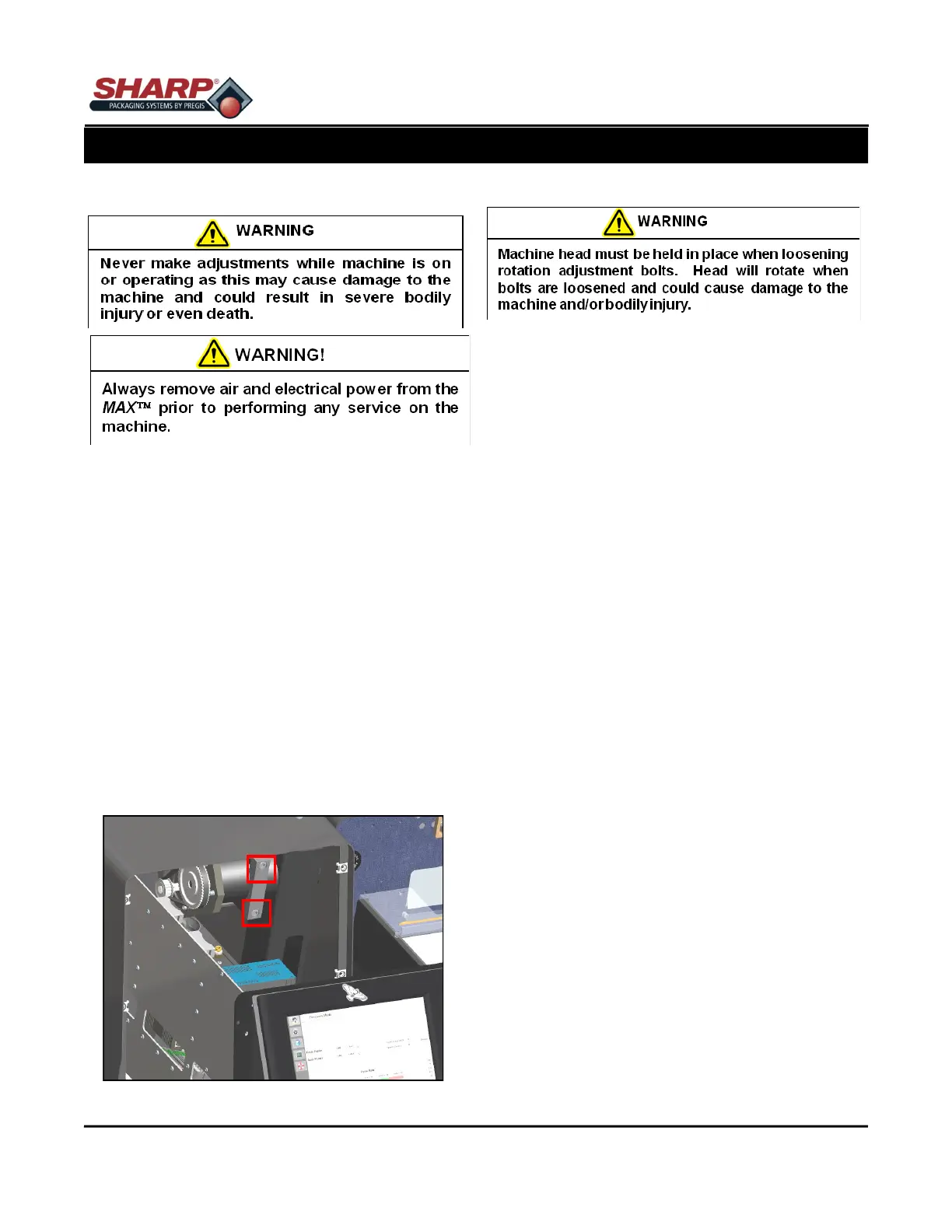
1. Disconnect air and power from the unit.
2. Loosen the six 1/4 turn Control Panel screws.
3. Grasp the handle at the bottom of the control pan-
el and pull the panel out to expose the rotation
adjustment bolts Figure 2-8A.
4. Loosen the adjustment bolts approximately 1/2 to
3/4 turns.
5. Pivot the machine to the desired angle.
6. Tighten rotation bolts to 15 ft-lbs torque.
7. Close front panel and secure 1/4 turn screws.
SECTION 2 - SETUP & ADJUSTMENTS
ADJUSTMENTS - HEAD ROTATION
2-8
Figure 2-8A. Head Rotation Bolts.



 To Next Page