MAX™ Operator Manual
©
Original Printed In English
SECTION 5 - MACHINE OPERATION
DELETING A JOB
5-4
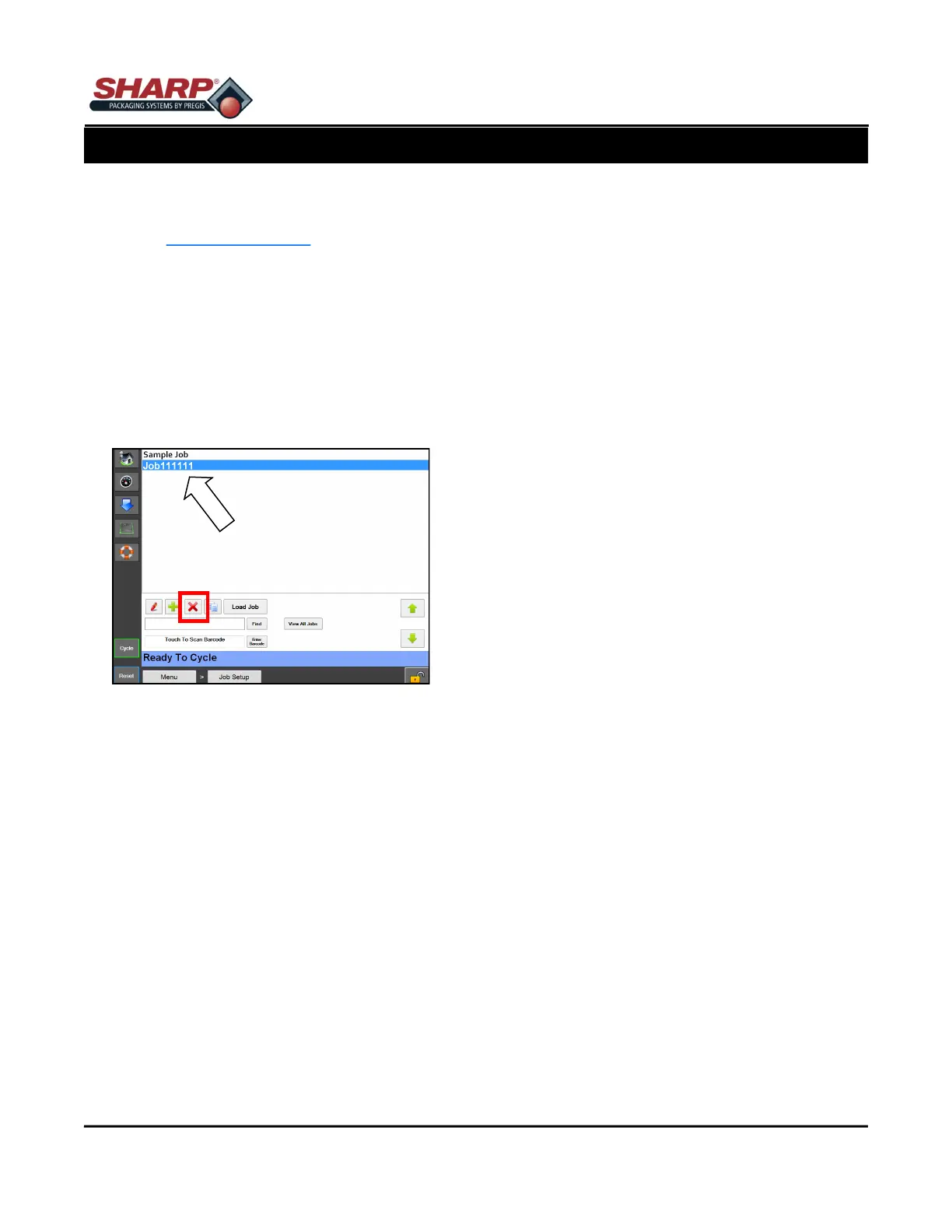
Figure 5-4A. Deleting Job.
The following steps will delete a saved job. The secu-
rity level is medium for this procedure. To change se-
curity, See Security Pass Codes, page 1-11.
1. From the Main Menu, press the Job Setup button.
2. From the Job Setup Screen, highlight the job to be
deleted.
3. Press the Red “X” button. Figure 5-4A.
4. A pop-up window will appear asking if you are
sure you want to delete job. If you are, press yes.
If not, press no.



 To Next Page