MAX™ Operator Manual
©
Original Printed In English
SECTION 4 - HMI SCREENS
MACHINE OPTIONS SCREENS - CONTINUED
4-19
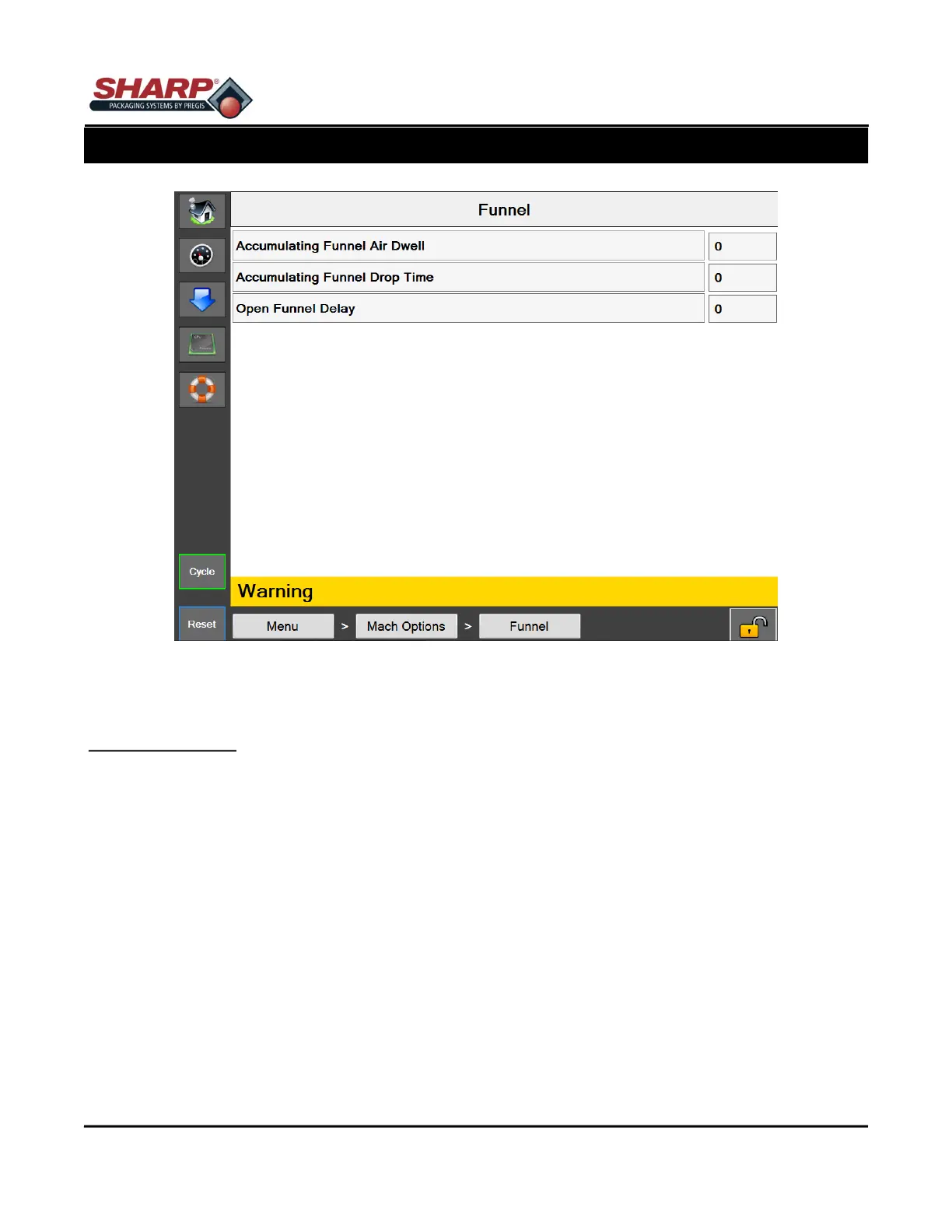
Figure 4-19A. Funnel Screen.
FUNNEL SCREEN
General Description
The Funnel Option screen displays available Funnel settings.
Minimum Security Access: Medium
Button/Label Descriptions:
Funnel - This will toggle on/off the Funnel Option.
Accumulating Funnel Air Dwell - Amount of time, in seconds, that the accumulating funnel air knife will be active
starting from the moment the accumulating doors are opened.
Accumulating Funnel Drop Time - Needed amount of time, in seconds, from the time the accumulating funnel
has closed to allow the product to clear the pressure bar.
Open Funnel Delay - Amount of time, in seconds, that the opening of the Positive Entry Funnel will be delayed
before opening. This delay begins after the completion of the HP Air Dwell.



 To Next Page