MAX™ Operator Manual
©
Original Printed In English
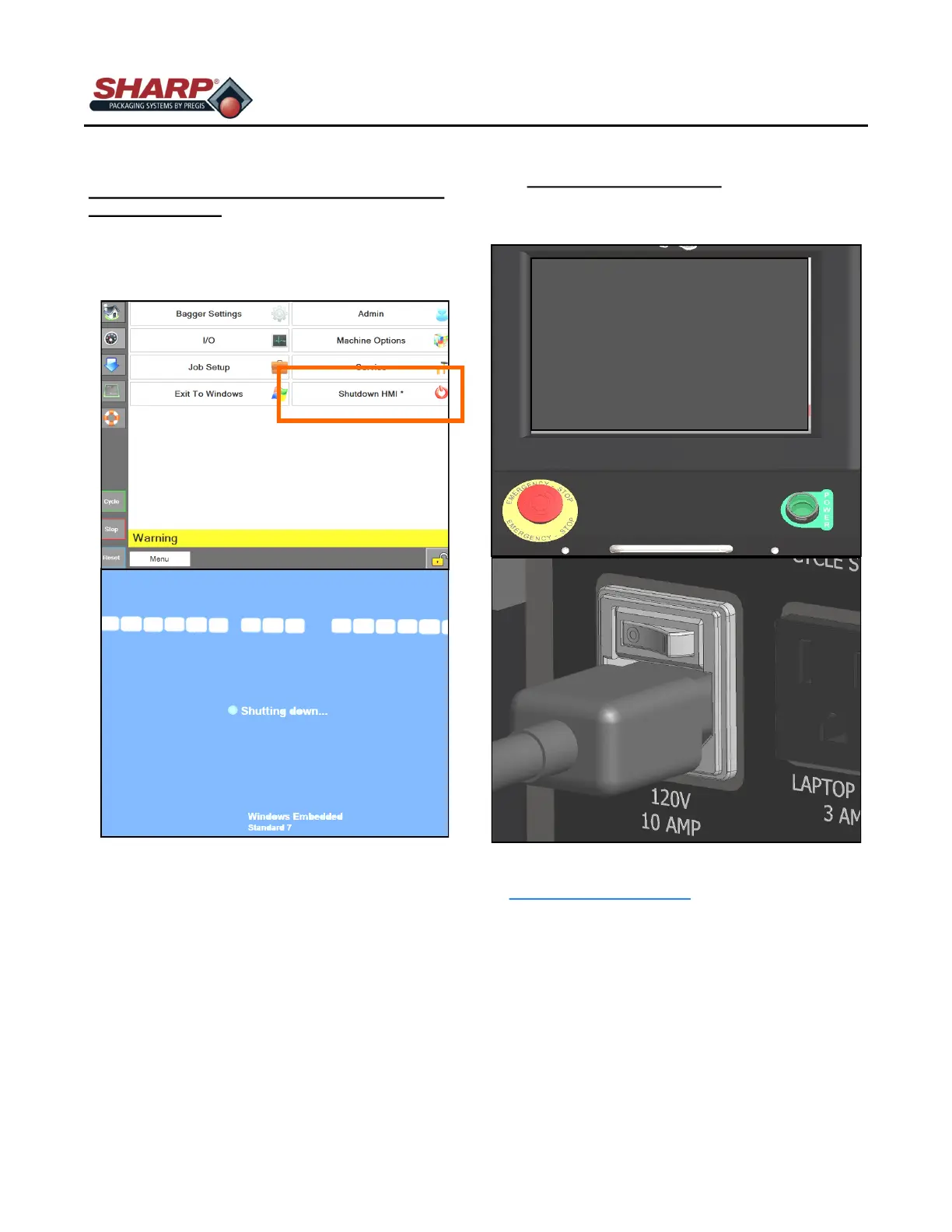
COMPLETE POWER DOWN SEQUENCE
The bagger must be properly Power down in the
correct sequence.
1. From the Main Menu Screen, press and hold
the “Shutdown HMI” button for 3 seconds. The
HMI program will start shut down.
2. IMPORTANT! ALLOW THE HMI/PC TO POW-
ER DOWN COMPLETELY BEFORE CONTINU-
ING TO NEXT STEP.
- The Windows software must shut down
properly.
- Do not remove power during this process.
Corruption of Windows files could occur.
3. WHEN SCREEN IS BLACK, switch Power Entry
Module Switch to OFF. The machine is now
electrically shut down.
* CE models, see Page 8-2.
BAGGER SHUT DOWN PROCEDURE*



 To Next Page