ProntoNetLC User Manual
104
manual one. The call priority can be set to a number between 1 and 10 (highest
priority). The Scheduler will only establish a programmed call when this call has
the same or higher priority than the current one. The default priority for
automatic calls is 1, and the default one for manual calls is 10. Manuals calls are
those made by the user. It is possible to modify the default priority for the
manual calls from the Scheduler dialog, by changing the value of the field
‘Manual call priority’.
V.5.4 Programming the scheduler
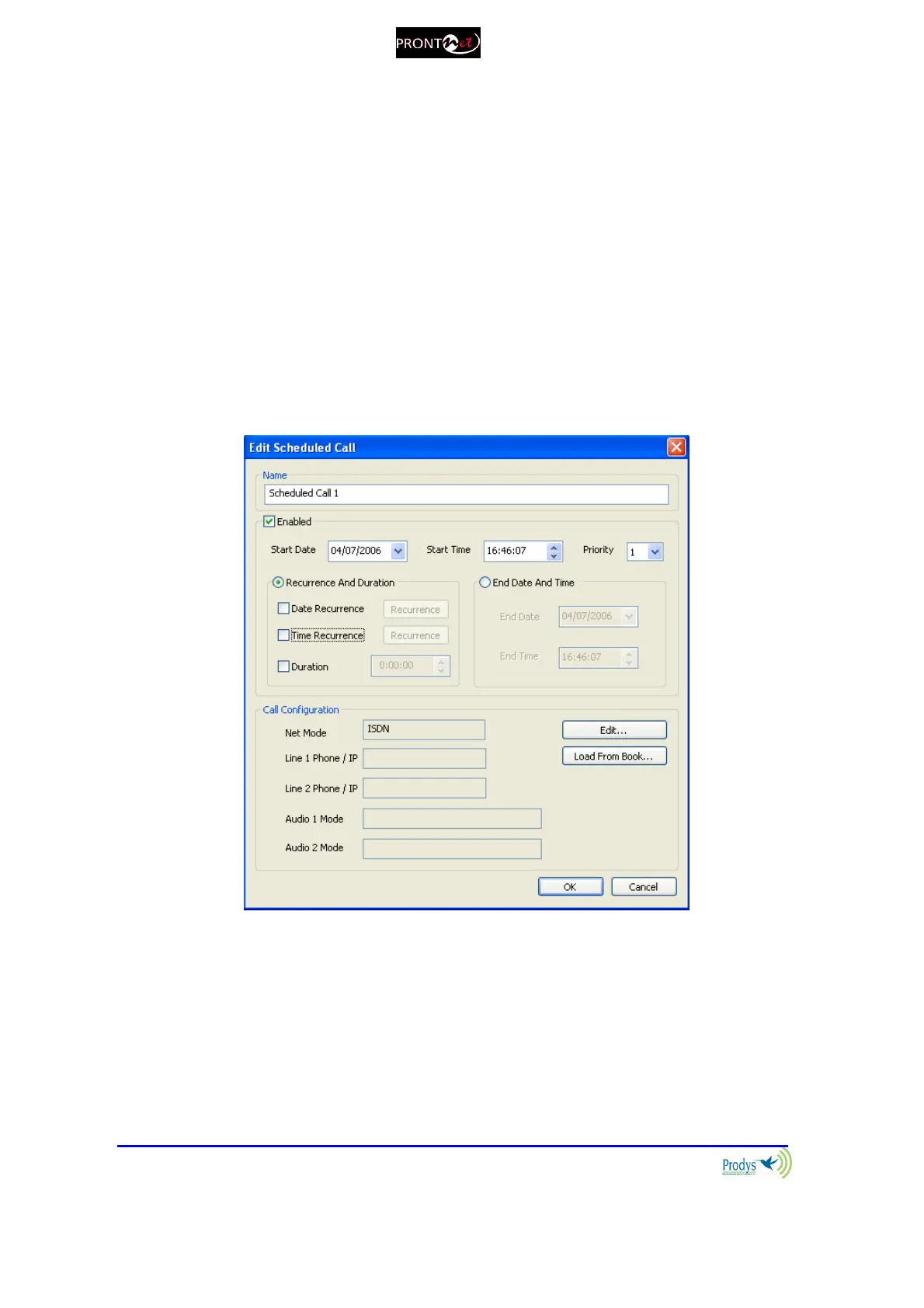
To add a new automatic call, click on the ‘Add’ button in the Scheduler
configuration window. The following window will be displayed:
This dialog permits the user to configure all the parameters related to an
automatic call.
Name
This field allows the user to enter a brief description to identify this call.
This name will appear in the call list of the Scheduler. By default, the name will
be “Scheduled Call” followed by a number.



 To Next Page