ProntoNetLC User Manual
63
V.1.1 Interfaces
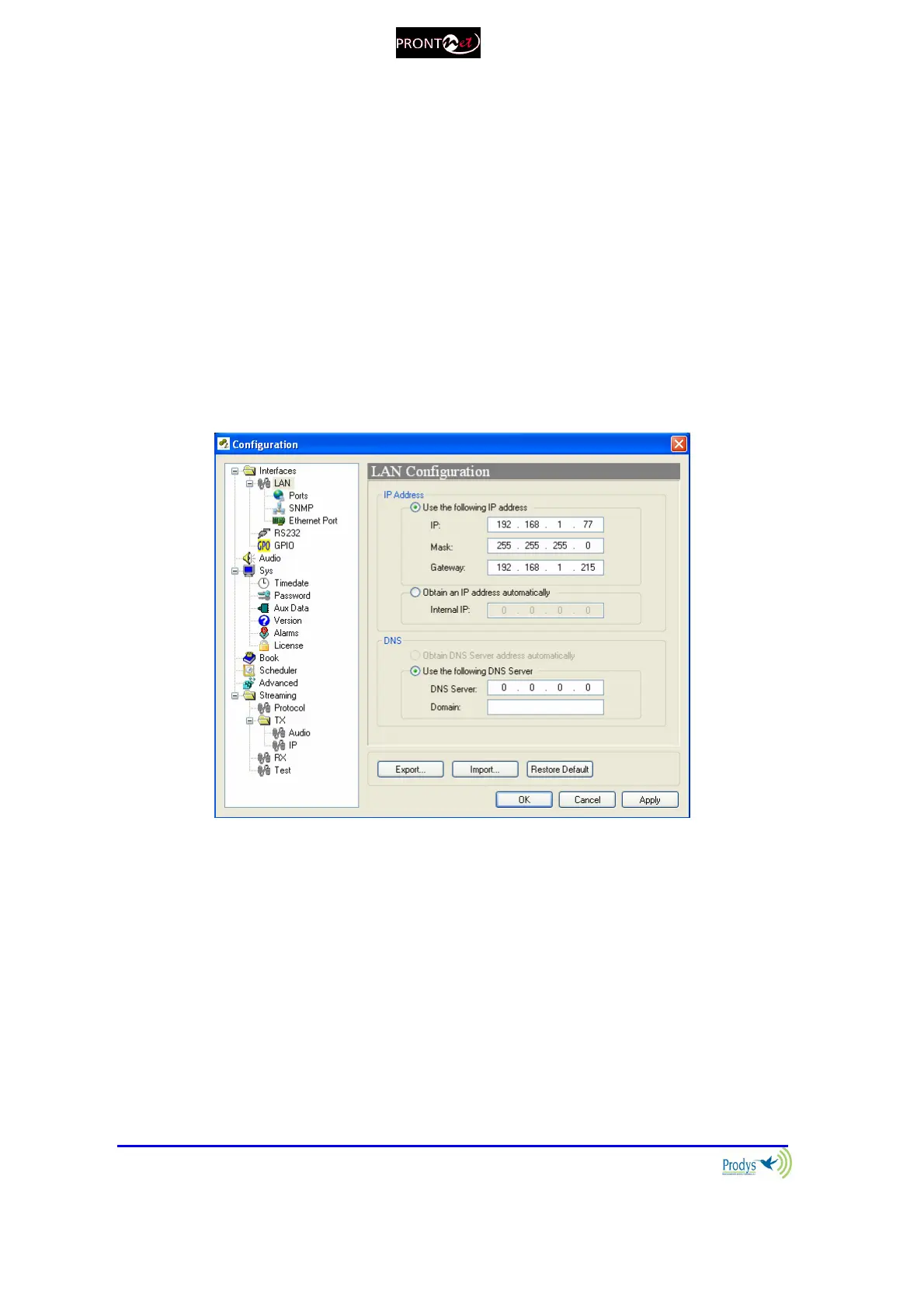
By clicking on the Interfaces icon the port configuration dialog appears. In the
left side the ports can be selected. The right window shows the window dialog to
configure the selected port. For example, if we select the LAN interface:
V.1.1.1. LAN port
ProntoNetLC allows the assigning of the IP parameters both manually and
automatically (DHCP).
Manually User must enter the following IP parameters manually:
1. IP address.
2. Mask.
3. Gateway IP address
Automatically Check “Obtain an IP address automatically” option to get
the configuration automatically from a DHCP Server.
By setting DHCP, the unit will receive its IP parameters when starting. These IP
settings might be different from time to time, that is why ProntoNetLC supports
RIP2 protocol. This protocol allows the user to set an ‘internal’ IP address, in
order that the unit can be identified regardless of the IP settings provided by the
DHCP server.



 To Next Page