ProntoNetLC User Manual
14
Pin X21 ProntoNet V35 Signal
2 Transmit Data TxD- P
9 Transmit Data TxD+ S
4 Receive Data RxD- R
11 Receive Data RxD+ T
6 Clock - V
13 Clock+ X
II.3.3 RS 232 Ports
There are two RS232 ports for use as auxiliary data ports. These ports allow the
transmission and reception of data along with encoded audio. Port A is always
ready. Port B is only available if the ProntoNetLC is configured as a DUAL Codec,
therefore able to operate two totally independent communication channels
1
.
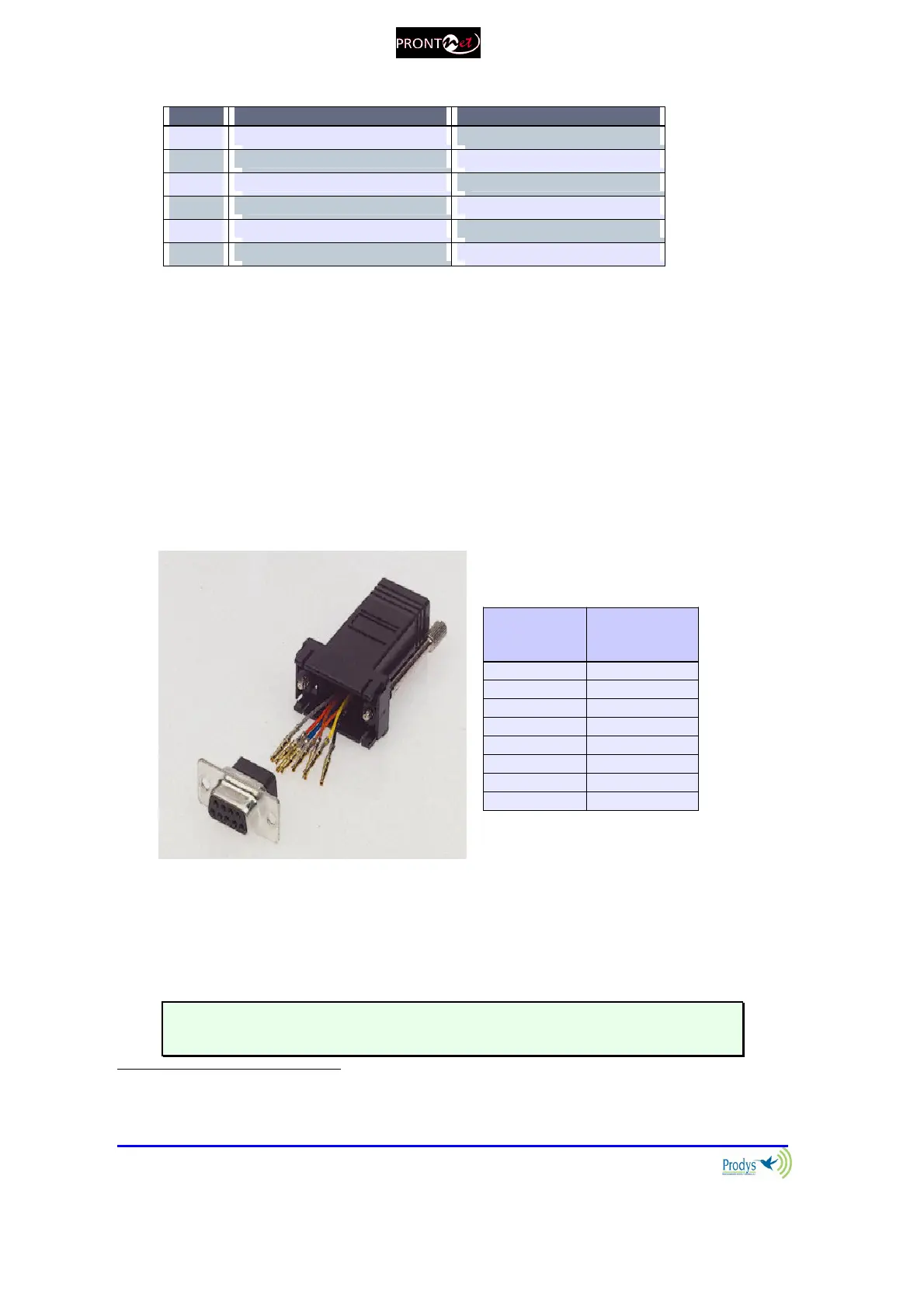
Note that these sockets are RJ45 connections, as opposed to the typical 9-pin
sub-D connections. To make the conversion between RJ45 and RS232 there are
modular connectors available that should be wired as follows:
S-Cluster
RJ45
Connector
9-pin female
D-sub
Connector
1 (NC) 1
2 (Rx) 3
3 (GND) 5
4 (NC) 4
5 (NC) 6
6 (GND) 7
7 (Tx) 2
8 (NC) 8
1,4,5,8 must be unconnected
The ports are always set to 8 DATA bits, NO parity, 1 START bit and 1 STOP bit.
The bit rate can be adjusted to between 300 and 9600 bps via software.
The ProntoNetLC acts as a DCE device, therefore the connection to each of
the RS232 ports is wired in the following way:
1
DUAL codec: ProntoNetLC is able to operate as a DUAL codec over IP (when configured in
‘DOUBLE’ mode).



 To Next Page