ProntoNetLC User Manual
11
II.3.1 Power
On the back panel you will find the main power inlet. You will also find the main
power switch and the fuse holder. The ProntoNetLC unit is designed to take AC
universal power, from 100 to 240 VAC with frequency between 50Hz and 60Hz.
You will also find a fuse holder that holds two fuses, one for each phase of input.
When it is necessary to replace either fuse, it is important to make sure that it
complies with the technical specifications outlined below that will ensure
adequate protection.
Fuse requirements:
Fuse type: Type T
Amps 2A
Power 250V
ATTENTION – CHANGING THE FUSE
Disconnect the power cable BEFORE changing the fuse.
II.3.2 Ethernet port – the LAN Connector
The LAN socket is an standard 10/100Base-T (10/100 Mbps) Ethernet connection
that takes the typical RJ45 plug. Through this Ethernet port it is possible to
transmit and receive audio, as well as manage the equipment. Next to the
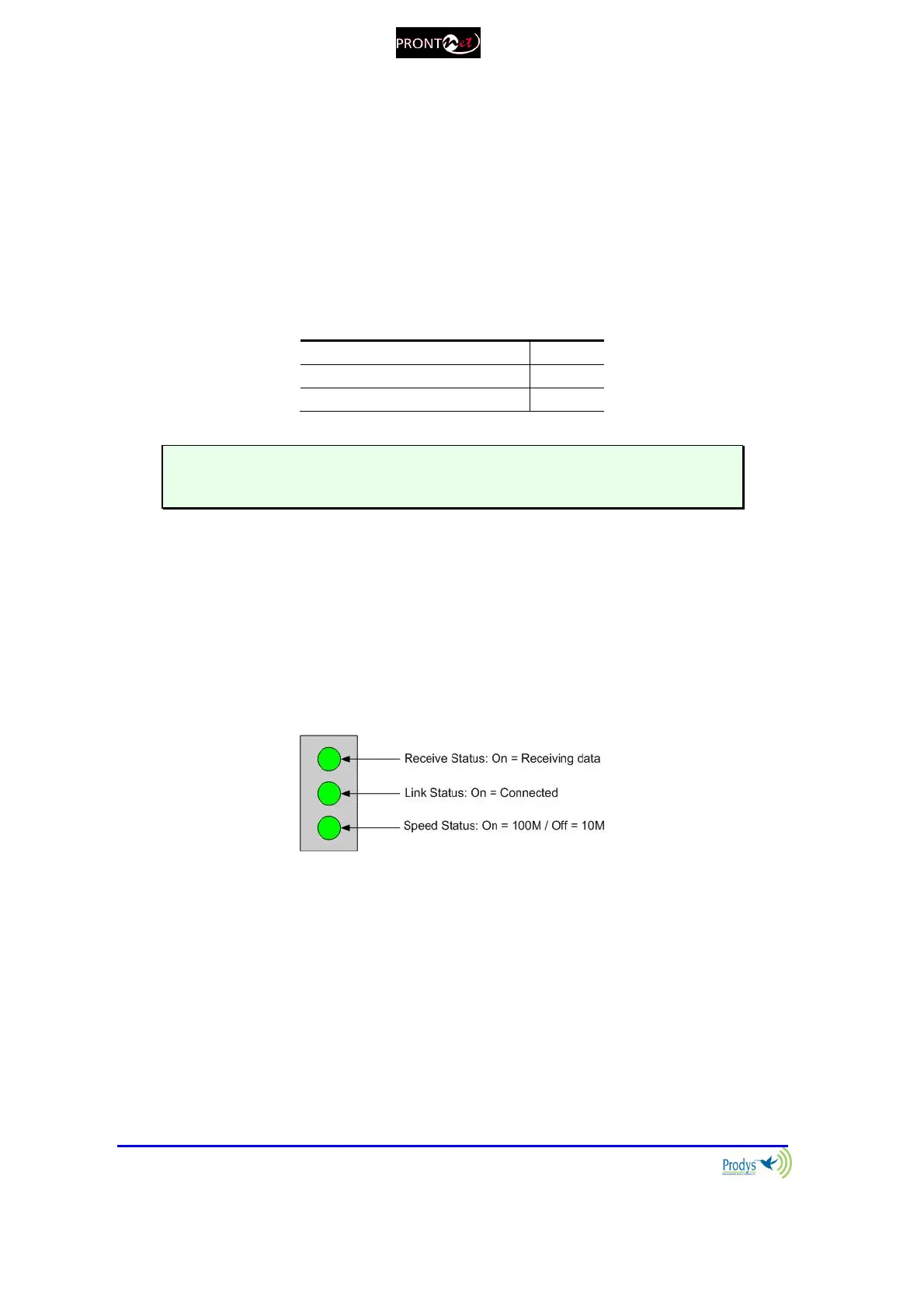
socket there are three LEDs that indicate different states for the connection and
these are very useful in problem-solving situations.
LAN LED’s:
Connection to a Hub or Switch
In the majority of cases you can simply connect the unit’s LAN port to your
Ethernet network’s Hub or Switch using an Ethernet cable (CAT5). In this
case you should use a standard ‘straight-through’ Ethernet cable (not a
‘cross-over’ cable). This kind of cable can normally be found in any IT shop.
In any case, this cable is described in more detail below:



 To Next Page