ProntoNetLC User Manual
56
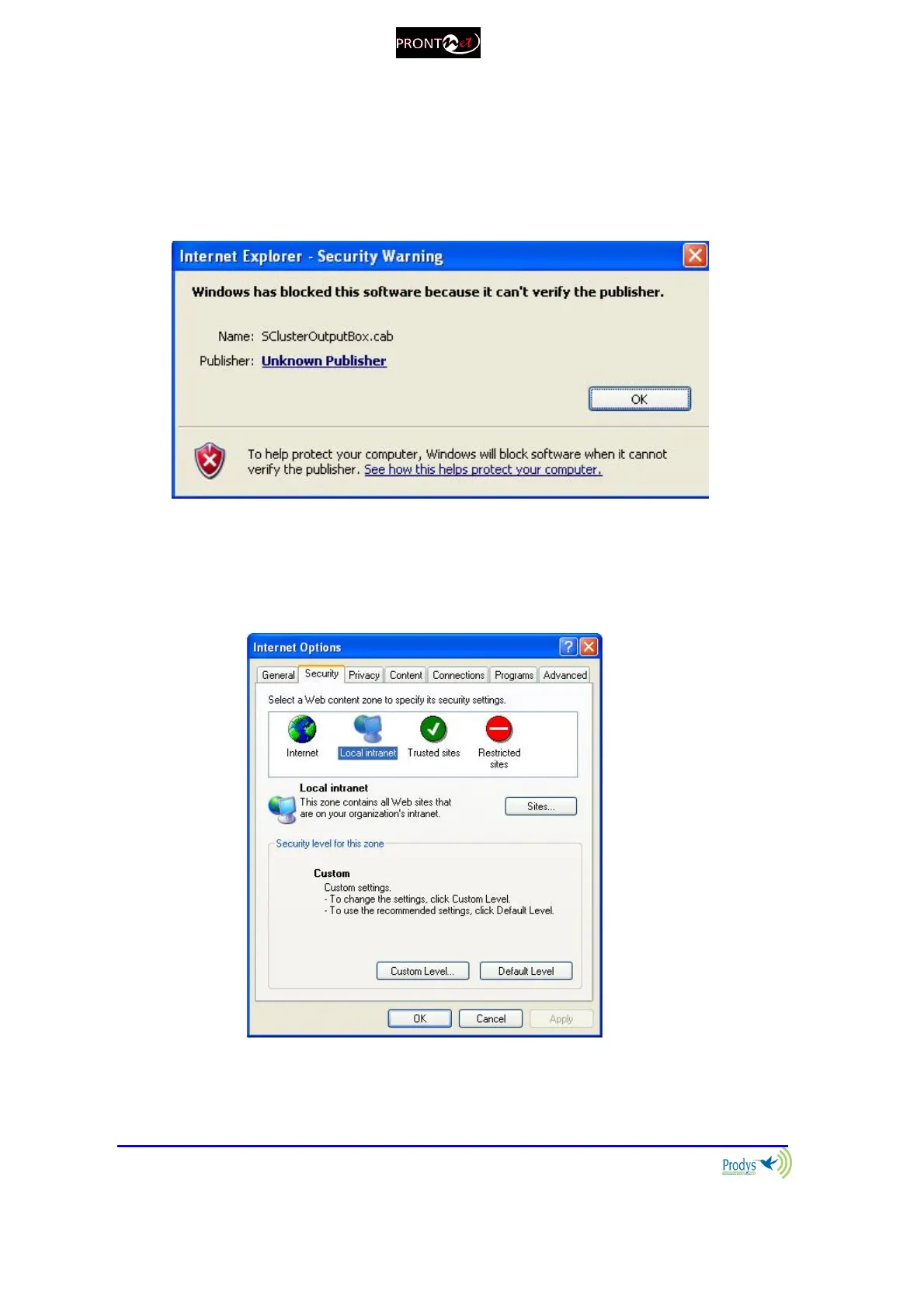
The first time the user accesses the ProntoNetLC web page, an OCX file has to
be downloaded and installed on the computer. Microsoft Internet Explorer can be
configured to block OCX objects installation and/or execution. So, depending on
the configuration of the web browser, the following message can appear when
first accessing the ProntoNetLC web page:
Go to Internet Options in IExplorer, click on ‘Security’ tab, and set ‘prompt’
when downloading ActiveX signed and unsigned controls at Local and
Internet zones.



 To Next Page