2-2 VisualMotion Tools for Diagnosing VisualMotion 9 Troubleshooting Guide
DOK-VISMOT-VM*-09VRS**-WA02-EN-P
Communication Error
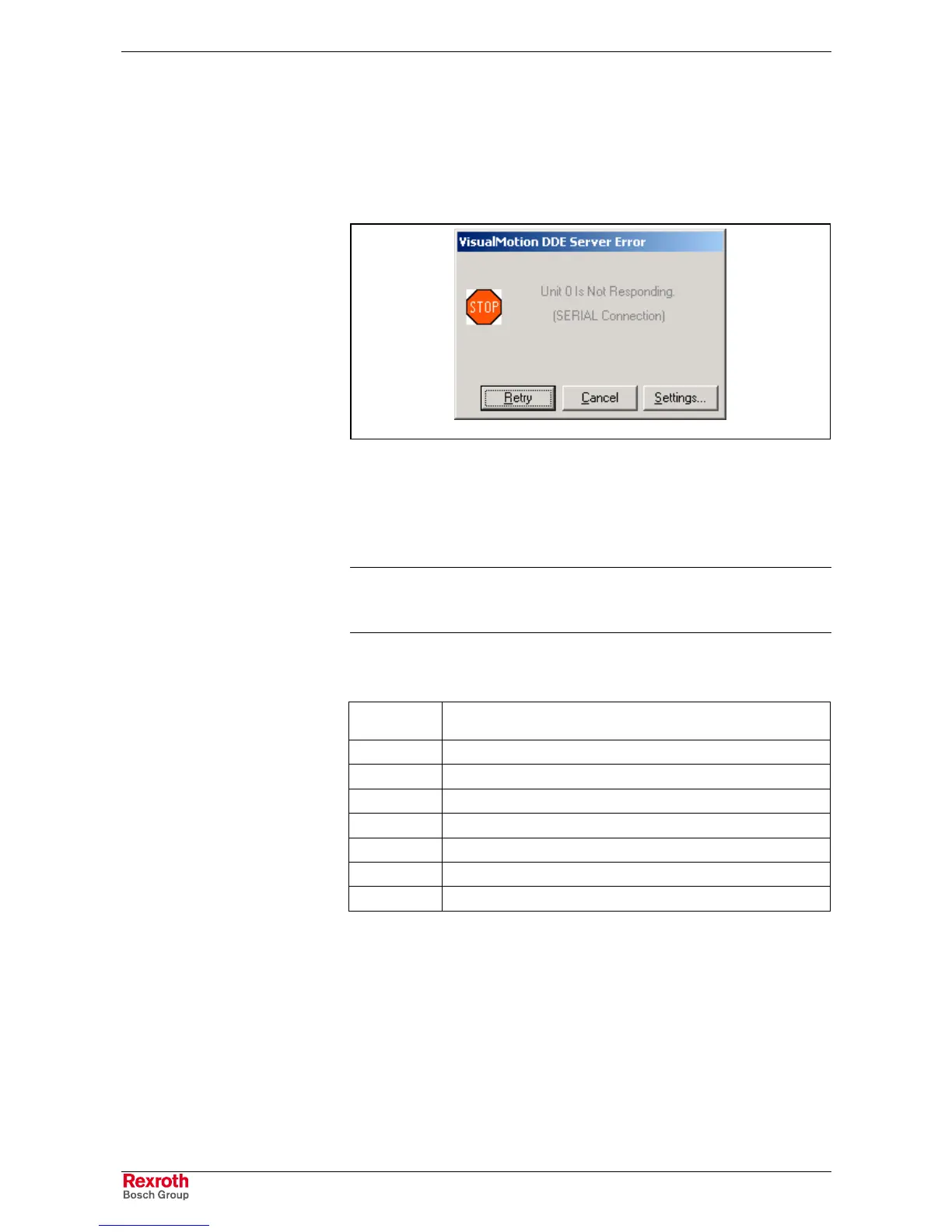
If a connection can not be established, the DDE server will issue an error
and the following Diagnostic dialog box will open. This indicates that
either there is a problem in the physical connection or that the
communication settings of the control do not match the settings of the
DDE sever.
DDE_Server_Error.tif
Fig. 2-2: VisualMotion DDE Server Error
1. Verify that power has been applied to the control and the proper cable
is being used (IKB0005) and the connections on both ends are made.
If this does not resolve the problem, then the serial parameters
should be verified.
Note: If a network connection is being used, verify that the Ethernet
control parameters are set properly and that the network
server is operating.
2. To view the current serial port settings on the PPC-R control, push
the S1 button and read the H1 display as follows.
Press S1 #
of Times
Description
0 System Diagnostic Message
1 Firmware version
2 X10 communications type (RS-232, RS-422, RS-485)
3 X10 baud rate (9600, 19.2K, 38.4K, 57.6K, 115.2K)
4 X16 communications type (RS-232, RS-422, RS-485)
5 X16 baud rate (9600, 19.2K, 38.4K, 57.6K, 115.2K)
6 Unit number (0 to 126, used for RS-485 mode)
Table 2-1: PPC-R S1 Button Display
3. Selecting Settings for the screen in Fig. 2-2 will open the dialog box in
Fig. 2-3. Make sure that the baud rate setting in the Serial
Communication window matches the PPC-R's setting. Also, verify
that the Serial Port number matches that of the port used by the serial
cable. Checking Use Serial Event improves the communication
throughput of the PC hardware.



 To Next Page