Technical Bulletin PAGE: 1/2
Reissued:07-Mar-14
RTB Reissue
The items in bold italics were corrected or added.
Subject: SC569-00 / SC555-00
Prepared by: Takeshi Toriumi
From: 1st Tech Service Sect. MFP/P Tech Service Dept.
Mechanical
Paper path
Product Safety
Electrical
Transmit/receive
Other ( )
Service manual revision
Retrofit information
Tier 2
Symptom
SC569-02 (Pressure Release Error: HP failed 3 times) occurs, triggering SC555-00 (Sensor 4: Thermopile:
Pressure Roller Center)).
Cause
The drawer connector of the fusing unit may be not connected correctly to the machine and then the
machine cannot detect the pressure roller home position (Non-pressure position) if the operator does not
push the drawer unit all the way into the tray. As a result, SC569-02 may appear.
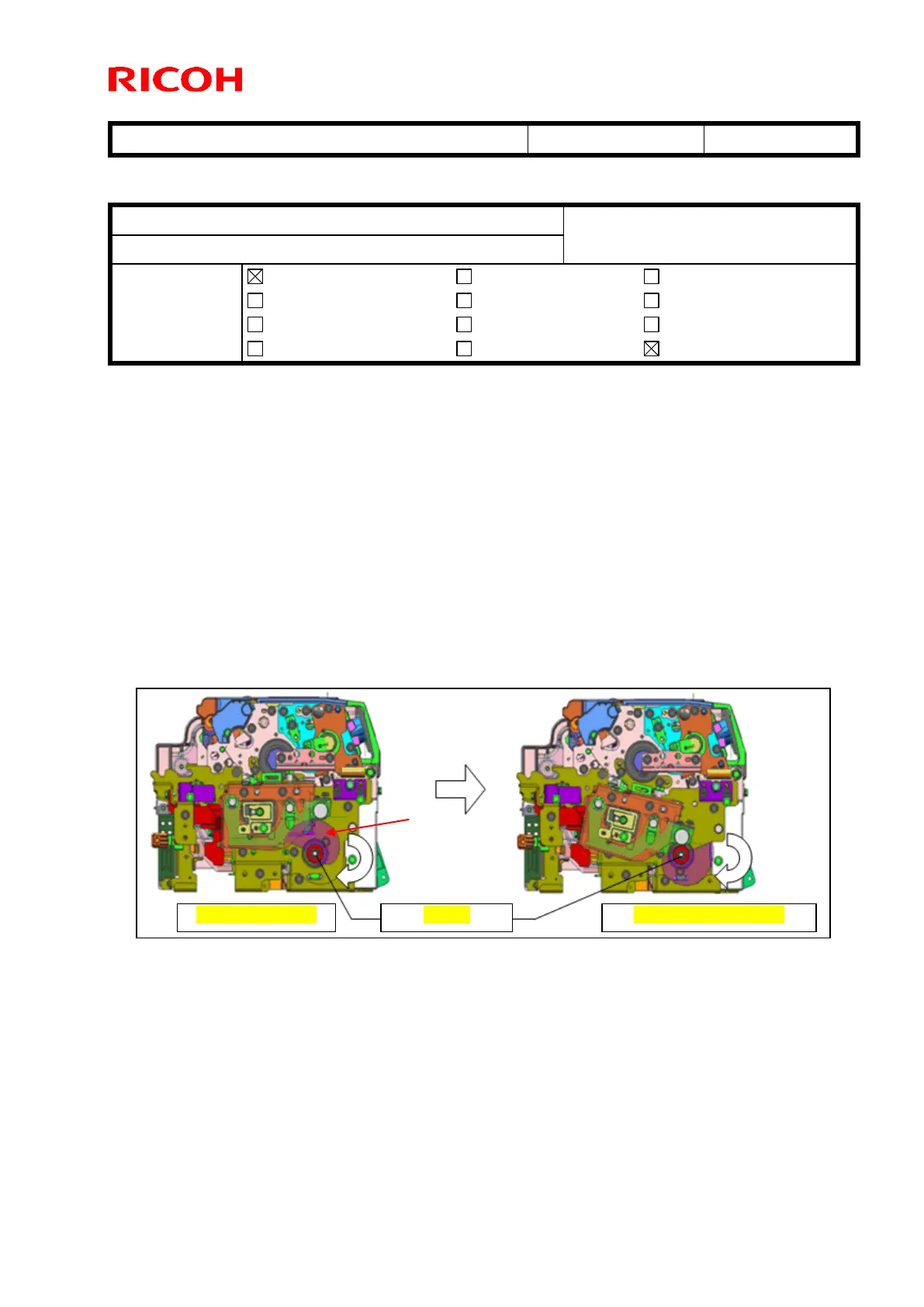
After that, the cam [A] rotates from the pressure position to the non-pressure position. This causes shock to
both heater terminals inside the pressure roller and breaks the heating lamp. The shock is caused by the gap
between the pressure position (top dead point) and non-pressure position (bottom dead point). As a result,
SC555-00 may appear.
Note: This symptom occurs on the D135-17 (120V) model only. On all other models, the “Fusing unit set
error” message appears and the machine does not start up if the drawer unit is not pushed into the
machine enough. This is because the other models have a set detection mechanism.



 To Next Page