Technical Bulletin PAGE: 1/14
Reissued:15-Oct-13
RTB Reissue
The items in bold italics were corrected or added.
Subject: Additional procedure of removing charge roller
retainers at machine installation
Prepared by: Takeshi Toriumi
From: 1st Tech Service Sect., MFP/P Tech Service Dept.
Mechanical
Paper path
Product Safety
Electrical
Transmit/receive
Other ()
Service manual revision
Retrofit information
Tier 2
Service Manual Correction
Replace the procedure for “Attaching the ITB Separation Lever” on pg. 86-90 with the
procedure shown below.
NOTE:
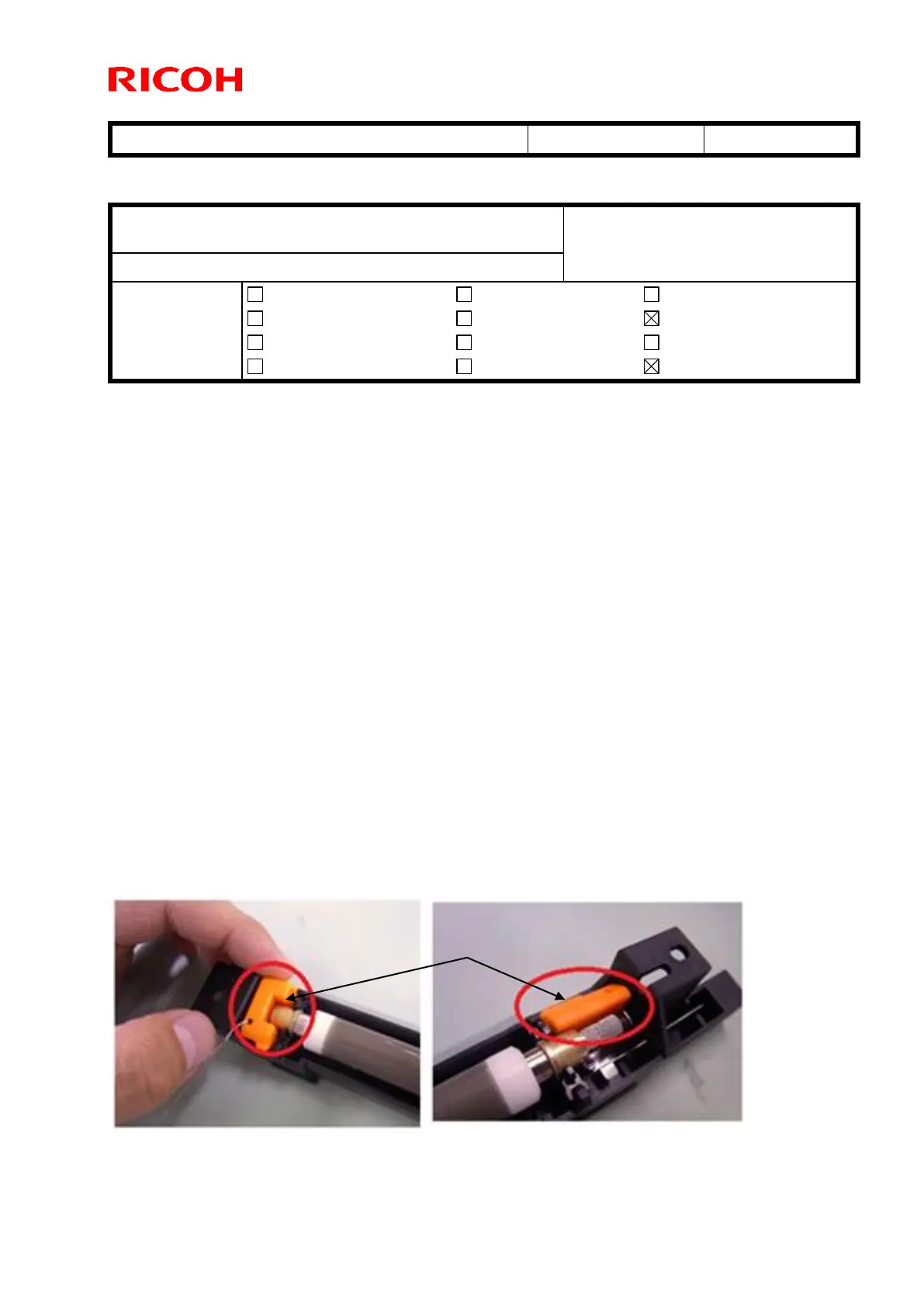
Shipping retainers [A] (circled in red below) were added to both ends of the cyan,
magenta, and black charge roller units. This is to prevent any damage to the
charge roller cleaning roller during shipping due to high temperature/humidity
conditions. (Such damage can cause banding at 5mm intervals in halftone areas).
A procedure for removing these at installation was added, called “Removing the
Retainers of the Charge Roller Units (C, M, K”).
IMPORTANT: Make sure to remove the new shipping retainers at machine
installation, before you attach the ITB separation lever. If you do not,
image problems will occur.



 To Next Page