Technical Bulletin PAGE: 1/2
SYMPTOM
The heating roller generates a ticking noise.
How to confirm the symptom
Step 1 . Print a copy.
Step 2 . Push the “Clear” button after you hear the
beep indicating job completion.
Step 3 . Listen if you can hear the ticking noise
while the heating roller rotates for 15
seconds.
CAUSE
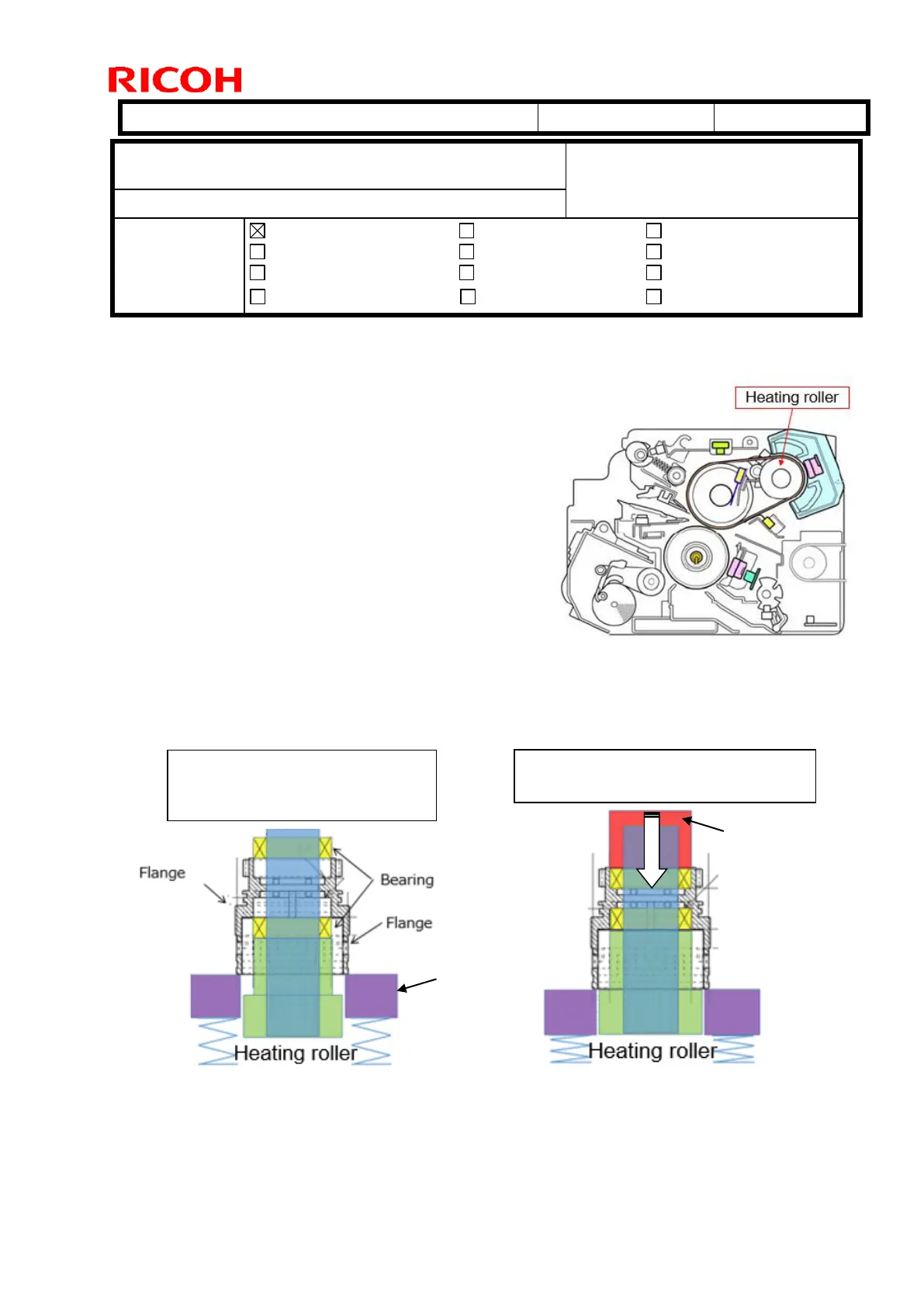
Bearing of the heating roller slants and interferes with the flange due to an inaccurate
press process in assembling the components.
Subject: Troubleshooting ticking noise caused by the heating
roller
From: 1st Tech Service Sect., MFP/Printer Tech Service Dept
Electrical
Transmit/receive
Service manual revision
Retrofit information
Product Safety Other (Firmware)
Step 1. Flange and bearings are
set to the heating roller on
the supporting plate.
Step 2. Flange is not pressed in
straight and slants the bearing.



 To Next Page