Technical Bulletin PAGE: 1/2
Model: Model CH-C1 (Office/Pro)
Subject: Troubleshooting for White spots
Prepared by: Ryuuta Chino
From: 1st Tech Service Sect. PP Tech Service Dept.
Mechanical
Paper path
Product Safety
Electrical
Transmit/receive
Other ( )
Service manual revision
Retrofit information
Tier 2
SYMPTOM
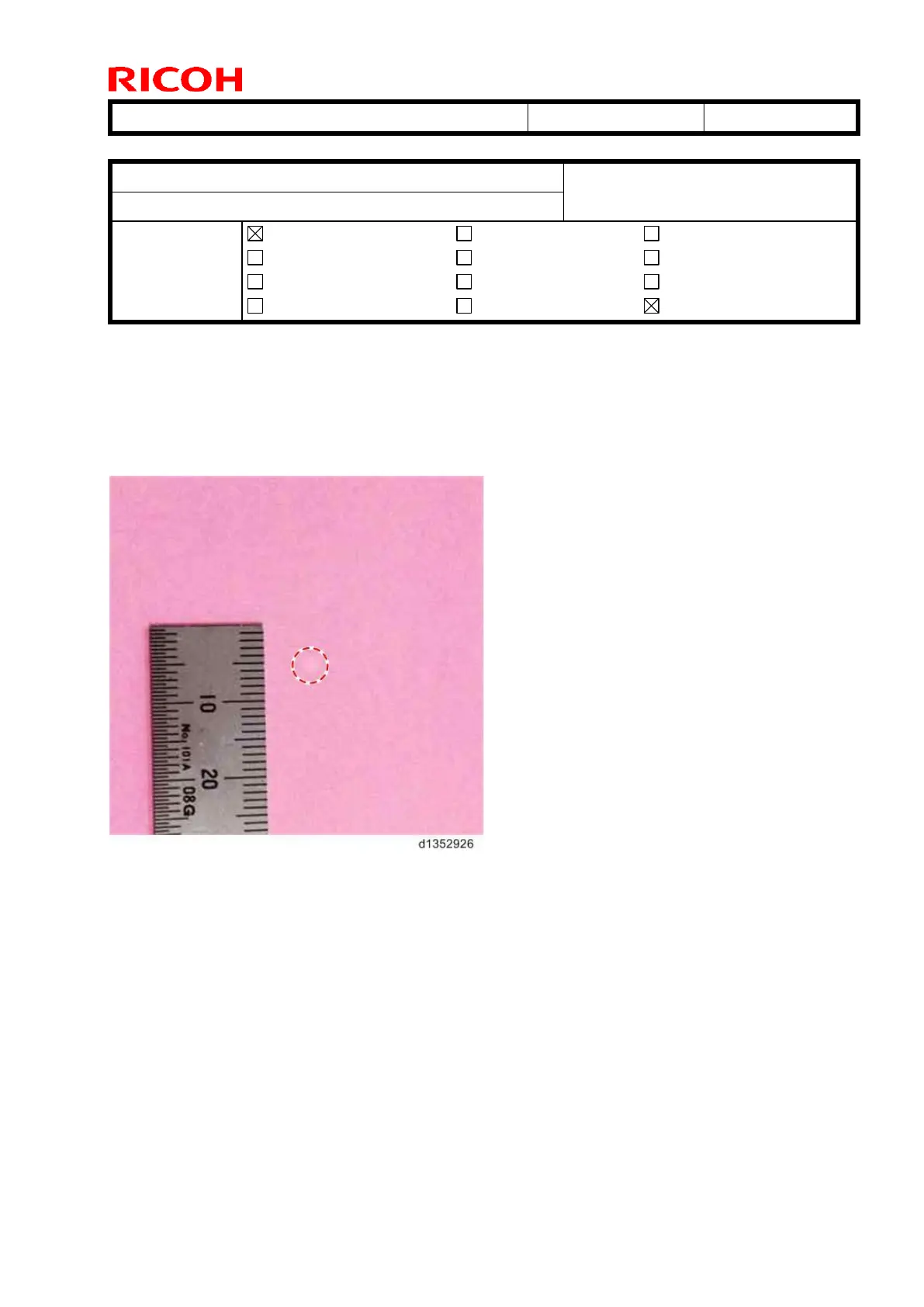
White or black spots appear when printing halftone images in low-temperature, low-
humidity environments (10C/15%) immediately after the developer is replaced.
Note: Black spots occur more frequently when printing onto coated paper.
CAUSE
Some carrier particles inside newly-installed developer have a relatively high electrical
potential. These particles may be transferred to the OPC in non-image areas as well, and
then fall off before image transfer. As a result, a white spot is developed on the image.
If these carrier particles are transferred to the ITB, toner around the carrier drops off,
forming a black spot.



 To Next Page